On November 9, Google issued a security update to Chrome’s Stable channel for Windows, Mac, and Linux. The update is rolling out over the coming days and weeks.
Most users are on Chrome’s Stable channel. The desktop update brings Chrome to versions 157.0.8103.50/.51 for Windows and Mac and 157.0.8103.50 for Linux. It includes nine security fixes, including one for an actively exploited zero-day vulnerability.
A zero-day vulnerability is a security flaw disclosed or exploited before an official fix becomes available.
Hong Kong’s Computer Emergency Response Team Coordination Centre (HKCERT) rates the overall risk as “Extremely High.” Its bulletin says some of the vulnerabilities address in the update could allow denial of service, security restriction bypass, and remote code execution.
How to update Chrome
The easiest option is to allow Chrome to update automatically. But you can end up lagging behind on updates if you never close your browser or if something goes wrong, such as an extension preventing the update.
If you don’t want to wait for the rollout to reach you, you can update manually. Open About Google Chrome from Chrome’s Settings or Help menu. Chrome will check for updates and download any available update. If prompted, click Relaunch to apply it.
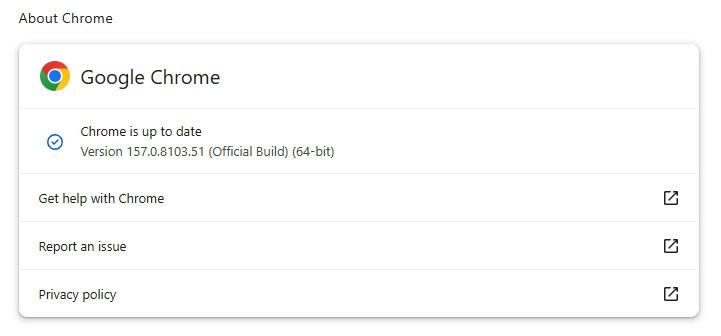
You can find an explanation of the version numbering system and step-by-step instructions in our guide: How to update Chrome on every operating system.
Google also released Chrome 157.0.8103.50 for Android on November 9. Google says it includes the same security fixes as the desktop release unless otherwise noted. Android users should check Google Play for the update.
Technical details
Let’s take a closer look at that zero-day vulnerability.
Google says it was notified about a vulnerability by an unnamed third party on November 6. The vulnerability is tracked as CVE-2026-125350 and rated as a high-severity use-after-free vulnerability in Chrome’s XML component.
XML is a data format Chrome uses to read and process certain kinds of structured web content. XML stands for Extensible Markup Language: it labels information with tags, rather like HTML, but allows authors to define their own tags to describe their data.
A use-after-free vulnerability occurs when a program attempts to access a memory location after it has been freed. That can cause crashes or, in some cases, allow an attacker to run their own code.
Google only says that it is “aware that an exploit for CVE-2026-125350 exists in the wild.” It has not named the attackers, the targets, the delivery method, or what the exploit can do.
Stop threats before they can do any harm.
Malwarebytes Browser Guard blocks phishing pages and malicious sites automatically. Free, one click to install. Add it to your browser →