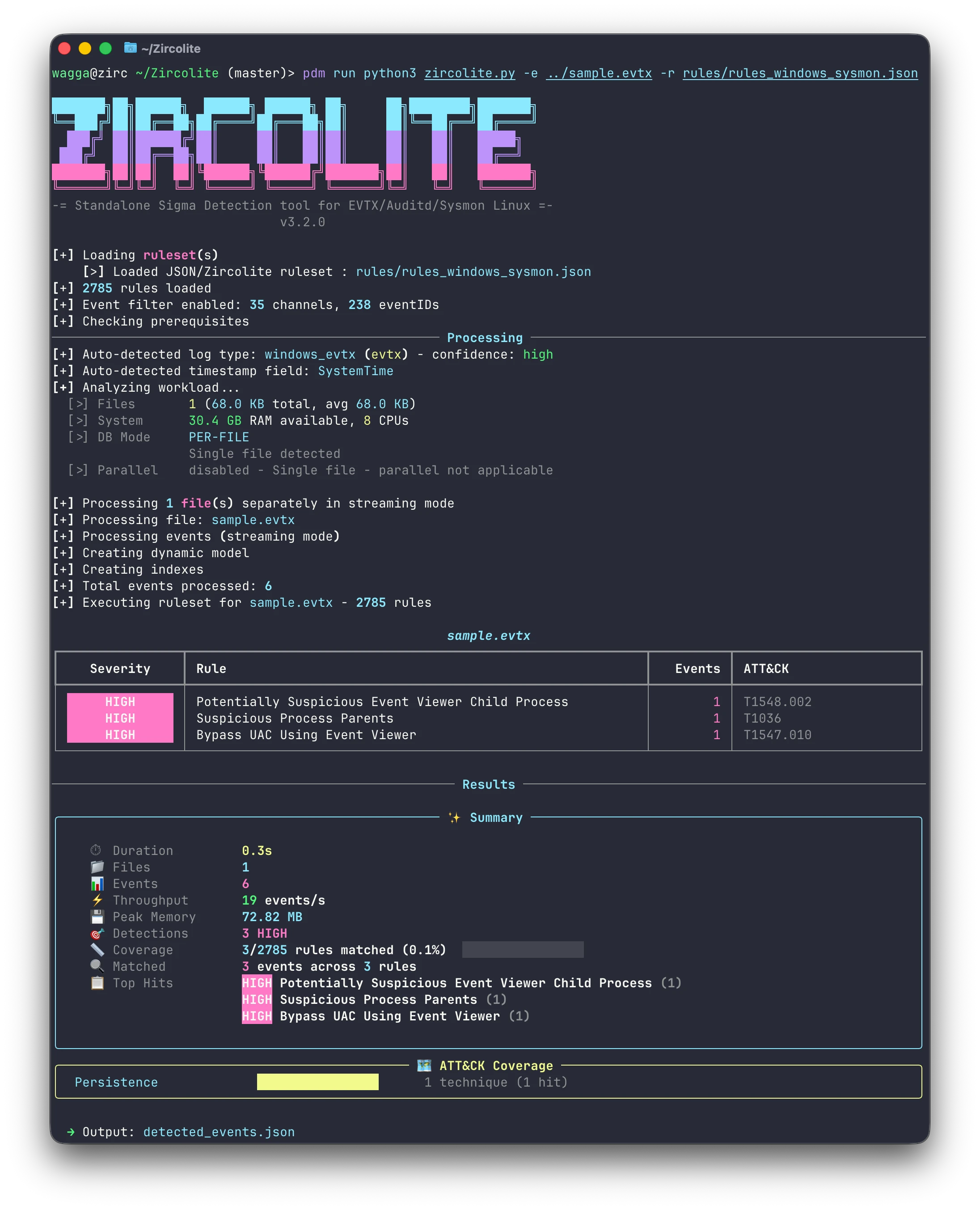
Zircolite is a standalone tool written in Python 3 that allows you to use SIGMA rules on:MS W 2026-9-21 06:27:26 Author: kitploit.com(查看原文) 阅读量:9 收藏
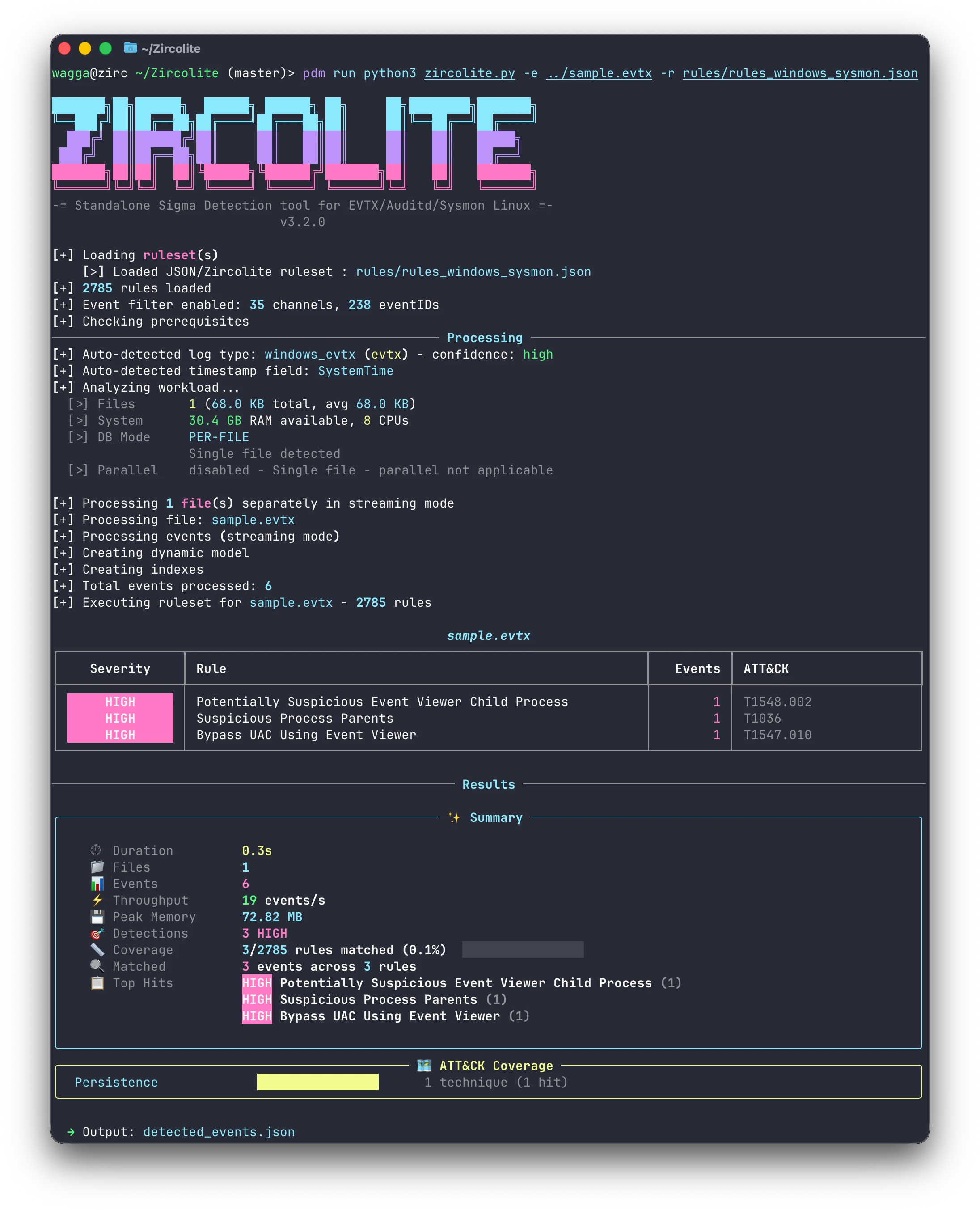


Zircolite is a standalone tool written in Python 3 that allows you to use SIGMA rules on:
- MS Windows EVTX (EVTX, XML, and JSONL formats)
- Auditd logs
- Sysmon for Linux
- EVTXtract
- CSV and XML logs
- JSON Array logs
Key Features
- Fast: 452,554 events against 4,319 Sigma rules in 11.6 s — 2.1× faster than Hayabusa and 9.8× faster than Chainsaw on the same logs, both of them Rust tools. See the benchmark.
- Automatic Log Type Detection: Automatically identifies log formats and timestamp fields using magic bytes, content analysis, and regex-based fallback -- no need to specify format flags in most cases.
- Multiple Input Formats: Supports various log formats including EVTX, JSON Lines, JSON Arrays, CSV, XML, and more. Compressed or archived logs (gzip, bzip2, ZIP, 7-Zip) are supported; use
--archive-passwordfor encrypted ZIP/7z. - Native Sigma Support: Zircolite can directly use native Sigma rules (YAML) by converting them with pySigma.
- SIGMA Backend: It is based on a SIGMA backend (SQLite) and does not use internal SIGMA-to-something conversion.
- Advanced Log Manipulation: It can manipulate input logs by splitting fields and applying transformations, allowing for more flexible and powerful log analysis.
- Field Transforms: Apply custom Python transformations to fields during processing (e.g., Base64 decoding, hex-to-ASCII conversion).
- Flexible Export: Zircolite can export results to multiple formats using Jinja templates, including JSON, CSV, JSONL, Splunk, Elastic, OpenSearch, Timesketch, SARIF, ATT&CK Navigator, and more.
- Rich Terminal Output: Detection results displayed in severity-sorted tables with MITRE ATT&CK technique IDs, ATT&CK tactics heatmap, rule coverage metrics, and clickable output file links.
You can use Zircolite directly with Python, or download a standalone binary that needs no Python installation.
Documentation is available here (dedicated site) or here (repository directory).
Requirements / Installation
[!NOTE] Everything in this section applies only when running Zircolite from source. The standalone binaries and the Docker image carry their own Python, every dependency and the compiled kernel: they need no Python, no package manager and no C compiler.
The project has been tested with Python 3.10 and above. Dependencies are declared in
pyproject.toml; install them from the cloned repository with
PDM (pdm install), uv
(uv sync) or Poetry (poetry install).
The examples below run python3 zircolite.py: activate the environment the tool created,
or prefix them with pdm run, uv run or poetry run.
Dependencies
- Required:
orjson,xxhash,rich,rich-argparse,RestrictedPython,requests,urllib3,pySigma,evtx(pyevtx-rs),jinja2,lxml,chardet,psutil,pyyaml,py7zr,ijson,pyahocorasick,pyroaring py7zris imported only when a.7zinput is opened; ZIP, gzip and bzip2 use the standard library.
⚠️ Install a C compiler first
Installing from source compiles Zircolite's flattening kernel with Cython — but only if a C compiler is already there. Without one the install still succeeds and every run flattens events in Python instead, which is slower. The binaries and the Docker image are built with the kernel already compiled, so this does not concern them.
So install the toolchain before pdm install:
| Platform | Prerequisite |
|---|---|
| Debian, Ubuntu | apt install build-essential python3-dev |
| RHEL, Fedora, Rocky | dnf install gcc python3-devel |
| Alpine | apk add build-base python3-dev |
| macOS | xcode-select --install |
| Windows | Build Tools for Visual Studio ("Desktop development with C++") |
Cython itself needs no installing: it is a build-time requirement, fetched into an isolated build environment and never added to your environment.
Standalone binaries
Every release publishes a self-contained package per platform. Each carries its own Python and every dependency, so nothing has to be installed first.
| Target | Archive | Runs on |
|---|---|---|
linux-x64 | Zircolite-<version>-linux-x64.zip | glibc 2.28 or later: RHEL 8, Debian 10, Ubuntu 20.04 and newer |
linux-arm64 | Zircolite-<version>-linux-arm64.zip | glibc 2.28 or later |
macos-arm64 | Zircolite-<version>-macos-arm64.zip | macOS 15 or later, Apple silicon |
windows-x64 | Zircolite-<version>-windows-x64.zip | Windows 10 or later |
windows-arm64 | Zircolite-<version>-windows-arm64.zip | Windows 10 or later, ARM64 |
Intel Macs and musl-based distributions such as Alpine have no binary; use Python or Docker there.
unzip Zircolite-<version>-linux-x64.zip
cd Zircolite-<version>-linux-x64
./Zircolite --events sysmon.evtx --ruleset rules/rules_windows_merged.json
In the examples below, replace python3 zircolite.py with the path to the executable.
The binaries are not code-signed. macOS quarantines a download made with a browser, the
extracted files inherit the flag, and Gatekeeper then blocks the executable and every
library in _internal/. Clear it from the whole directory, recursively, before the first
run:
xattr -dr com.apple.quarantine Zircolite-<version>-macos-arm64
Quick Start
Check out (old) tutorials made by others (EN, ES, and FR) here.
EVTX Files
Help is available with:
# Don't forget to prefix with "pdm run" or "uv run" or "poetry run" when needed
python3 zircolite.py -h
If your EVTX files have the extension ".evtx":
# python3 zircolite.py --evtx <EVTX FOLDER or EVTX FILE> --ruleset <SIGMA RULESET> [--ruleset <OTHER RULESET>]
python3 zircolite.py --evtx sysmon.evtx --ruleset rules/rules_windows_merged.json
--ruleset can be left out: Zircolite then uses rules/rules_windows_merged.json, which
covers Sysmon and the generic Windows channels.
Using Native Sigma Rules (YAML)
You can use native Sigma rules (YAML) directly:
# Single YAML rule
python3 zircolite.py --evtx sample.evtx --ruleset path/to/rule.yml

# Directory of Sigma rules
python3 zircolite.py --evtx sample.evtx --ruleset ./sigma/rules/windows/process_creation

# With pySigma pipelines
python3 zircolite.py --evtx sample.evtx --ruleset rule.yml --pipeline sysmon --pipeline windows-logsources
--pipeline-list shows the installed pipelines. Naming one that is not installed stops
the run with exit code 2, before any rule is converted.
Other Log Formats
Zircolite auto-detects the log format in most cases, so explicit format flags are optional:
# Auto-detection (recommended) - Zircolite identifies the format automatically
python3 zircolite.py --events auditd.log --ruleset rules/rules_linux.json
python3 zircolite.py --events sysmon.log --ruleset rules/rules_linux.json
python3 zircolite.py --events <JSON_FOLDER_OR_FILE> --ruleset rules/rules_windows_merged.json

# Explicit format flags (override auto-detection)
python3 zircolite.py --events auditd.log --ruleset rules/rules_linux.json --auditd
python3 zircolite.py --events sysmon.log --ruleset rules/rules_linux.json --sysmon4linux
python3 zircolite.py --events <JSON_FOLDER_OR_FILE> --ruleset rules/rules_windows_merged.json --jsononly
python3 zircolite.py --events <JSON_FOLDER_OR_FILE> --ruleset rules/rules_windows_merged.json --json-array
python3 zircolite.py --events <CSV_FOLDER_OR_FILE> --ruleset rules/rules_windows_merged.json --csv-input
python3 zircolite.py --events <XML_FOLDER_OR_FILE> --ruleset rules/rules_windows_merged.json --xml-input
- The
--eventsargument can be a file or a folder. If it is a folder, all log files in the current folder and subfolders will be selected (use--no-recursionto disable). - Use
--file-patternto specify a custom glob pattern for file selection. - Use
--no-auto-detectto disable automatic format detection.
[!TIP] If you want to try the tool, you can test with EVTX-ATTACK-SAMPLES (EVTX files).
Running with Docker
# Pull the Docker image
docker pull wagga40/zircolite:latest
# If your logs and rules are in a specific directory
docker run --rm --tty \
    -v $PWD:/case/input:ro \
    -v $PWD:/case/output \
    wagga40/zircolite:latest \
    -e /case/input \
    -o /case/output/detected_events.json \
    -r /case/input/a_sigma_rule.yml
- Replace
$PWDwith the directory (absolute path only) where your logs and rules/rulesets are stored. - On a Linux host, add
--user "$(id -u):$(id -g)"and-l /case/output/zircolite.log: the image runs as an unprivileged user that cannot write to a directory you own. See Docker.
Automatic Processing Optimization
Given several files, Zircolite measures them against available RAM and CPU, picks a database mode (one shared database, or one per file) and decides whether processing them in parallel is worth it — then adapts the worker count to memory pressure as it runs.
python3 zircolite.py --evtx ./logs/ --ruleset rules/rules_windows_merged.json
Override any of it with --no-auto-mode, --unified-db (one database for all files, which is what cross-file correlation rules need), --no-parallel or --parallel-workers N. See Automatic Processing Optimization for how the choice is made.
Using YAML Configuration Files
For complex or repeated analysis workflows, use a YAML configuration file:
# Generate a fully commented configuration file
python3 zircolite.py --generate-config my_config.yaml

# Run with it
python3 zircolite.py --yaml-config my_config.yaml

# CLI arguments override the file
python3 zircolite.py --yaml-config my_config.yaml --evtx ./other_logs/
The generated file documents every supported key at its default value;
config/zircolite_example.yaml is the same file, kept in the repository. See YAML configuration for the merge
rules and the options that have no YAML equivalent.
Updating Default Rulesets
From source this rewrites the repository's rules/. A standalone binary writes to the
rules/ directory beside its executable, and falls back to ./rules in the working
directory, with a warning, when that one cannot be written to.
Alternatively, if you use Task (go-task), run task update-rules from the project root to update rules from Zircolite-Rules-v2. See docs for other tasks (Docker build, clean, etc.).
[!IMPORTANT]
Please note that these rulesets are provided to use Zircolite out of the box, but you should generate your own rulesets as they can be noisy or slow. These auto-updated rulesets are available in the dedicated repository: Zircolite-Rules-v2.
Field Splitting and Transforms
Two configuration features shape events as they are ingested, both in config/config.yaml:
- Field splitting turns a packed key-value field into queryable ones. Sysmon's
Hashesfield (SHA1=abc123,MD5=def456,SHA256=789xyz) becomes separateSHA1,MD5andSHA256fields, so rules can match a hash directly. - Field transforms run sandboxed Python over a field's value — decoding base64 command lines, extracting IOCs, flagging LOLBins — and can write the result to a new field rather than replacing the original. Zircolite ships 55 of them across 11 categories, off by default apart from the two auditd ones.
split:
  Hashes:
    separator: ","
    equal: "="
See Field Splitting and Field Transforms for the full configuration, the transforms Zircolite ships, and how to test your own.
Benchmark
Zircolite is the fastest of the three: 2.1× faster than Hayabusa and 9.8× faster than Chainsaw — and it is the only one of them written in Python, against two tools written in Rust.
Same 4 Sysmon EVTX files (478 MB, 452,554 events), each tool at its defaults with its own rules, on a 10-core Apple M1 Max. Median of three runs:
| Tool | Rules loaded | Wall time | Throughput | Peak memory |
|---|---|---|---|---|
| Zircolite | 4,319 | 11.6 s | 39,000 events/s | 1,207 MiB (4 worker processes) |
| Hayabusa 4.1.0 | 4,658 | 24.7 s | 18,300 events/s | 900 MiB |
| Chainsaw 2.16.0 | 3,524 | 113.5 s | 4,000 events/s | 346 MiB |
Zircolite trades memory for that speed: it runs one worker process per file, and the
figure above is their total. --no-parallel keeps it to a single process.
The rule sets differ, so detection counts are not comparable; see Benchmark
for the setup, the caveats and how to reproduce it with tools/tool-benchmark.py.
Documentation
Complete documentation is available here.
Mini-GUI
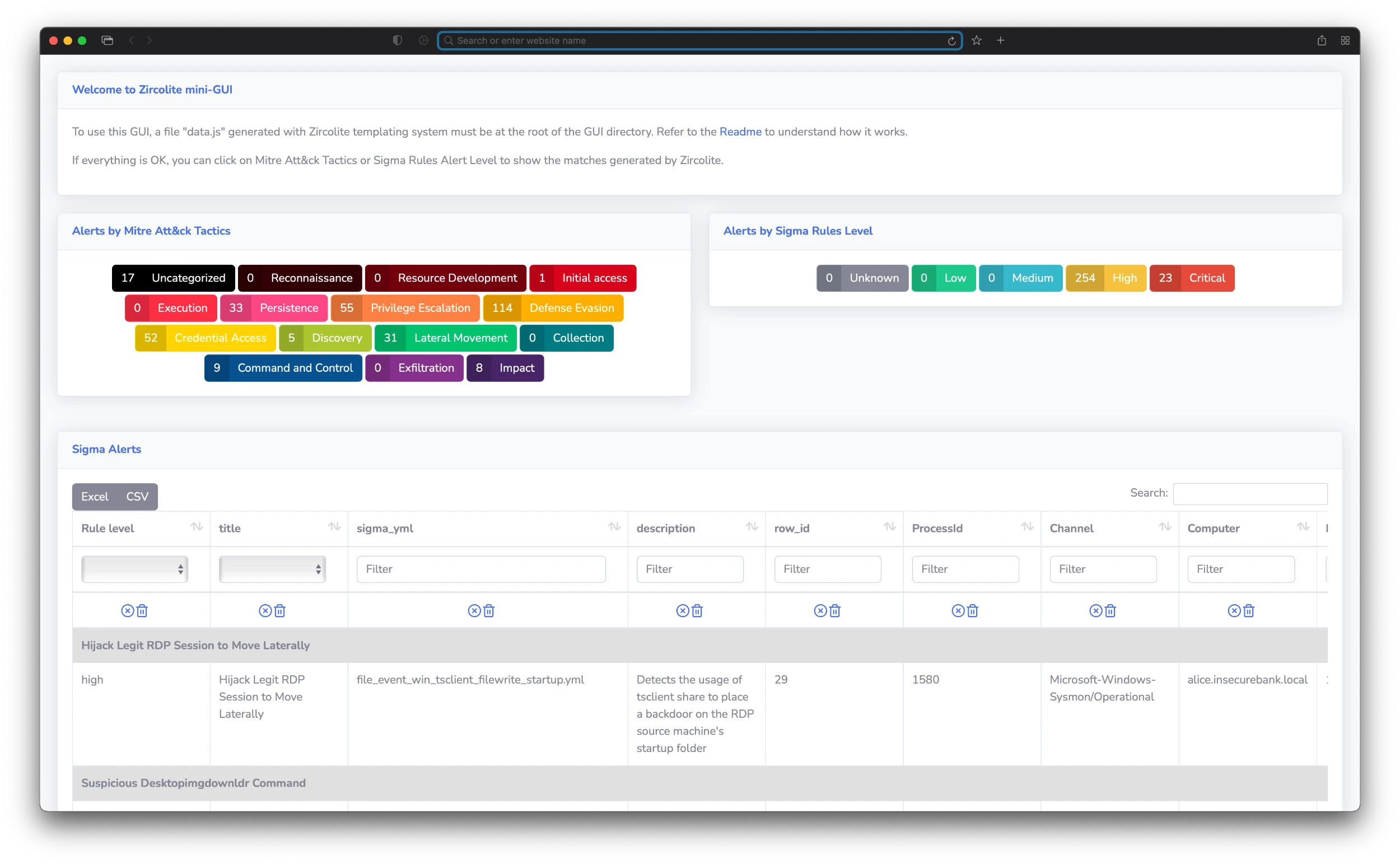
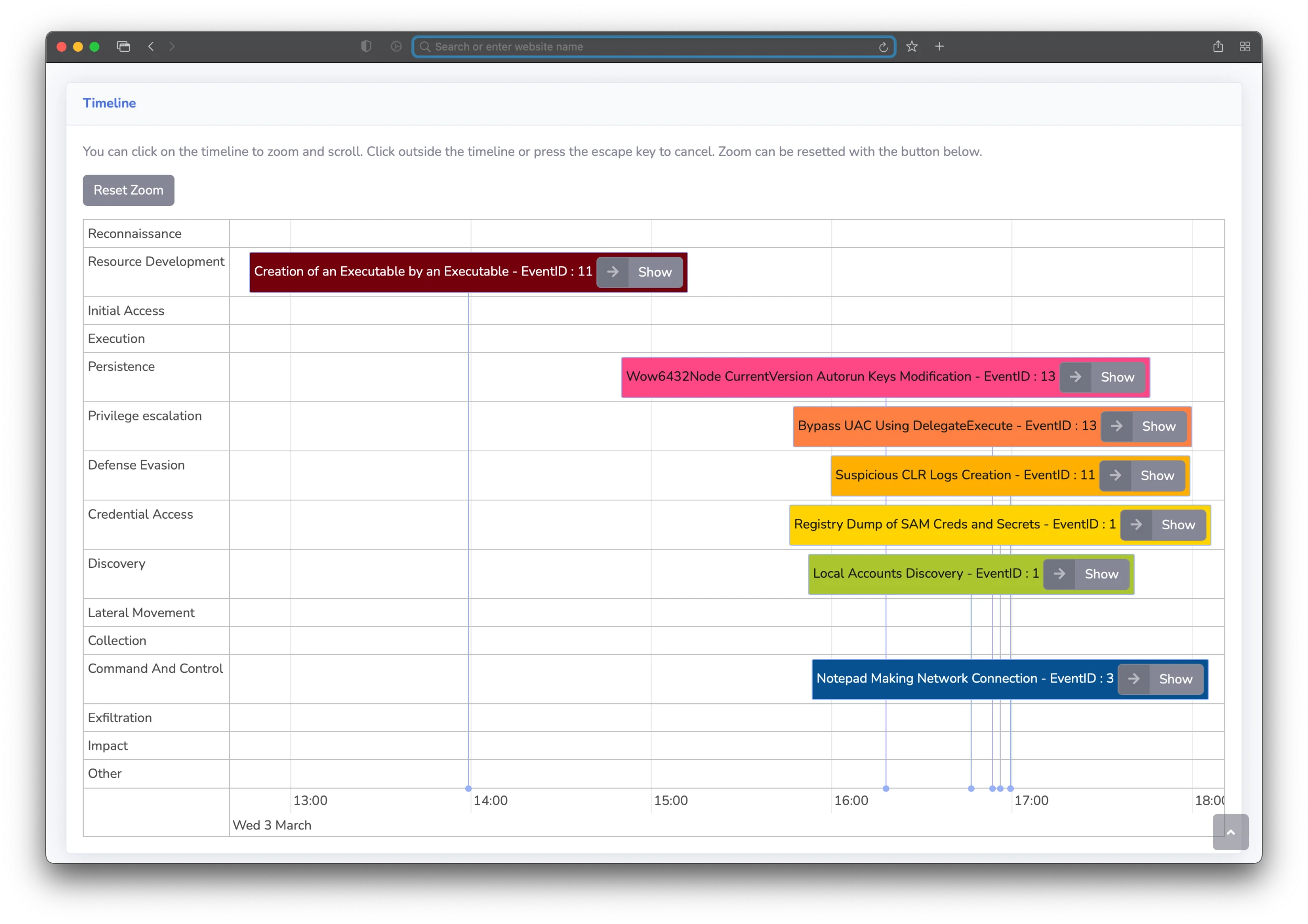
The Mini-GUI can be used completely offline. It allows you to display and search results. You can automatically generate a Mini-GUI "package" with the --package option. Use --package-dir to specify the output directory. To learn how to use the Mini-GUI, check the documentation here.
Detected Events by MITRE ATT&CK® Techniques and Criticality Levels
Detected Events Timeline
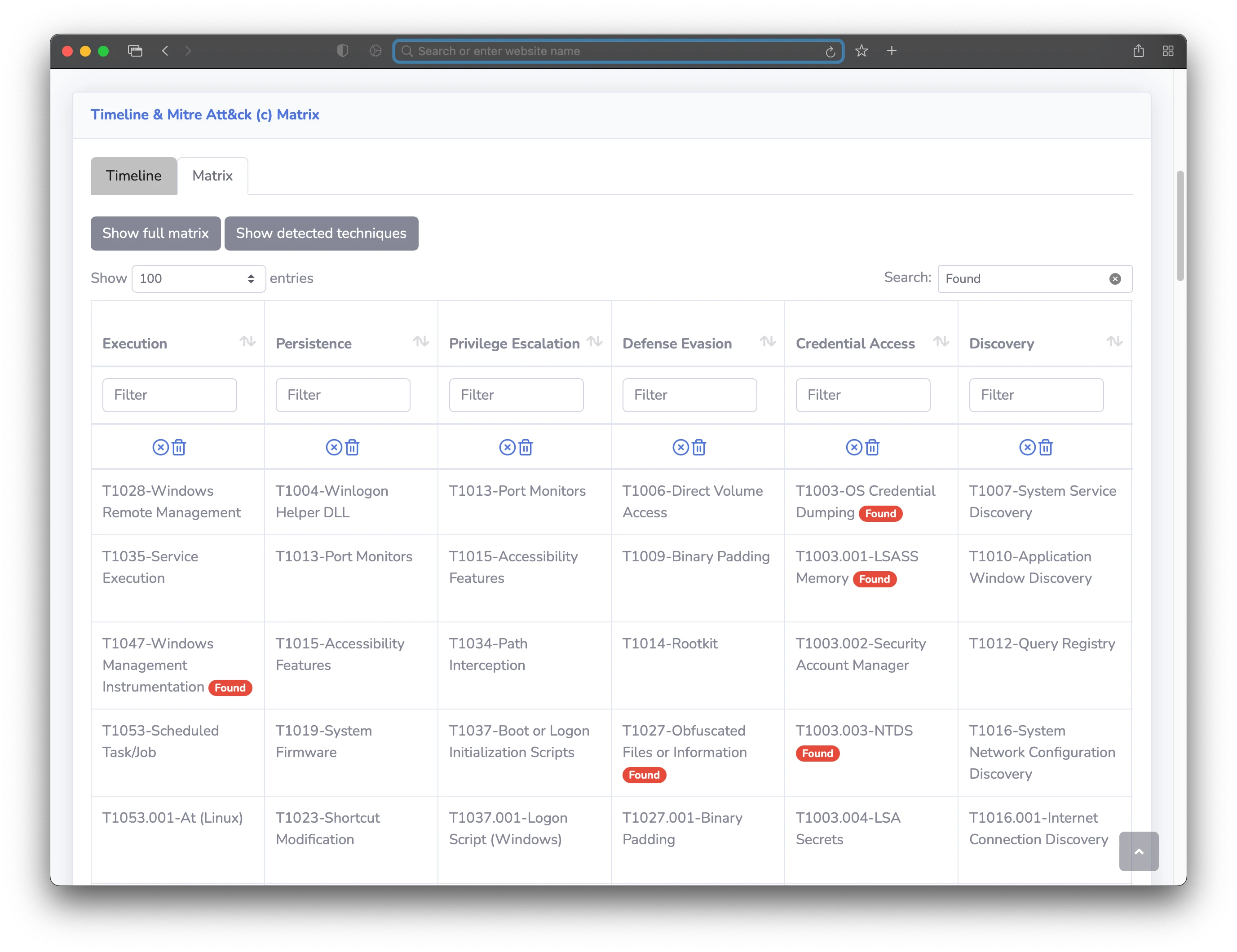
Detected Events by MITRE ATT&CK® Techniques Displayed on the Matrix
Tutorials
-
English: Russ McRee has published a detailed tutorial on SIGMA and Zircolite on his blog.
-
Spanish: César Marín has published a tutorial in Spanish here.
-
French: IT-connect.fr has published an extensive tutorial on Zircolite in French.
-
French: IT-connect.fr has also published a Hack the Box challenge write-up using Zircolite.
References
- Florian Roth cited Zircolite in his SIGMA Hall of Fame during his talk at the October 2021 EU ATT&CK Workshop.
- Zircolite has been cited and presented during JSAC 2023.
- Zircolite has been cited and used in multiple research papers:
License
- All the code of the project is licensed under the GNU Lesser General Public License.
- EVTX parsing uses
evtx(pyevtx-rs), under the MIT or Apache-2.0 license. Release packages list every bundled library and its license inTHIRD_PARTY_LICENSES. - The rules are released under the Detection Rule License (DRL) 1.1.
如有侵权请联系:admin#unsafe.sh