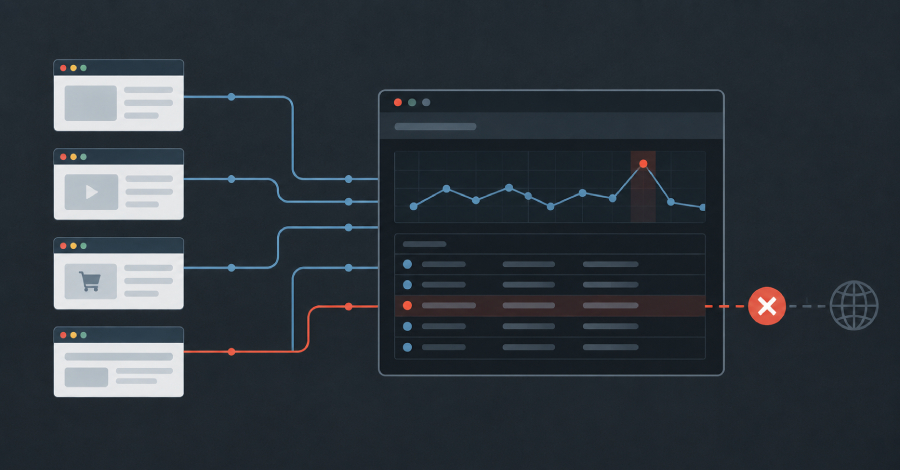

In July 2025, someone registered a domain that used to belong to a content delivery network. The CDN had been wound down years earlier, and the domain it served assets from was allowed to expire. What it had not lost were its callers. Thousands of websites, code repositories, and documentation pages still carry hard-coded references to hostnames beneath it.
The new owner holds wildcard DNS across the entire domain, and any hostname under it now resolves to infrastructure that person controls. Today the apex serves an ad-heavy media downloader page, which is unremarkable. The remarkable part is that the decision about what those thousands of pages load next belongs to a stranger, and nobody involved has been notified, because from the outside nothing broke.
This pattern is not hypothetical, and it's not unheard of either. In June 2024, the polyfill.io domain (a JavaScript shim embedded in more than 110,000 sites) changed ownership and began serving conditional redirects to mobile visitors. The sites running it had not been hacked, they had simply outsourced a <script> tag years earlier and never revisited the decision.
Both of these cases share a problem that most security teams have no control for: the malicious code was never on their server, and it arrived long after the last deployment happened.
Server-side tooling is looking in the wrong place
Static analysis, dependency scanning and software composition analysis all examine what an organisation builds and ships, but a third-party script is none of those things. It is fetched by the visitor's browser, from a server the organisation does not run and has no control over, live on every page view.
That makes it uniquely hostile to conventional testing because the response can vary by geography, user agent, referrer, time of day and session. A crawler pulling the file once from a data-centre IP range gets shown a clean version; the shopper on a mobile network in another country gets something more sinister.
Meanwhile, the third-party script itself holds the same privileges as your first-party code. It can read the DOM, read form fields character by character as they are typed, read cookies and local storage, and make outbound requests to anywhere it likes. Client-side attacks of the Magecart type do not require a server breach at all, they require one approved script tag to start behaving differently.
The browser sees everything
There is one observer that's reliably present for every one of those page views: the browser that executed the code. Content Security Policy is usually discussed as a defense against cross-site scripting, and it is a good one, but its second function is more useful to a security team that does not yet know what code it is running. A CSP can control what code is allowed to run on your website, block code that is not authorised to run, and let you know when that happens.
Those alerts are coming from real sessions, in real geographies, from your real users on their real devices. A malicious payload that only fires for logged-in users in one country still gets reported, because the browser that ran it is the thing sending the alert.
This is not a theoretical benefit. In September 2026, these alerts collected by Report URI surfaced a cluster of compromised e-commerce sites running a social-engineering campaign of the "ClickFix" family. Base64-encoded loaders had been planted inside CMS content after an administrative compromise, chaining through a redirector to a fake "verify you are human" overlay that placed a PowerShell command on the victim's clipboard and persisted it as a scheduled task. The attacker-controlled hostnames turned up in alerts from victims' browsers while several of those domains were still rated clean by mainstream reputation services. No scanner had flagged the pages, because on the server they were fine.
You can start with CSP without blocking anything
The common objection is that a Content Security Policy will break the site, but in report-only mode it cannot. Content-Security-Policy-Report-Only enforces nothing, blocks nothing and changes no behaviour, it only reports what a policy would have blocked.
That turns the first deployment into a safe measurement exercise and allows you to gather all of the data needed about what code is running on your site. For most organisations, that list is a lot longer than they expected.
Compliance turned this into an obligation
For anyone handling card payments on their site, this argument is already settled. PCI DSS v4.0.1 requirements 6.4.3 and 11.6.1 stopped being best practice and became mandatory on 31 March 2025. Together, they require that every script on a payment page is authorised, that its integrity is assured, that a written inventory with business justification exists, and that a mechanism detects and alerts on unauthorised modification of payment page content and HTTP headers.
A QSA can and will ask for the inventory, the alerting mechanism and the evidence trail it produced. Report URI can give you all three.
What a working deployment looks like
- Deploy and gather initial data for a week.
- Build your inventory from what was reported.
- Monitor changes over time and approve or deny those changes.
A ten-year daily crawl of the top one million sites shows CSP adoption growing more than 12,000% across the decade as organisations are realising the benefits it provides. That growth reflects a broader shift in where organisations need visibility: not only into what they deploy, but into what code their users’ browsers actually execute.
Where Report URI fits in
Report URI is a client-side security platform that answers the questions a security team cannot otherwise answer about its own site: which third parties are executing code on your pages? Which changed since yesterday? Which are taking data or communicating with infrastructure known to be hostile? The scripts served to real users are hashed and archived, so changes can be identified and investigated after the fact. Hostnames are checked against threat intelligence, and policies are monitored for drift, closing the gap between what you approved and what is actually running on your site.
Deployment adds no JavaScript to your page and no agent, module or SDK to the stack.
The first step is easy, add an HTTP response header and read what data comes back over the next 48 hours. The list of things executing code in your customers' browsers is rarely the list anyone expected!
Start a 30-day free trial - no credit card required, and no code changes to the site.
Found this article interesting? This article is a contributed piece from one of our valued partners. Follow us on Google News, Twitter and LinkedIn to read more exclusive content we post.