TL;DR: Flipper OS is an additional layer on top of a standard Debian-based Linux system. It lets you switch between multiple preconfigured system profiles for different tasks, so you can experiment freely without worrying about breaking your setup or turning it into a mess.
Why build Flipper OS, yet another operating system, when there are already so many? Why not simply take a standard Debian-based system, as Raspberry Pi does, and customize it?
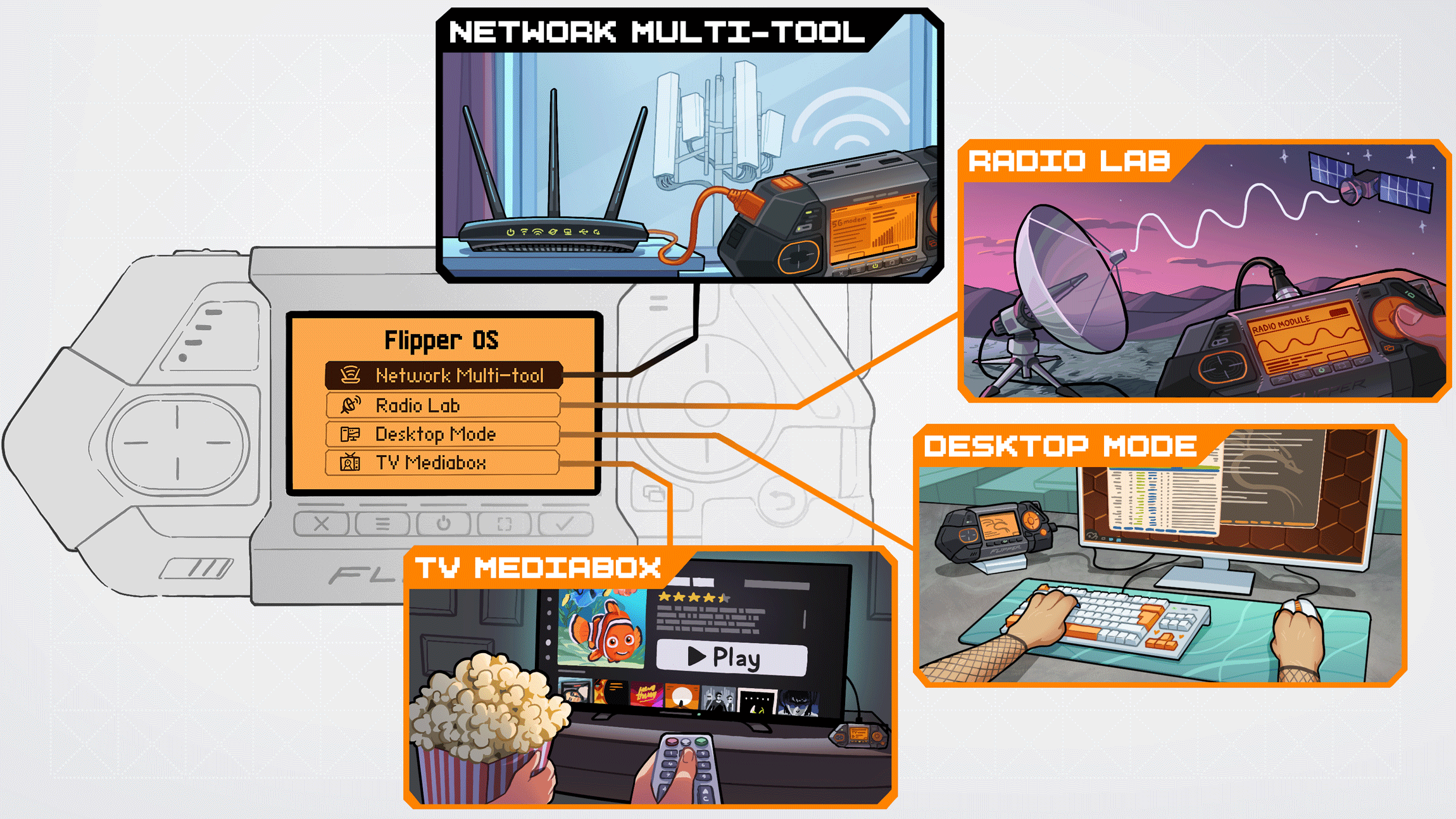
The problem is that conventional Linux distributions are designed for traditional computers/servers. They are not convenient for a multitool like Flipper One, which can be a network router, a radio lab, a desktop computer, or a TV media box all on the same device.
What we want to build into Flipper OS:
System profiles — preconfigured operating system images for different tasks, such as a network router, radio lab, desktop computer, and TV media box. Each profile has its own settings, kernel, device tree, and set of applications.
Unbreakable playground — users can clone profiles and modify anything inside them, from the kernel to the system files. You can install whatever you want without worrying about breaking the device.
Reset to default — wow, what an innovation💀! Yet even in 2026, most Linux systems still don't let you roll back your changes and return to a clean system after breaking it.
Atomic updates — updating Linux today is still an unpredictable operation. No matter how badly you've broken the system, we want to guarantee that it can still update to a new version.
We all love single-board computers like Raspberry Pi. They are perfect for DIY projects when you need a tiny Linux box that is always close at hand. Today it is a home server, tomorrow you repurpose it as a servomotor controller, and the day after that as a debug probe. Each time, you completely reconfigure the operating system, kernel, and device tree.
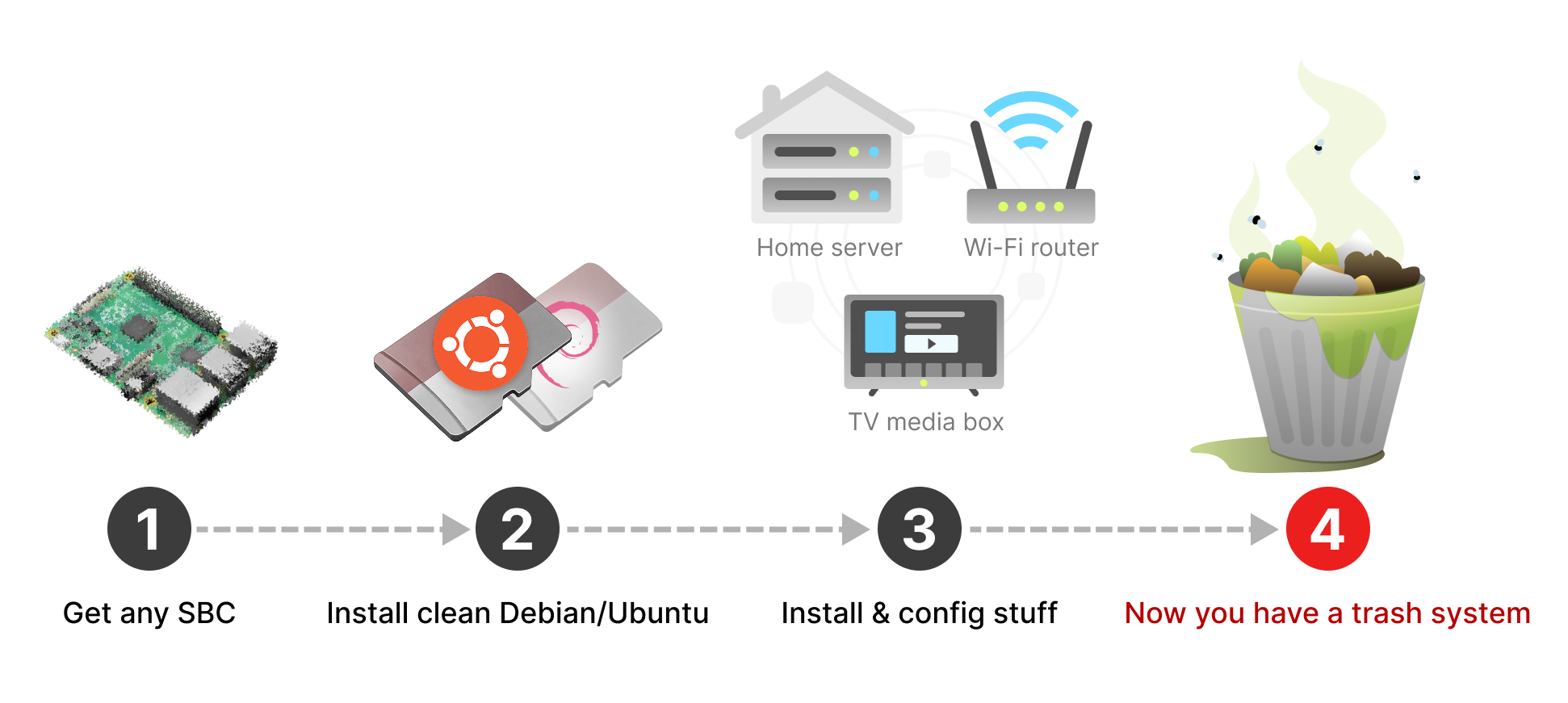
This is what the typical workflow looks like when using an SBC in your projects:
Install a clean system on an SD card → Install packages and configure them for one project → Rework everything for a different project → End up with a trash system → Reinstall everything from scratch.
Containers don't always do the job
To solve this problem, developers made containers such as Docker, along with all kinds of modern virtualization and containerization systems. They work perfectly when you need to isolate user space applications. But when you need to work close to the bare metal, patch the kernel, modify the device tree, reconfigure HDMI port or Wi-Fi drivers, or bit-bang GPIOs — containers aren't helping. In these cases, you need full access to the hardware.
Impossible to roll back changes
Surprisingly, in 2026, most Linux distributions still don't allow you to simply roll back changes and revert the system to its default state. The only reliable method that remains is to reinstall the entire system from scratch — which requires a separate computer to write an image to an SD card.
Multiple SD cards
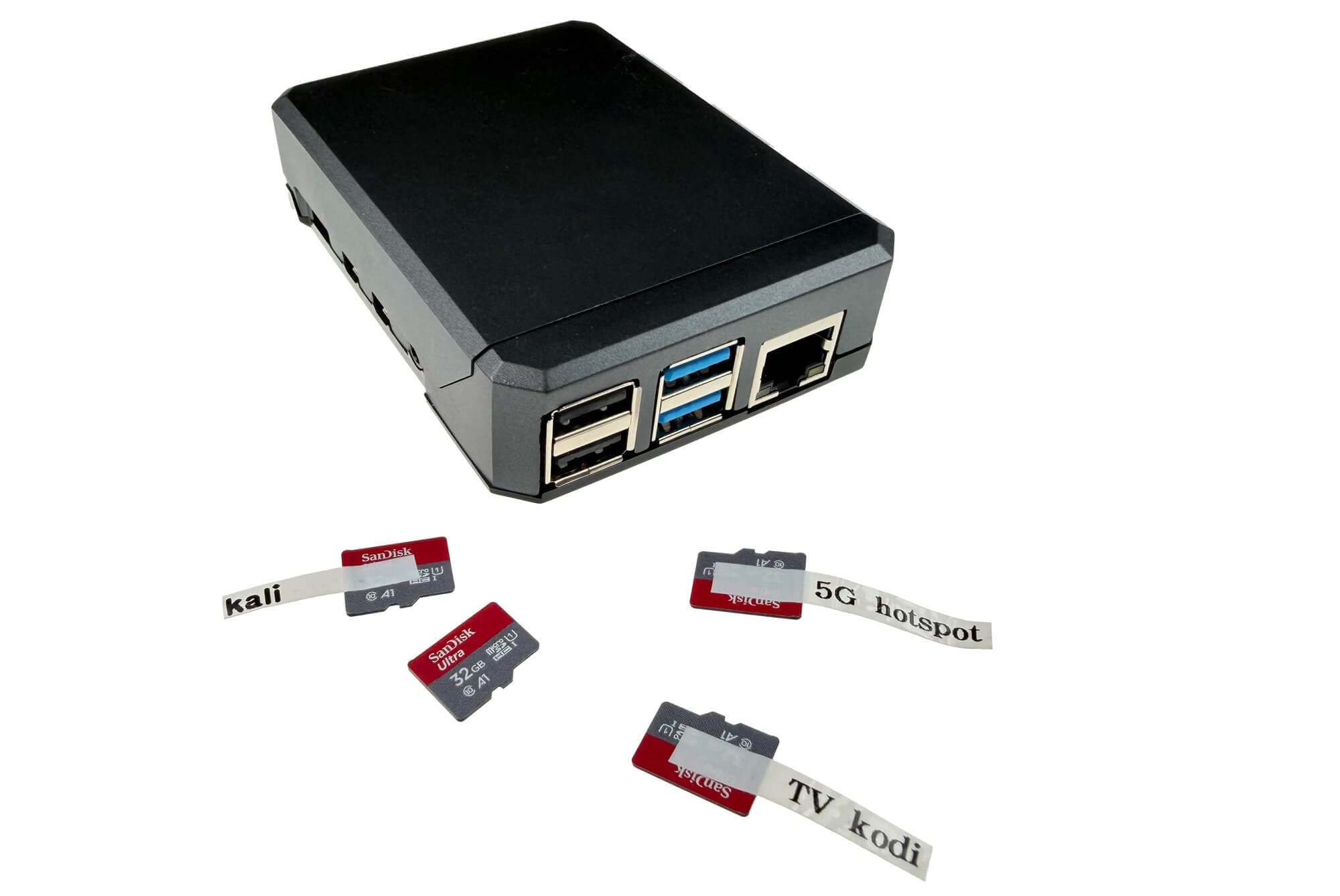
The simplest approach remains having multiple SD cards and swapping in the specific one needed for a given task. I personally used to travel with my favorite Raspberry Pi — housed in a metal case — along with several labeled SD cards, inserting the appropriate one depending on the task at hand, while backing up the SD card images to my computer before any major system experiments. That is precisely how we came up with the concept for Flipper OS.
Even though we criticize Raspberry Pi quite a bit, we genuinely love and respect the company. Its products inspired ours, and Flipper One itself is a project implementing what we miss in Raspberry Pi SBC's.
Flipper OS is not exactly an operating system, but rather a higher-level toolset that enables the centralized management of snapshots for various operating systems from a single device. You can think of it as similar to Docker containers, but without virtualization — offering full access to bare metal.
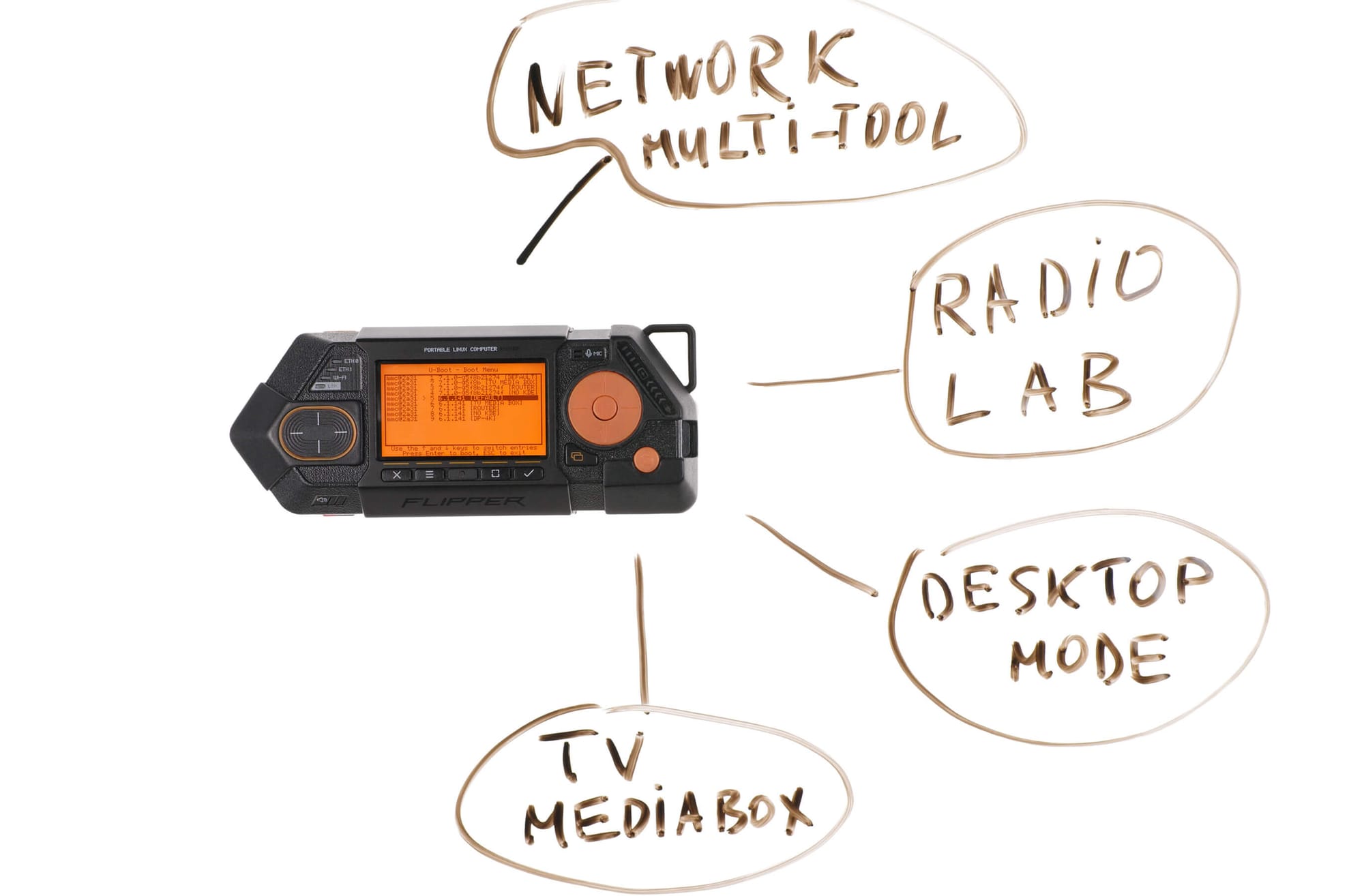
Ultimately, we aim to create a tool that hardware hackers can easily use to build their own versatile Linux boxes for various tasks and share the resulting images with the community. We want our developments to be usable not only on Flipper One, but on other platforms, too.
Screw containers & virtualization
Containers are amazing... for your web application. However, they are completely impractical when you need to work with bare metal — toggling GPIO pins, emulating USB devices, or handling network operations.
Imagine needing to bridge an Ethernet interface with a virtual, emulated USB-to-Ethernet adapter, then modifying the Wi-Fi driver and the adapter's firmware, and finally sniffing CEC messages on the HDMI port. Could you do this inside a Docker container? Probably, but you would spend most of your energy wrestling with container configuration and the networking subsystem — and Docker’s networking subsystem is a beast in itself. That is why containers don't work for tools like the Flipper One; we need a raw operating system and full hardware access — 100% bare metal, 100% hardcore.
Flipper OS from a user perspective
For the user, Flipper OS should feel as familiar and intuitive as possible. In user space, it should be indistinguishable from a Debian-based operating system so that all existing online how-to guides written for Debian or Ubuntu work on Flipper One right out of the box. (Hello to all the fans of NixOS💀).
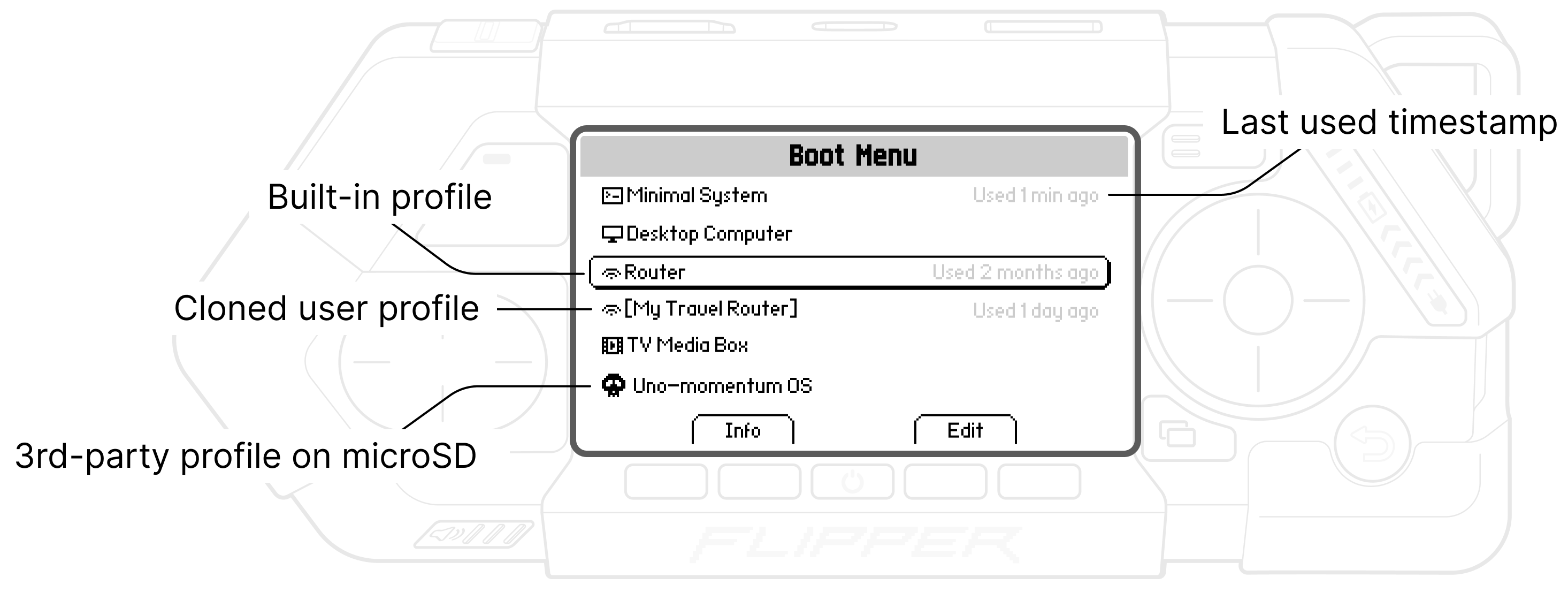
All the magic of Flipper OS should take place on a separate layer within the boot menu, prior to system startup. Immediately after powering on the CPU, user selects a specific boot profile and loads it:
- Boot Menu — this is a program that starts immediately after the CPU powers on and displays a list of OS profiles. Several standard, pre-configured system profiles come pre-installed on the device. Once a profile is selected, it begins to load. In the boot menu, the user can see the last use timestamp and perform operations on the profiles, such as resetting to default or cloning.
- Profile — an OS profile is an operating system image pre-configured for specific tasks. It has a name — such as 'TV Media Box' — and an icon. Several profiles come pre-installed on the device. Each profile is essentially a separate operating system that can have its own root, kernel, and device tree.
Boot stages
Flipper One features a dual-processor architecture (MCU + CPU), allowing interaction with the device via the LCD screen and buttons even when Linux and the CPU are powered off. Consequently, the device can operate in various states:
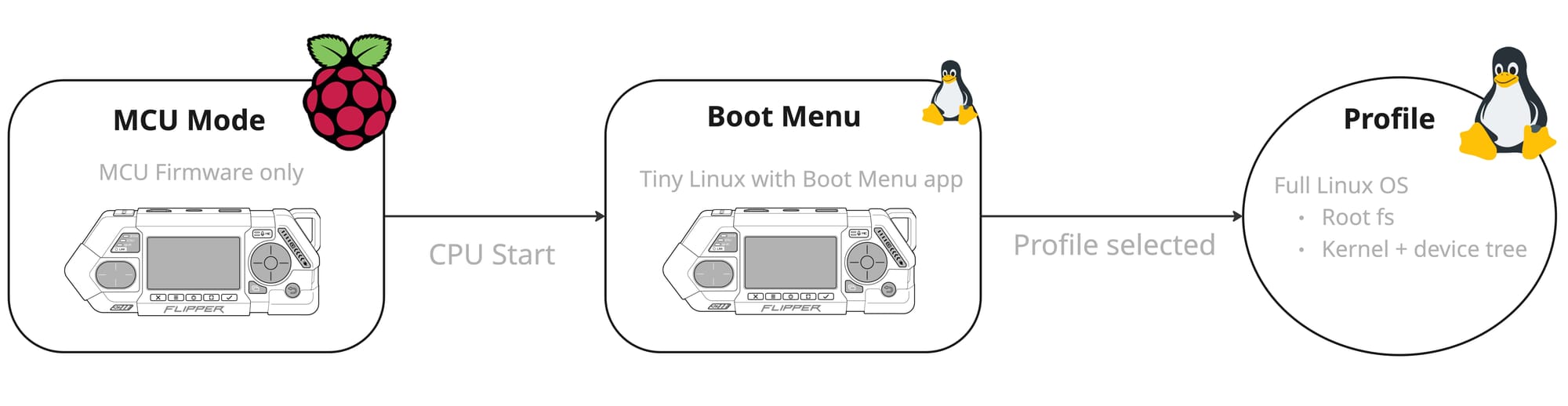
- MCU Mode — in this mode, the CPU and Linux are powered down, and only the microcontroller firmware is active. It starts the CPU and hands over control of the screen to the software running at the CPU level.
- Boot Menu — this is a standalone program that runs on the CPU and displays an OS profile selection menu; the full Linux system has not yet loaded at this stage. The boot menu can render graphics on the LCD screen and process button inputs. Currently, we use U-Boot for this purpose, but in the future, we plan to switch to a lightweight Linux distro with the boot menu program compiled into it. The program needs to be able to read profile metadata — like size and the date of last use — and manage profiles by resetting them to default, deleting them, or cloning them.
- Profile started — a loaded profile is a full-fledged operating system without any restrictions, featuring a writable root filesystem and the ability to install packages and modify, or even break, the system at will. However, all changes made within the profile are saved to a separate overlay layer, which can be deleted to revert the profile to its default state.
Unbreakable profiles
We want to give the user complete freedom within the loaded profile — that is, to allow you to break and tinker with the system however you please: installing packages, modifying system files, and altering the kernel and device tree. Therefore, the root filesystem must be writable (!!!), and there should be no restrictions placed on the user.
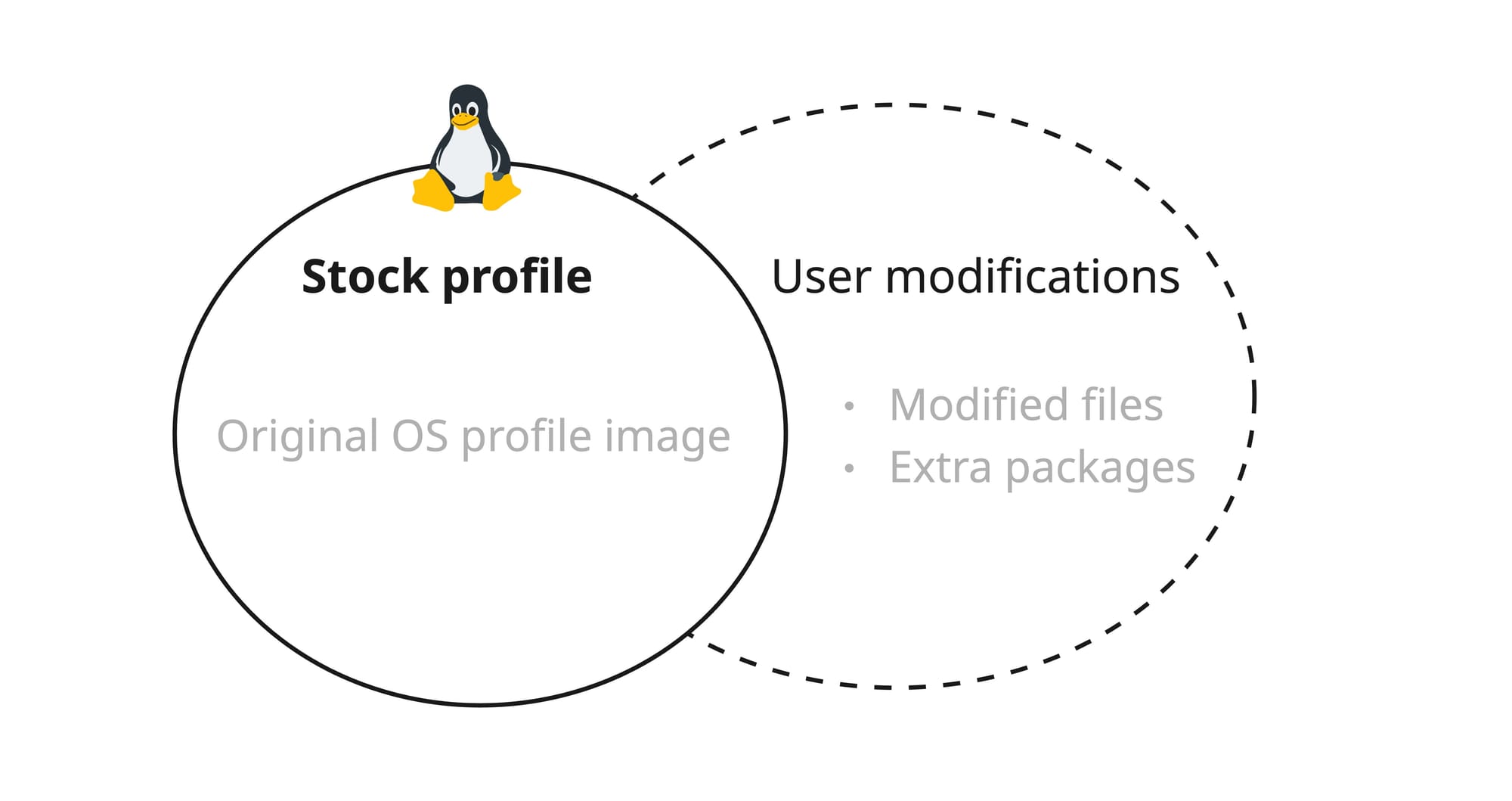
At the same time, we want to have the ability to roll back all user changes and revert the profile state to the default. In other words, all modifications to the original profile must reside on a separate overlay layer.
It is important that changes are saved seamlessly for the user, without the need to execute specific commands to preserve user modifications. If a user consistently boots into the same stock profile and makes modifications, those changes must persist across reboots — just as they would in a standard, traditional operating system.
Cloning and sharing profiles
Imagine a user spending a long time fine-tuning a complex system configuration within the Router profile and eventually becoming satisfied with it. They decide to save this profile as a distinct entity. To do this, they select Edit from the boot menu, clone the profile, and save it under a unique name like [MyTravelRouter]. We have decided to call such a profile a user profile and to mark it by enclosing its name in square brackets.
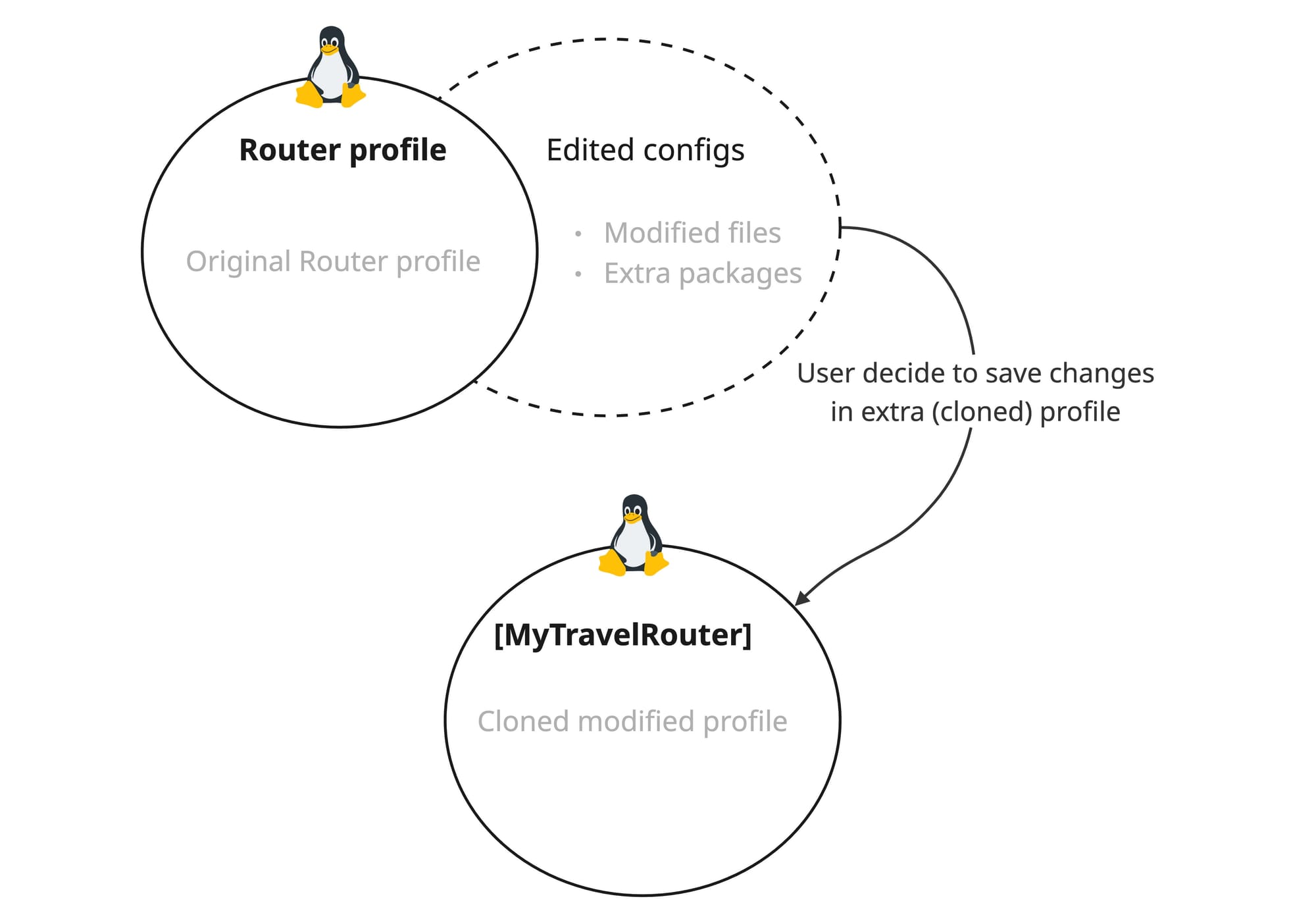
With this approach, the user doesn't have to worry about losing a successful configuration; instead, they can continue experimenting in a separate profile — much like how we are accustomed to working with branches in Git.
Ideally, we would like to allow users to share their profiles with the community so that others can download and use them. It would also be beneficial to implement deduplication to save space, ensuring that the same file isn't stored twice on the disk across different profiles.
User data and volatile files
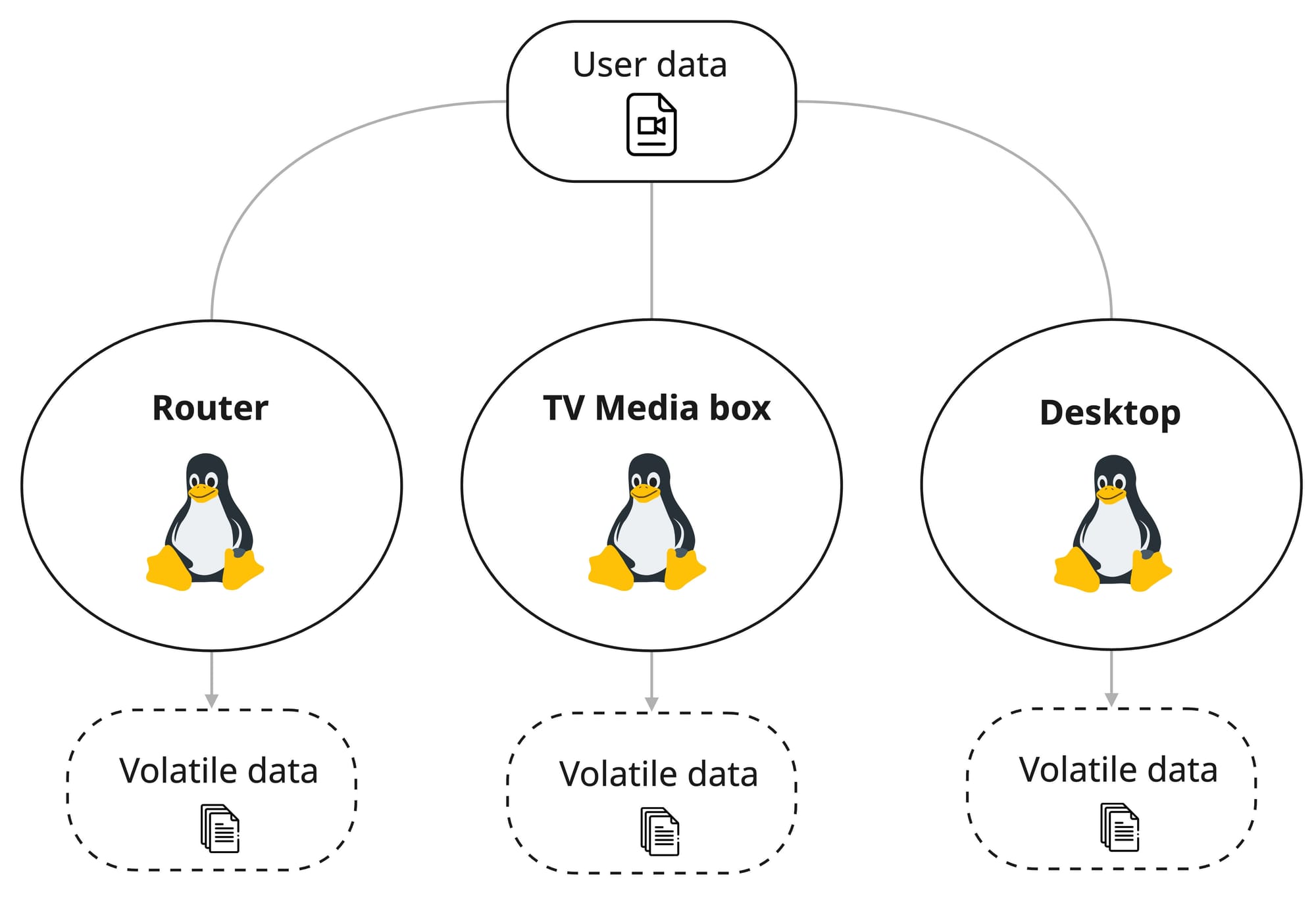
User data needs to be accessible across all profiles, so a portion of the file system must remain independent of the profiles themselves. For instance, if a user downloads a video to /home/user/Downloads in the Desktop profile, they should be able to watch it from the TV Media Box profile later. However, we have not yet determined how to handle other volatile data generated by the very act of using a profile — such as caches and settings.
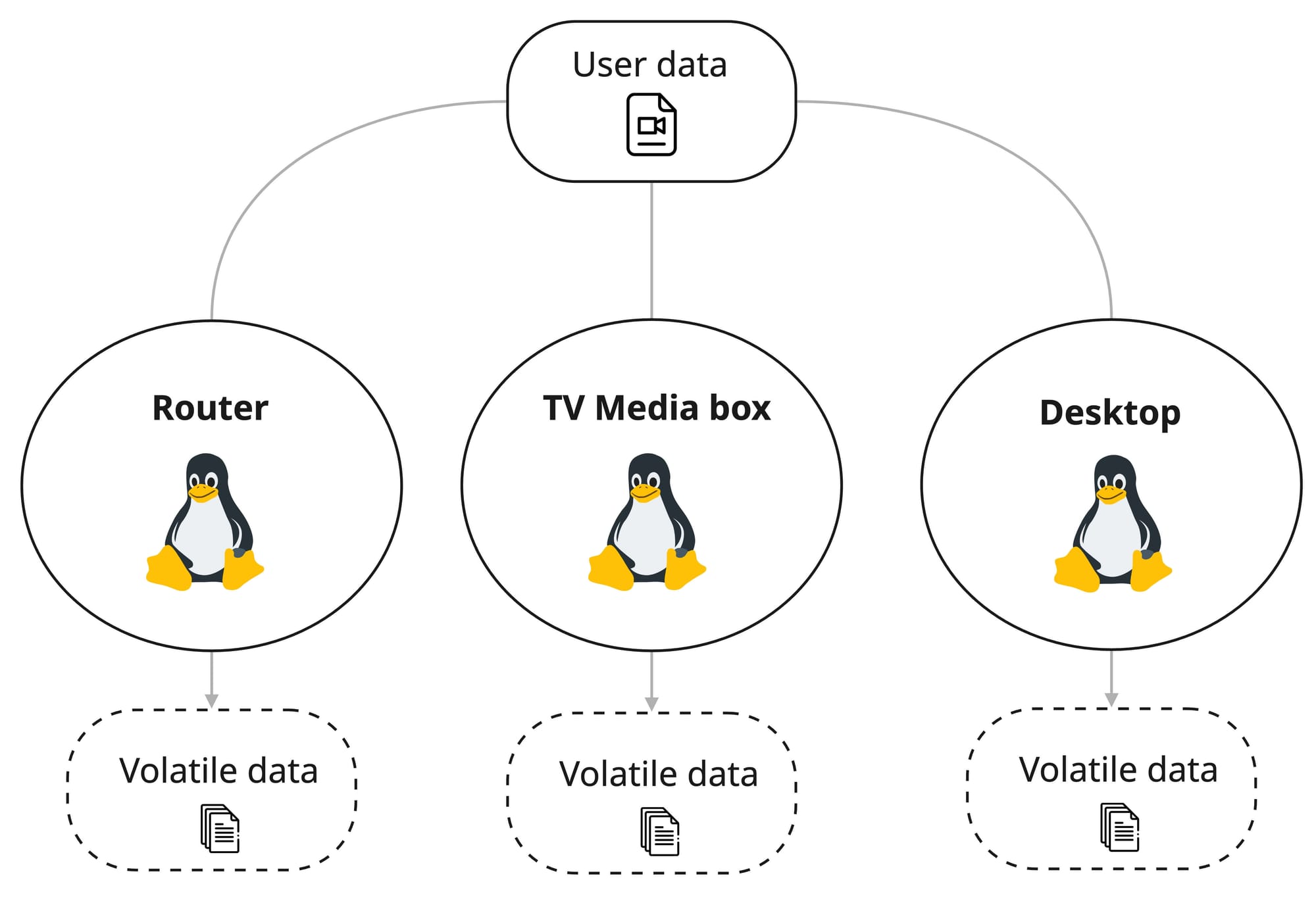
For instance, if a user saves a Wi-Fi password within one desktop profile, should that same password be available in another profile? It is unclear🤔. The same applies to configuration files in the /home directory: if we decide to make the user's home folder shared across all profiles, it would prevent having distinct configurations for different profiles and lead to conflicts.
We are leaning towards the view that the /home/user directory should be tied to a specific profile, with only a single folder — such as /home/user/user_data — being shared between profiles.
The main challenge with the entire Flipper OS concept lies in system updates. How do we release new profile versions and deploy them over existing ones when the user has root access and multiple cloned profiles?
We certainly do not want the update process to be a complex migration between versions — one that could easily fail. A standard apt upgrade is incredibly unpredictable and awful; you never know where things might break when upgrading to a new distribution version. Ideally, we need an atomic update that guarantees a predictable transition to the new profile version. As of now, there is no solution to this problem.
We are currently experimenting with various concepts, exploring the OSTree approach, and testing Btrfs images. We invite you to join the discussion and participate in the development.
- How to join the development: https://docs.flipper.net/one/how-to-join
- More on Flipper OS: https://docs.flipper.net/one/cpu-software/flipper-os