Lots of project management apps rely on a Gantt chart as a tool that helps you visualize the project 2026-7-3 05:25:1 Author: hackernoon.com(查看原文) 阅读量:4 收藏
Lots of project management apps rely on a Gantt chart as a tool that helps you visualize the project timeline, organize tasks in a clear manner, and manage the workflow efficiently. Despite periodic criticism, a Gantt chart's timeline still holds up as a practical way to present a project (especially if you know how to read and use the chart).
If you don’t want to spend days or weeks developing a custom Gantt chart, there are plenty of ready-to-use JavaScript-based Gantt chart libraries available on the market. In this article, I looked at five free, MIT-licensed Gantt options and tried to answer a practical question: which one would I actually pick for different frontend stacks and project needs? Some of the options offer advanced features behind a paywall, so you can scale up later if your budget allows.
The harder comparison was architectural: is the Gantt chart just a visual timeline or a scheduling layer that may become a core product feature? Is it vanilla JavaScript or built with React or Angular?
Often Gantt chart decisions are made too early and with the wrong criteria. You may start with a request for a basic timeline, then discover later that the same interface now needs dependencies, editing, exports, scale, or resource planning. By that point, the original “simple chart” choice can start to feel like the wrong direction. So instead of treating this as another “best libraries” roundup, I reviewed Gantt chart libraries by where I think they make the most sense in real projects.
How I compared JS Gantt charts
I focused on setup experience, framework fit, documentation, maintenance, and how well each library is likely to fit as projects become more demanding.
That means this is not a pure feature checklist. A lightweight Gantt can be the right answer when the timeline is just one part of a larger product, while a more mature component makes more sense when the Gantt may eventually become a core planning interface.
Quick decision table - the short version, if you want to skip ahead:
|
Scenario |
Best fit |
Why |
|---|---|---|
|
Simple JS timeline |
Frappe Gantt |
Lightweight JavaScript time-proven library, fast setup, good for basic dashboards |
|
Lightweight React timeline |
gantt-task-react |
Simple React component for embedded timelines and internal tools |
|
React-first Gantt chart with scaling needs |
SVAR React Gantt |
React-native architecture, detailed docs, clear path to advanced scheduling and resource planning |
|
Angular-based Gantt charts for basic needs |
ngx-gantt |
Native Angular patterns and cleaner framework alignment |
|
Production Gantt with room to grow |
DHTMLX Gantt Community Edition |
Mature component, broader documentation, and a PRO upgrade path for advanced project-management needs |
Let’s now take a closer look at the main players.
Frappe Gantt
Frappe Gantt is a popular free option. It is the tool I would start with when the project needs a clean timeline quickly and does not need a heavy planning layer on day one.
It feels well suited to dashboards, simple project overviews, internal tools, and product screens where clarity matters more than deep project-management workflows. The appeal is obvious: it is lightweight, understandable, and easy to picture inside an existing app without a lot of architectural overhead.
Where I would be careful is future complexity. Once requirements move toward advanced scheduling logic, resource planning, or enterprise-style project workflows, a lightweight tool can start feeling like a stopgap rather than a long-term foundation.
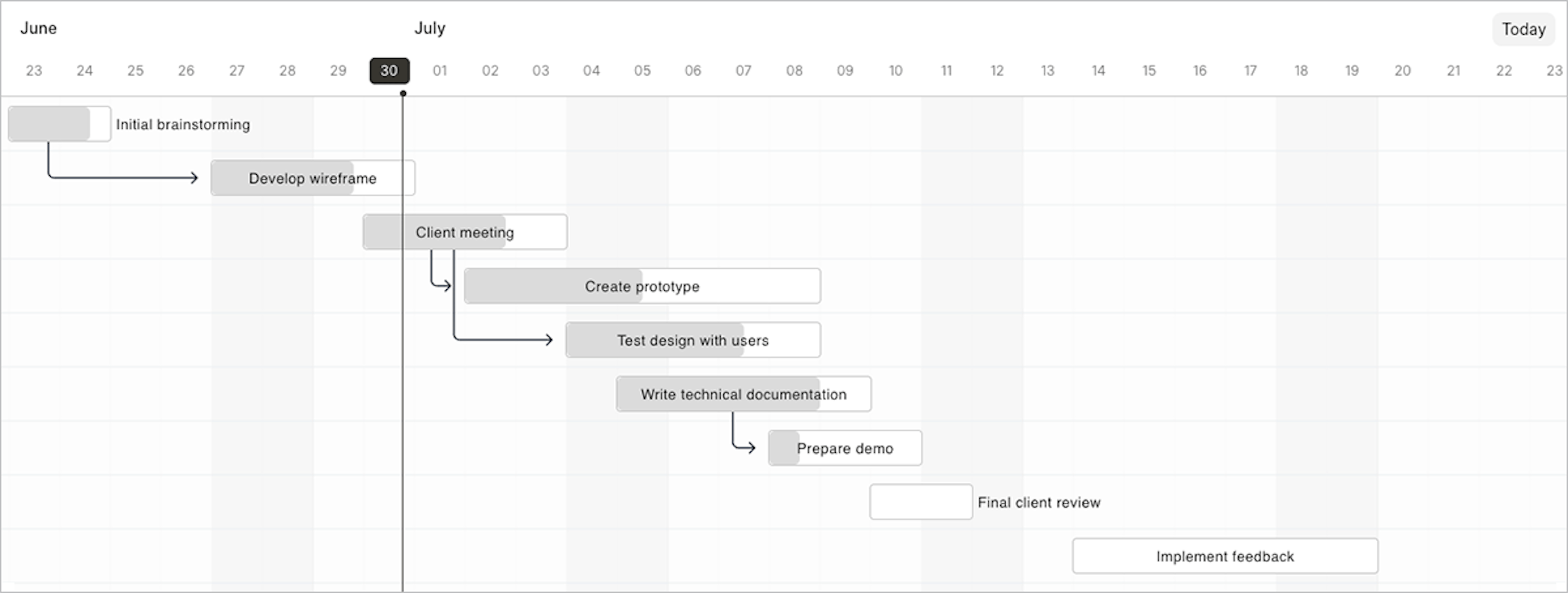
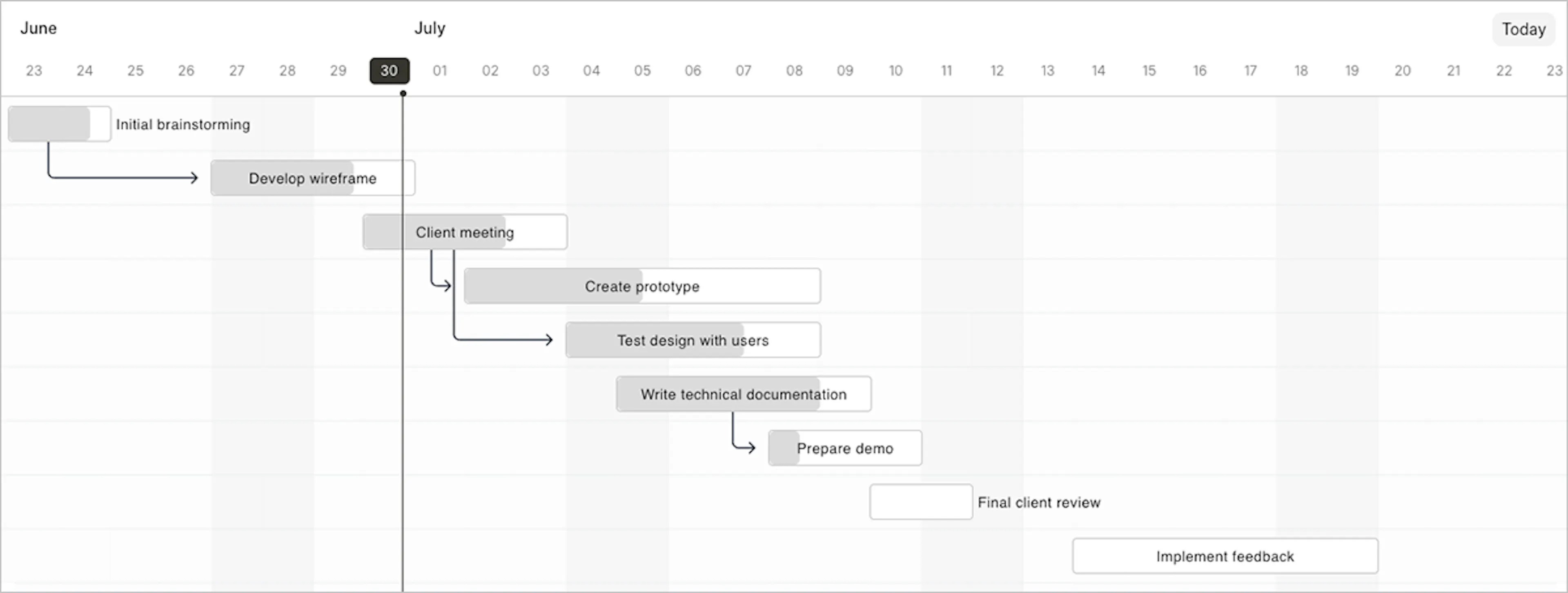 Frappe Gantt
Below is the basic code example and the rest of the getting started guide can be found on Frappe Gantt’s GitHub page.
import Gantt from "frappe-gantt";
import "frappe-gantt/dist/frappe-gantt.css";

let tasks = [
  {
    id: "1",
    name: "Redesign website",
    start: "2026-06-01",
    end: "2026-06-10",
    progress: 20,
  },
  {
    id: "2",
    name: "Build wireframes",
    start: "2026-06-05",
    end: "2026-06-12",
    progress: 0,
  },
];

let gantt = new Gantt("#gantt", tasks);

// Use .update_options to re-render the chart after changing settings
gantt.update_options({ view_mode: "Week" });
- NPM install:
npm install frappe-gantt - GitHub: ~6k stars
- License: MIT
gantt-task-react
For React teams, gantt-task-react makes sense when the Gantt is a supporting feature rather than the center of the product. I would consider it for admin panels, internal tools, and early-stage product interfaces where the team wants a simple Gantt-style view that stays close to normal React development patterns.
In that kind of setup, the biggest advantage is not raw feature depth but how easy it is to embed a timeline into a React application without dragging in something much heavier. The component comes with TypeScript support so integrating it in a React app should not be a problem.
The trade-off is that its simplicity is also the boundary. If the roadmap already points toward a deeper scheduling experience, I would treat it as a lightweight React fit, not as the final layer for a more ambitious planning product. Also, the latest commit was in 2023, suggesting the component is not actively maintained.
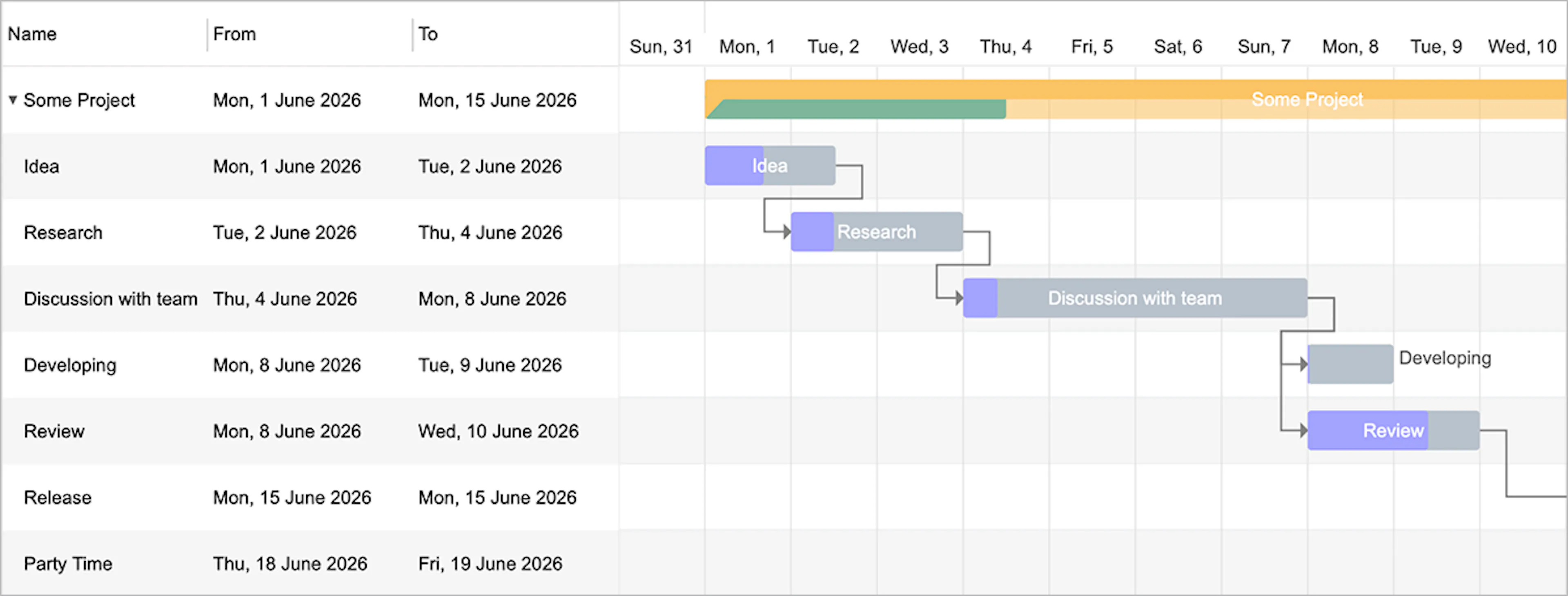 gantt-task-react UI
You can find the live demo here, see the sample code below and read the further instructions on GitHub.
import { Gantt, Task } from "gantt-task-react";
import "gantt-task-react/dist/index.css";

export default function GanttChart() {
  let tasks: Task[] = [
    {
      start: new Date(2026, 5, 1),
      end: new Date(2026, 5, 2),
      name: "Idea",
      id: "Task 0",
      type: "task",
      progress: 45,
      isDisabled: true,
      styles: { progressColor: "#ffbb54", progressSelectedColor: "#ff9e0d" },
    },
  ];

  return <Gantt tasks={tasks} />;
}
- NPM install:
npm install gantt-task-react - GitHub: ~1.1k stars
- License: MIT
SVAR React Gantt
SVAR React Gantt is another TypeScript-ready component written in React. I would look at it for React-first products that need more than a basic timeline and want a Gantt component that feels aligned with React architecture from the start. That makes more sense than using a generic JavaScript widget dropped into a React app.
The free, MIT-licensed edition allows you to add a customizable project timeline with tasks and dependencies visualization, and the commercial PRO edition provides advanced auto-scheduling and resource planning features. There are also framework-native Svelte and Vue.js versions of SVAR Gantt.
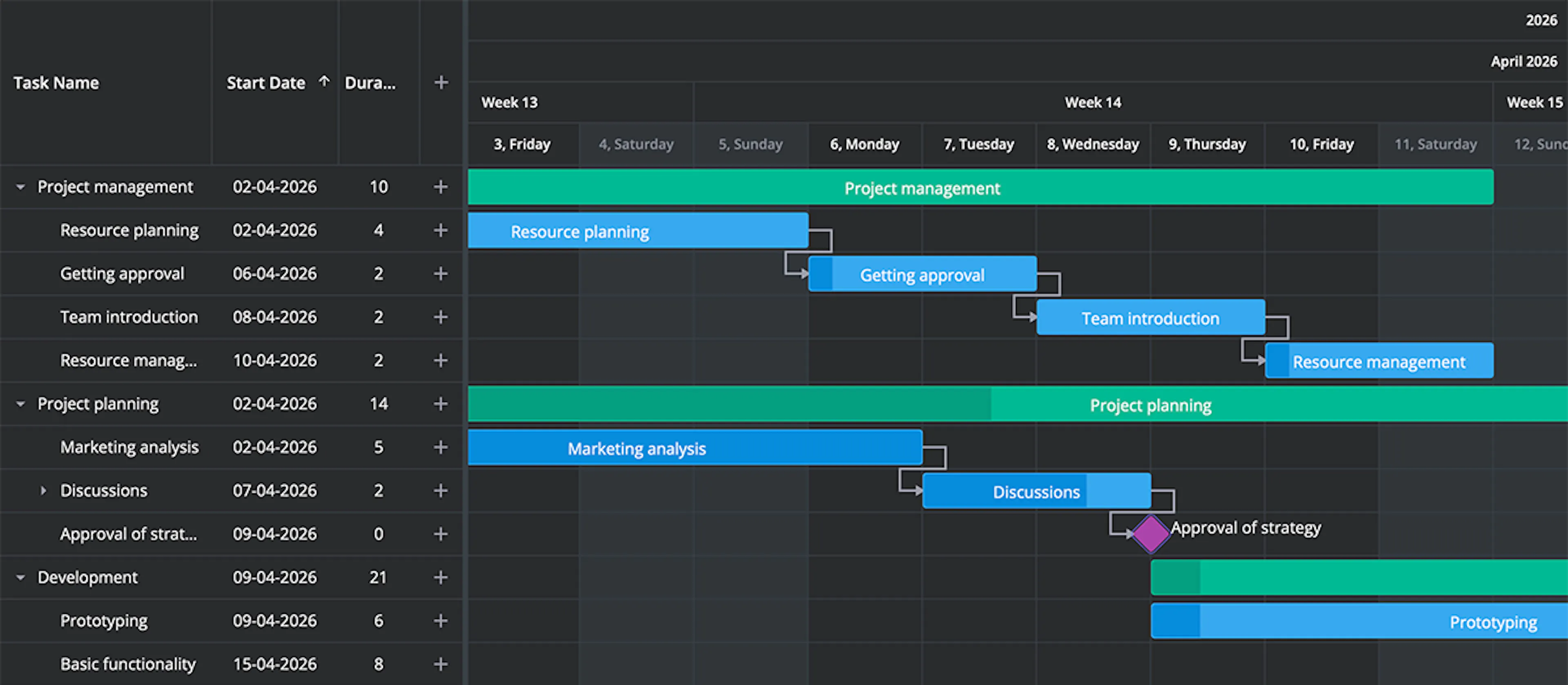 SVAR Gantt in dark theme
The component comes with detailed docs and API references, and can be included in your project like this:
import { Gantt } from '@svar-ui/react-gantt';
import '@svar-ui/react-gantt/all.css';

export default function MyComponent() {
  const tasks = [
    {
      id: 20,
      text: 'New Task',
      start: new Date(2024, 5, 11),
      end: new Date(2024, 6, 12),
      duration: 1,
      progress: 2,
      type: 'task',
      lazy: false,
    },
    {
      id: 47,
      text: '[1] Master project',
      start: new Date(2024, 5, 12),
      end: new Date(2024, 7, 12),
      duration: 8,
      progress: 0,
      parent: 0,
      type: 'summary',
    },
  ];

  return <Gantt tasks={tasks} />;
}
- NPM install:
npm install @svar-ui/react-gantt - GitHub: ~200 stars (fresh, actively updated)
- License: MIT
ngx-gantt
ngx-gantt is the option I would consider first when the app is already committed to Angular and the team wants the Gantt to feel native to that environment. That framework alignment is the main reason to choose it. Instead of wrapping a more general-purpose component, Angular teams can stay closer to familiar patterns, templates, and customization paths inside the framework they already use.
The trade-off is portability. A strongly Angular-oriented option is appealing when Angular is clearly the long-term home for the product, but it is less attractive if the team wants a more framework-agnostic foundation later.
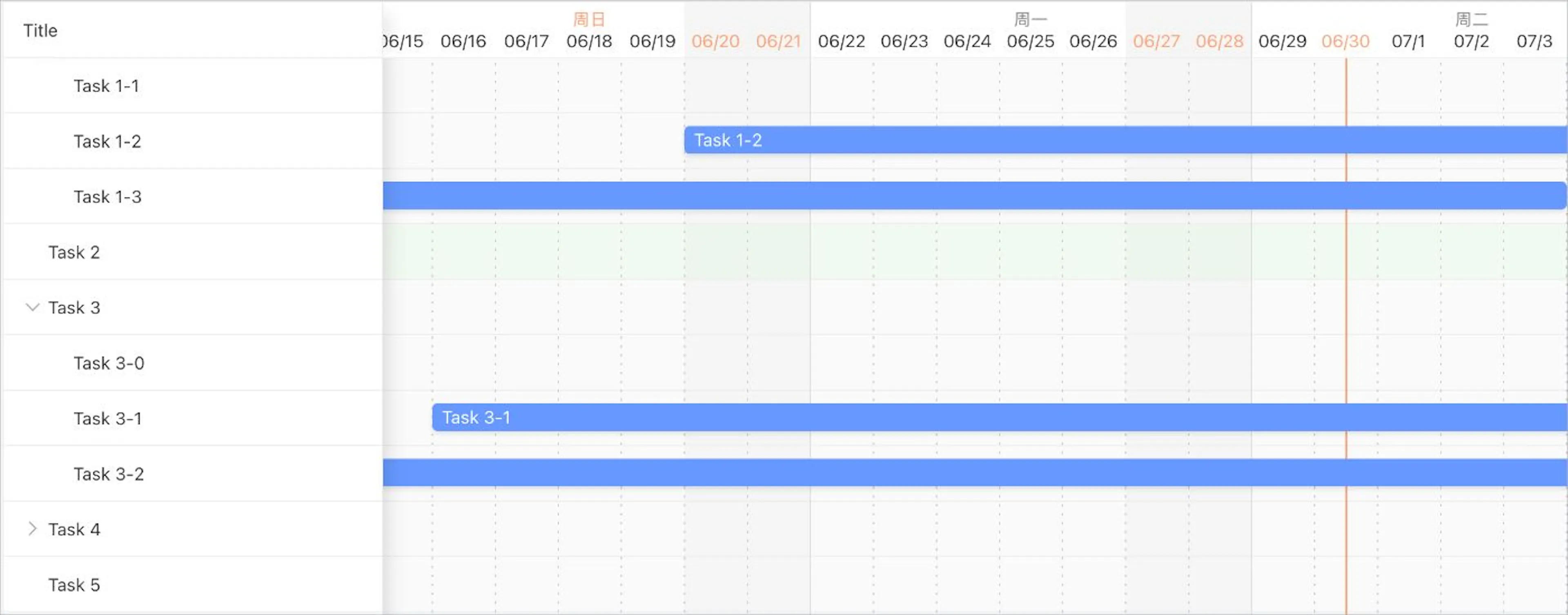 ngx-gantt
The code example below includes the component class and template (note that ngx-gantt also accepts Unix timestamps, which the docs recommend for large datasets). The component ships with full docs and is actively maintained.
import { Component } from '@angular/core';
import { NgxGanttComponent, NgxGanttTableComponent, NgxGanttTableColumnComponent, GanttItem, GanttViewType } from '@worktile/gantt';

@Component({
  selector: 'app-gantt-example',
  standalone: true,
  imports: [NgxGanttComponent, NgxGanttTableComponent, NgxGanttTableColumnComponent],
  template: `
    <ngx-gantt [items]="items" [viewType]="viewType">
      <ngx-gantt-table>
        <ngx-gantt-column name="Task Name" width="200px">
          <ng-template #cell let-item="item">
            {{ item.title }}
          </ng-template>
        </ngx-gantt-column>
      </ngx-gantt-table>
    </ngx-gantt>
  `
})
export class GanttExampleComponent {
  viewType = GanttViewType.day;

  items: GanttItem[] = [
    {
      id: '1',
      title: 'Design Phase',
      start: new Date(2026, 5, 1),
      end: new Date(2026, 5, 10)
    },
    {
      id: '2',
      title: 'Development Phase',
      start: new Date(2026, 5, 11),
      end: new Date(2026, 6, 12)
    },
    {
      id: '3',
      title: 'Testing Phase',
      start: new Date(2026, 6, 13),
      end: new Date(2026, 6, 24)
    }
  ];
}
- NPM install:
npm install @worktile/gantt - GitHub: ~300 stars
- License: MIT
DHTMLX Gantt Community Edition is the one I would look at when the Gantt is likely to become a serious product feature rather than just a secondary visualization. It’s written in JS and gives teams an MIT-licensed starting point with the potential to upgrade to a more mature Gantt component. That matters when the project may need to handle project timelines, dependencies, editing, and more complex scheduling interfaces without replacing the whole foundation layer.
This is also where I would be the most careful about edition boundaries: advanced project-management features and official support belong to the PRO path and should be checked explicitly during evaluation.
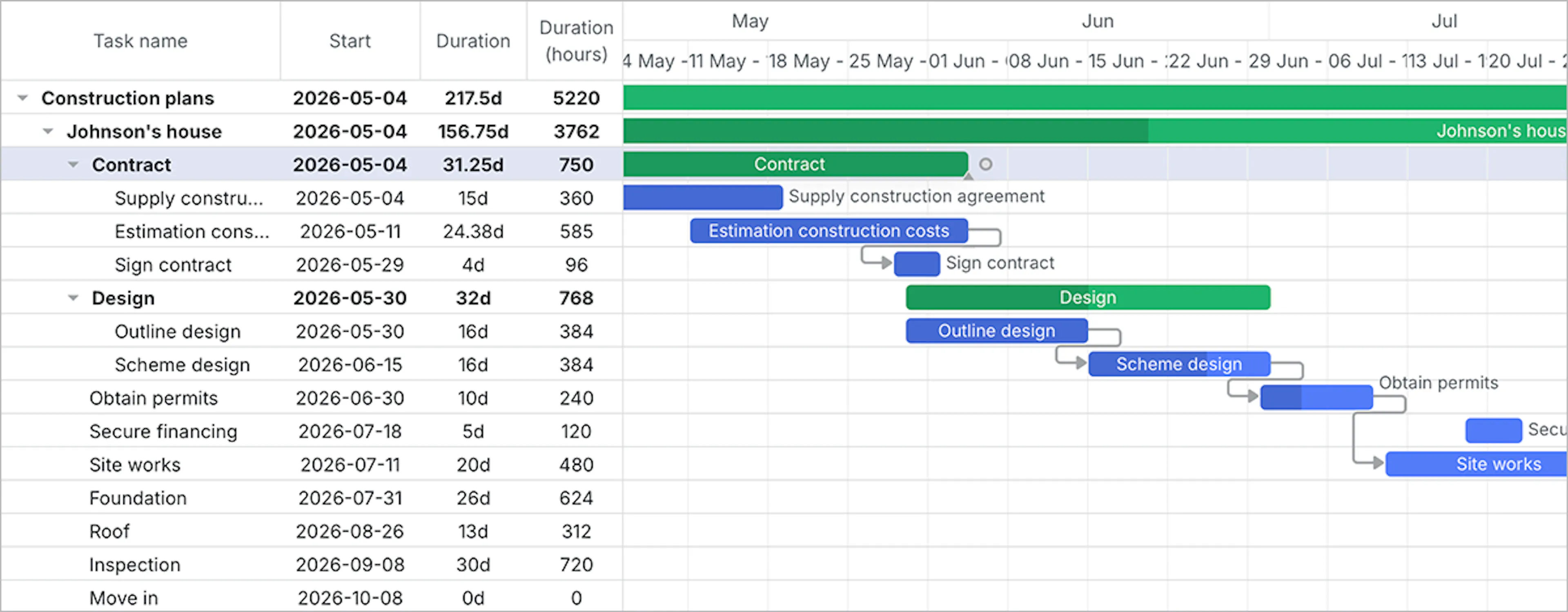 DHTMLX Gantt (Community Edition)
Here's a simple initialization example:
import { Gantt } from "dhtmlx-gantt";
import "dhtmlx-gantt/codebase/dhtmlxgantt.css";

const gantt = Gantt.getGanttInstance();

gantt.init(container);

gantt.parse({
  data: [
    {
      id: 1,
      text: "Website redesign",
      type: "project",
      progress: 0.4,
      open: true
    },
    {
      id: 2,
      text: "Research",
      start_date: new Date(2026, 5, 1),
      duration: 4,
      parent: 1,
      progress: 1
    },
    {
      id: 3,
      text: "Launch",
      start_date: new Date(2026, 5, 19),
      type: "milestone",
      parent: 1
    },
  ],
  links: [
    {
      id: 1,
      source: 2,
      target: 3,
      type: "0"
    }
  ],
});
- NPM install:
npm install dhtmlx-gantt - GitHub: ~1.8k stars
- License: MIT
The decision framework
This is the way I would simplify the choice. If the Gantt is mainly a visual aid inside a larger product, I would start with the lightest option that already fits the project’s UI and your stack. If framework fit matters most, I would choose the React-native or Angular-native option instead of optimizing for the broadest possible feature list.
If the Gantt looks like it may become a core product feature, I would pay much more attention to documentation depth, editing behavior, scalability, and whether the component has a credible path forward when requirements become more serious.
MIT licensing removes adoption friction, but it does not make all Gantt components interchangeable. The right choice depends on whether your app needs a quick visual timeline or a Gantt layer that can grow into a serious scheduling interface. Also, I’d suggest choosing a framework-native component so integration and customization go smoothly.
Conclusion
After comparing these tools by project fit, I do not think the useful outcome is a single ranking. The more practical answer is to match the component to the role the Gantt will play in the app.
Frappe Gantt makes the most sense for simple embeds and straightforward timelines. gantt-task-react is a reasonable fit for lightweight React use cases, SVAR React Gantt suits React-first products that might later need advanced scheduling features, ngx-gantt is the natural fit for Angular teams, and DHTMLX Gantt Community Edition is the option I would keep in mind for a JavaScript Gantt that may need to grow into a more serious planning interface.
如有侵权请联系:admin#unsafe.sh