嗯,用户让我总结这篇文章的内容,控制在100字以内,而且不需要特定的开头。首先,我得仔细阅读文章,抓住主要信息。 文章讲的是一个钓鱼邮件伪装成美国社会安全局的通知,诱导用户点击链接下载恶意软件。这个恶意软件看起来像合法的PDF文件,但实际上是一个Windows安装包,名为eStatement####_pdf.msi。安装后会释放AteraAgent,这是一个远程监控管理工具,可以被攻击者用来控制设备。 作者提到这个恶意软件是用合法公司的证书签名的,甚至通过了病毒扫描工具的检测。这说明攻击者利用了合法工具进行恶意活动。此外,文章还讨论了企业如何防范这类攻击,比如使用应用程序控制软件来阻止可疑的RMM工具。 总结时需要包括钓鱼邮件、恶意软件伪装、利用合法工具、以及防范措施这几个要点。控制在100字以内的话,可能需要简化一些细节。 最后,确保语言简洁明了,直接描述文章内容,不使用任何开头语。 </think> 这篇文章描述了一起钓鱼攻击事件:攻击者通过伪装成美国社会安全局的通知邮件诱导用户点击链接下载恶意软件。该恶意软件伪装成PDF文件实为Windows安装包(eStatement####_pdf.msi),安装后会释放名为AteraAgent的远程监控管理工具(RMM),允许攻击者控制设备。尽管该恶意软件通过合法证书签名并绕过病毒扫描检测,但其滥用合法工具的行为揭示了网络安全中的潜在威胁。 2026-4-24 19:49:53 Author: textslashplain.com(查看原文) 阅读量:54 收藏
After you sign up on the Social Security Administration’s website, they’ll send you a yearly email inviting you to check out your benefits. Flipping through my Junk Mail folder this afternoon, I found the following email:
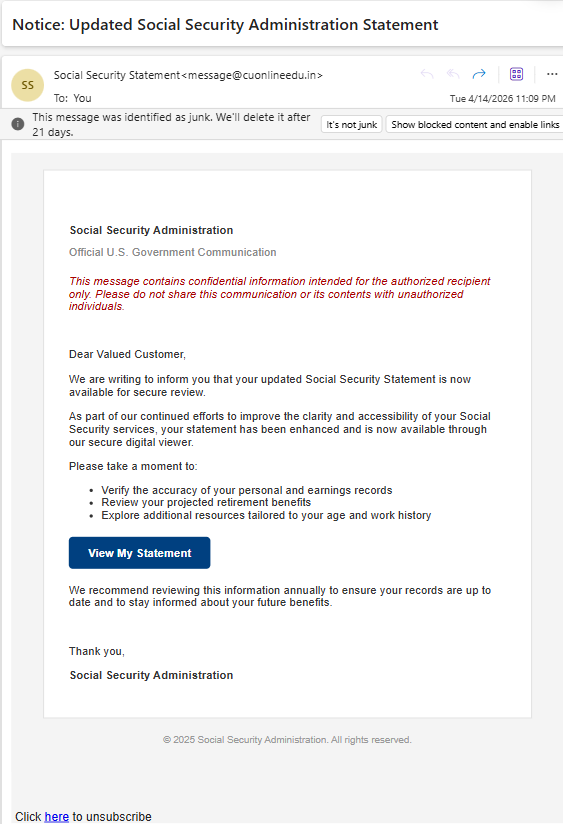
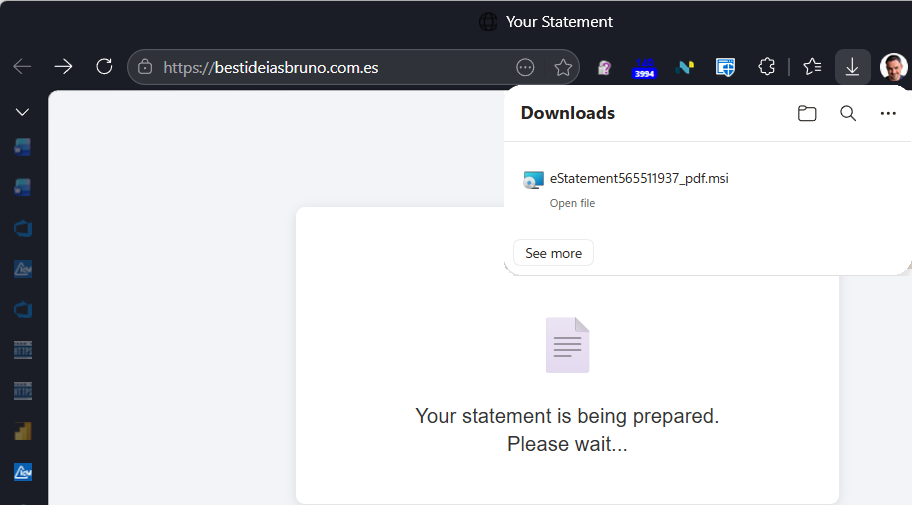
It looks reasonably plausible, except for the return address (cuonlineedu.in, a university in India). I’m always game to look at an attack, so I naturally clicked the “View my statement” link the bad guy hopes I’d click. This navigation results in redirecting through a page on the University’s website to go to a Spanish TLD:
When that page loads, it claims that your “statement is being prepared” and a file download appears. The file download, named (eStatement####_pdf.msi) is an Windows Installer package named to make it look like a PDF file.
For contrast, the legitimate download would’ve looked like this:
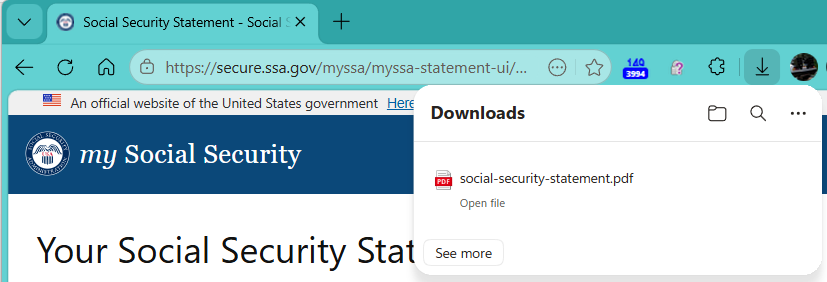
After kicking off the MSI file download, the attack site navigates to a legitimate page on the Social Security site.
Okay, so the fake site dropped a file hoping we’d open it, and we can be pretty sure that a file delivered this way is going to be some form of malware. But it’s very concerning that neither SmartScreen or Microsoft Defender Antivirus complained about the file. Let’s take a closer look.
The first thing to note is that the file is Authenticode-signed:
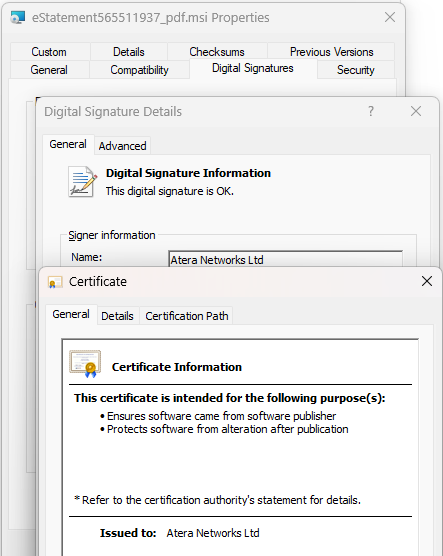
The MSI file is signed by a legitimate company and after uploading it, we see that it’s “Clean” on VirusTotal.
Hrm. Maybe the company got hacked and someone stole their certificate to sign malware? Looking more closely at the file information, we see that it was signed on April 13th and the file information looks legitimate “This installer database contains the logic and data required to install AteraAgent.” rather than what an attacker might pick (e.g. “You’re Social Security Info. Open me hurry hurry hurry.”)
At this point, I had a strong hint that I knew what was going on, but in this AI-hyped world, I wondered whether Copilot would give me good advice.
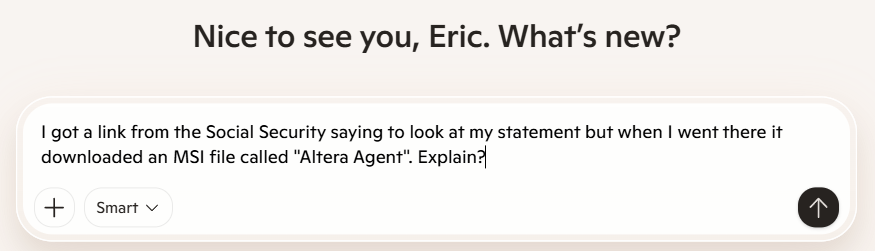
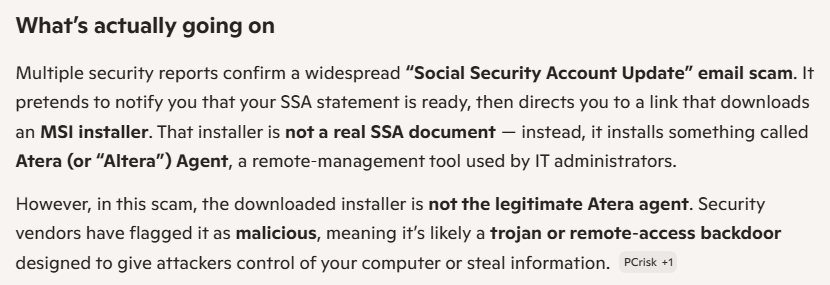
Microsoft Copilot correctly recognizes that it’s a scam, but it gets the details wrong:
Let’s ask Google’s Gemini:
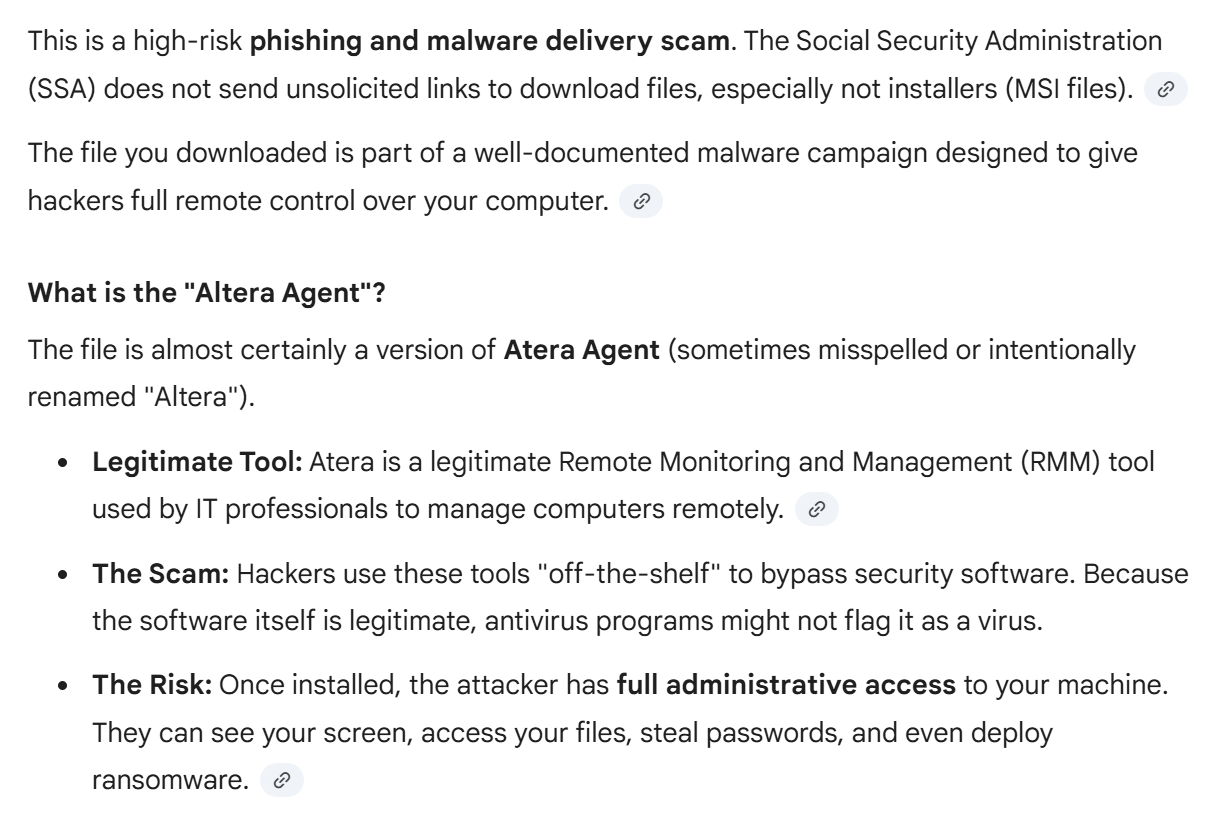
Gemini gets it right — the file is legitimate, but it’s being used. The Altera Agent is a piece of software that is categorized as a Remote Monitoring and Management (RMM) tool, which might be referred to by another name: a backdoor.
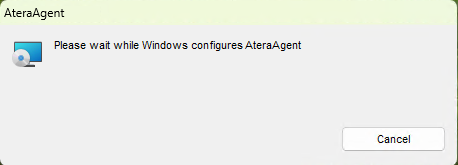
If you run the file (in a sandbox, obviously), you just get a simple install screen:
After the install has proceeded for a while, the following dialog box is shown:
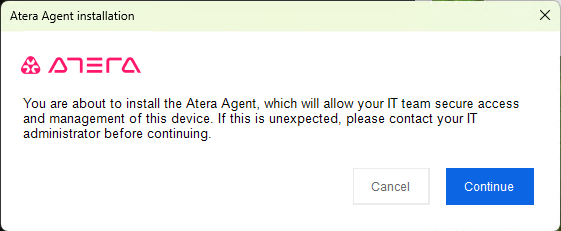
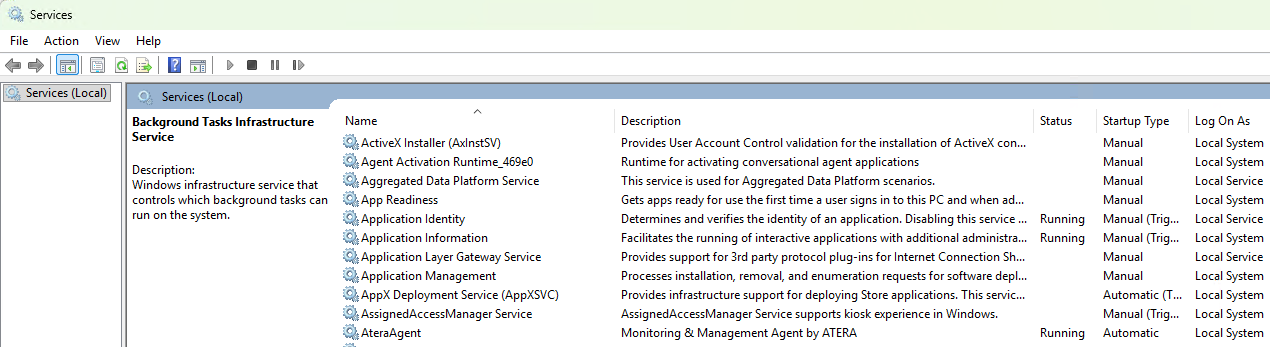
If you hit the big blue Continue button, the service is started:
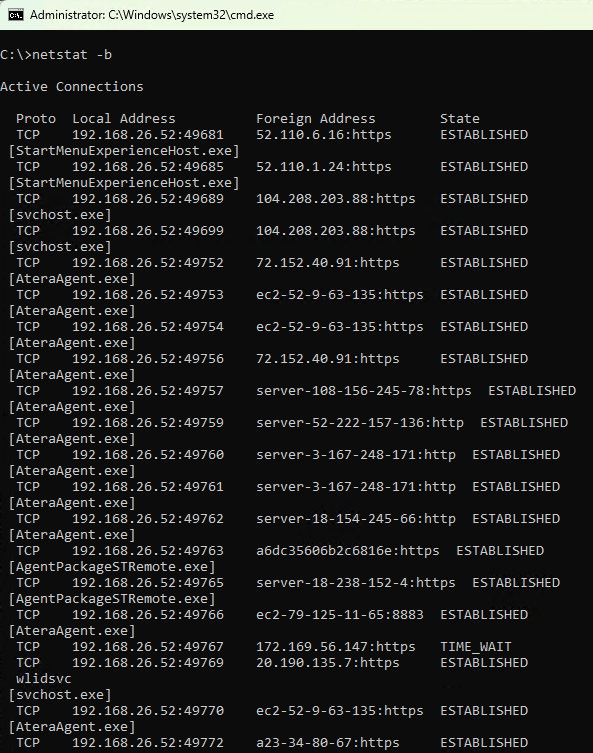
…and your device immediately sets up connections to the infrastructure that will allow the attacker to take control of your device:
Tools and Weapons
(Note: Microsoft President Brad Smith wrote a book of this title).
This attack demonstrates one of the most challenging parts of cybersecurity: many tools can be turned into weapons simply by using them maliciously. The dominant use of the AteraAgent is legitimate, but in the hands of an attacker, the impact on the victim is the same as if they had installed malware on their device.
Now, what can Atera do about the abuse of their tool? They’ve done at least the bare minimum thing (added a notification screen during the install), but they probably could do more. For example, the screen doesn’t clearly explain the threat, and there’s no button to “Report Abuse to Atera” for example. An unanswered two year old thread on Reddit suggests these Atera-powered attacks have been going on for quite some time, and there have been high-profile attacks in the past. Hopefully they are keeping a close eye on their “Trial” customers as those are the ones most likely to be attackers.
What can a normal computer user do to protect against this attack? Not a ton. Certainly, they should take care when interacting with their PC (e.g. don’t be me and go trolling around in the Junk Mail folders to click on links, take care with file downloads, keep an eye out when asked to make decisions, be paranoid).
A security-conscious Enterprise might block an attack like this by using Application Control software to block all (or unexpected) RMM tools on their devices. Beyond protecting against campaigns like this one, it can also help inhibit Tech Scams.
-Eric
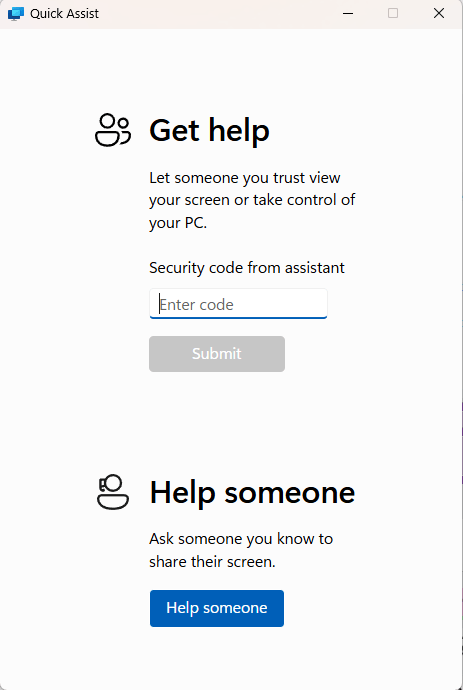
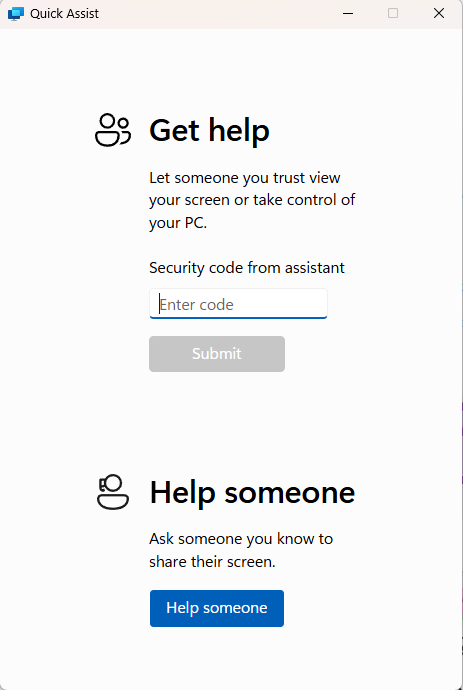
PS: Note that Windows itself ships with an RMM tool called “QuickAssist”, and sadly it has nothing to say about scams in its UI:
如有侵权请联系:admin#unsafe.sh