好的,我现在需要帮用户总结一篇文章,控制在100字以内。用户已经提供了文章内容,看起来是关于Windows 10的一个安全更新KB5082200。首先,我得快速浏览文章,找出主要信息。 文章开头提到微软发布了这个更新,修复了4月的漏洞,包括两个零日漏洞。接着介绍了更新带来的变化,比如远程桌面协议文件的钓鱼保护和新的安全指示器。然后说明了哪些用户可以安装这个更新,以及安装后的版本号变化。 接下来是更新内容部分,主要是安全补丁和错误修复,修复了167个漏洞。还提到了一些具体的问题,比如登录问题、远程桌面的安全改进、Secure Boot的状态报告等。 用户的要求是用中文总结,控制在100字以内,并且不需要特定的开头。我需要提取关键点:发布日期、漏洞数量、新增功能、修复的问题以及影响范围。 可能的结构是:微软发布Windows 10 KB5082200更新,修复了4月的167个漏洞(含两个零日),新增RDP文件钓鱼保护和Secure Boot状态指示器,并修复了部分设备的BitLocker问题。适用于企业版LTSC和ESU用户。 检查一下字数是否在限制内,并确保所有关键点都被涵盖。这样应该能满足用户的需求。 </think> 微软发布Windows 10 KB5082200扩展安全更新,修复4月Patch Tuesday中的167个漏洞(含两个零日),新增RDP文件钓鱼保护和Secure Boot状态指示器,并修复部分设备的BitLocker问题。适用于企业版LTSC和ESU用户。 2026-4-14 18:15:12 Author: www.bleepingcomputer.com(查看原文) 阅读量:13 收藏
Microsoft has released the Windows 10 KB5082200 extended security update to fix the April 2026 Patch Tuesday vulnerabilities, including 2 zero-days.
This update brings some interesting changes, including new Remote Desktop Protocol file phishing protections and new Windows Security indicators that provide the status of the rollout of new Secure Boot certificates.
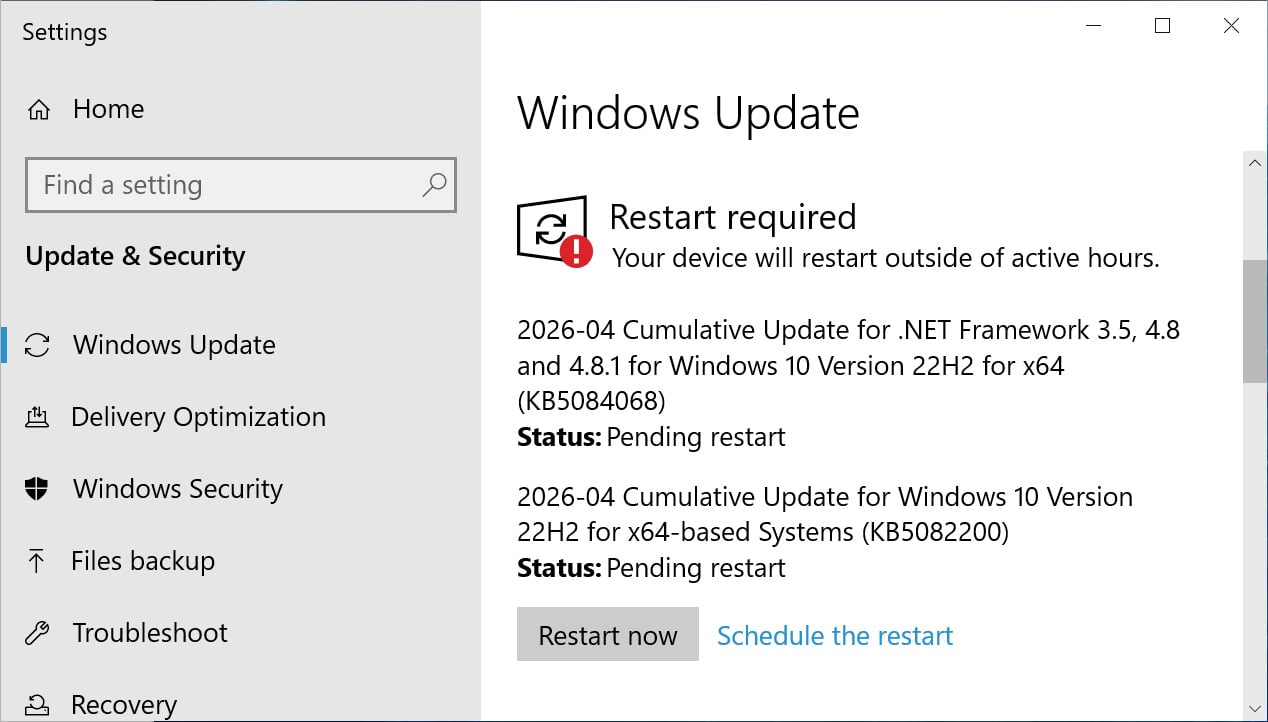
If you are running Windows 10 Enterprise LTSC or are enrolled in the ESU program, you can install this update like normal by going into Settings, clicking on Windows Update, and manually performing a 'Check for Updates.'

Source: BleepingComputer
After installing this update, Windows 10 will be updated to build 19045.7184, and Windows 10 Enterprise LTSC 2021 will be updated to build 19044.7184.
What's new in Windows 10 KB5082200
Microsoft is no longer releasing new features for Windows 10, and the KB5082200 update primarily contains security updates and bug fixes.
With today's April 2026 Patch Tuesday, Microsoft has fixed 167 vulnerabilities, including two zero-day flaws.
The complete list of fixes is below:
- [Sign-In] Fixed: After you install the Windows update released on or after March 10, 2026, some users might experience an issue signing in to apps with a Microsoft account. Even when the device has a working Internet connection, a "no Internet" error appears during sign in and prevents access to Microsoft services and apps such as Microsoft Teams.
- [Remote Desktop] This update improves protection against phishing attacks that use Remote Desktop (.rdp) files. When you open an .rdp file, Remote Desktop shows all requested connection settings before it connects, with each setting turned off by default. A one-time security warning also appears the first time you open an .rdp file on a device. For more information, see Understanding security warnings when opening Remote Desktop (RDP) files.
- [Secure Boot]
- This update enables dynamic status reporting for Secure Boot states in the Windows Security App (Settings > Update & Security > Windows Security). Learn more about the status alerts via badges and notifications. Note that these enhancements are disabled by default on commercial devices and servers.
- This update fixes an issue that could cause a device to enter BitLocker Recovery after Secure Boot updates.
- With this update, Windows quality updates include additional high confidence device targeting data, increasing coverage of devices eligible to automatically receive new Secure Boot certificates. Devices receive the new certificates only after demonstrating sufficient successful update signals, maintaining a controlled and phased rollout.
As explained in the changelog above, this update fixes a longstanding issue that causes some Intel-based devices that support Connected Standby to enter the BitLocker recovery screen when restarted.
Microsoft is also continuing to roll out new Secure Boot certificates to replace older 2011 certificates that expire in June 2026. With this update, Windows users can go into Windows Security to check the status of this rollout.
Microsoft states that there are no known issues with this update.

Automated Pentesting Covers Only 1 of 6 Surfaces.
Automated pentesting proves the path exists. BAS proves whether your controls stop it. Most teams run one without the other.
This whitepaper maps six validation surfaces, shows where coverage ends, and provides practitioners with three diagnostic questions for any tool evaluation.
如有侵权请联系:admin#unsafe.sh