嗯,用户让我帮忙总结一篇文章,控制在一百个字以内。看起来这篇文章是关于Tails 7.6版本的更新内容。首先,我需要通读整篇文章,找出主要的更新点。 文章提到了几个主要功能:自动Tor桥梁、GNOME Secrets密码管理器替换KeePassXC、软件更新以及问题修复。这些都是关键点。 接下来,我需要把这些内容浓缩到100字以内。要注意不要使用“文章内容总结”之类的开头,直接描述即可。 自动Tor桥梁帮助用户绕过审查,这是一个重要的隐私功能。GNOME Secrets带来了更简洁的界面和更好的集成,这对用户体验有提升。软件更新包括Electrum、Tor Browser和Thunderbird等,显示了版本的全面升级。最后,修复了一些问题,提升了稳定性。 现在把这些点整合起来,确保不超过字数限制,并且语言简洁明了。 </think> Tails 7.6新增自动Tor桥梁功能,帮助用户绕过网络审查;替换KeePassXC为GNOME Secrets密码管理器;更新Electrum、Tor Browser和Thunderbird等软件;修复语言翻译、Thunderbird迁移通知等问题;支持自动或手动升级。 2026-3-26 00:0:0 Author: blog.torproject.org(查看原文) 阅读量:27 收藏
New features
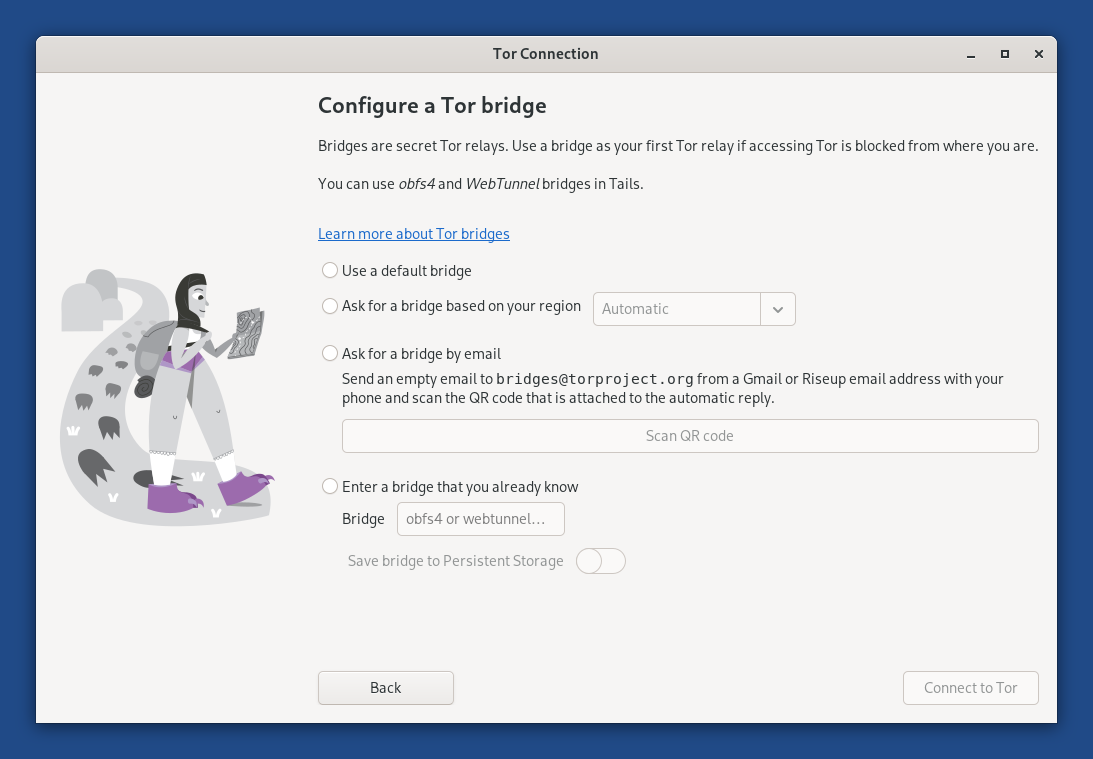
Automatic Tor bridges
You can now learn about Tor bridges directly from the Tor Connection assistant in Tails.
Tor bridges are secret Tor relays that hide that you are connecting to Tor. If connecting to Tor is blocked from where you are, you can use a bridge as your first Tor relay to circumvent this censorship.
In Tails 7.6, choose Connect to Tor automatically when opening Tor Connection. If access to the Tor network is blocked, the bridge configuration screen offers a new option called Ask for a Tor bridge based on your region.
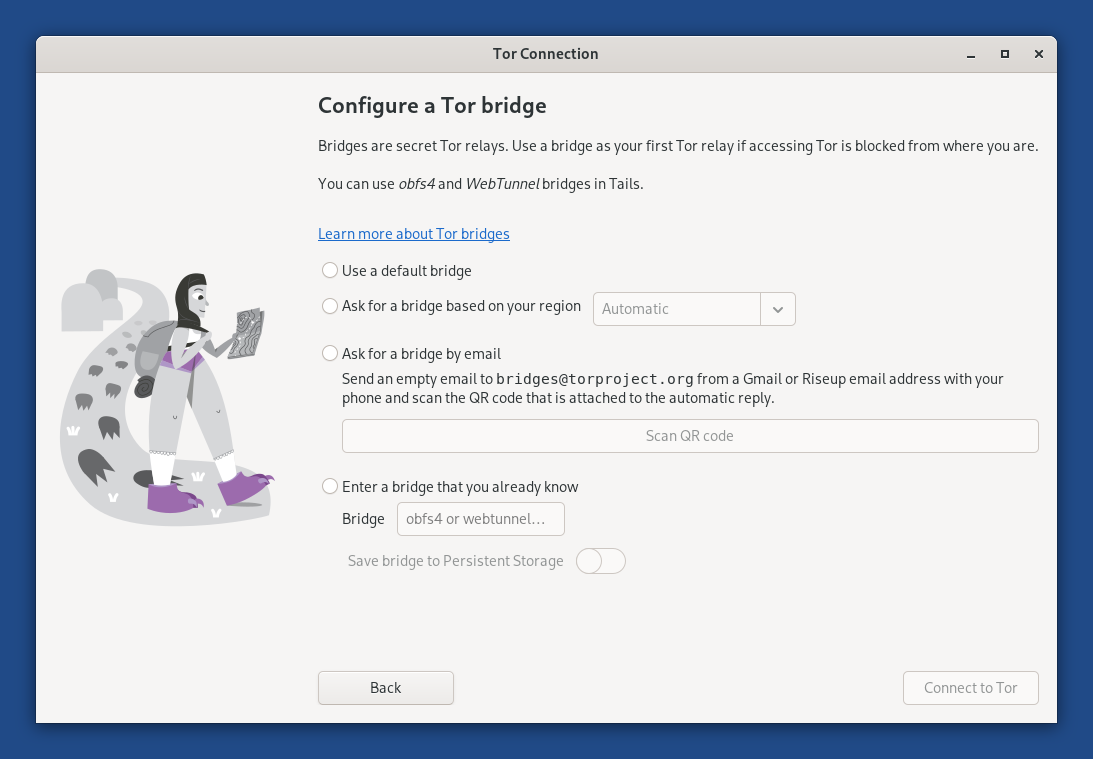
This feature uses the same technology as the connection assistant in Tor Browser outside of Tails, which was introduced in Tor Browser 11.5 (July 2022).
Tails downloads information about bridges that are most likely to work in your region from the Moat API of the Tor Project. To circumvent censorship, this connection is disguised as a connection to another website using domain fronting.
GNOME Secrets
In Tails 7.6, the Secrets password manager replaces KeePassXC.
Secrets has a simpler interface and is better integrated in the GNOME desktop. For example, accessibility features, such as the screen keyboard and cursor size, are working again with Secrets.
Secrets offers to unlock your previous KeePassXC database automatically, because both Secrets and KeePassXC use the same file format to store passwords.
If you miss more advanced features from KeePassXC , you can install KeePassXC as additional software.
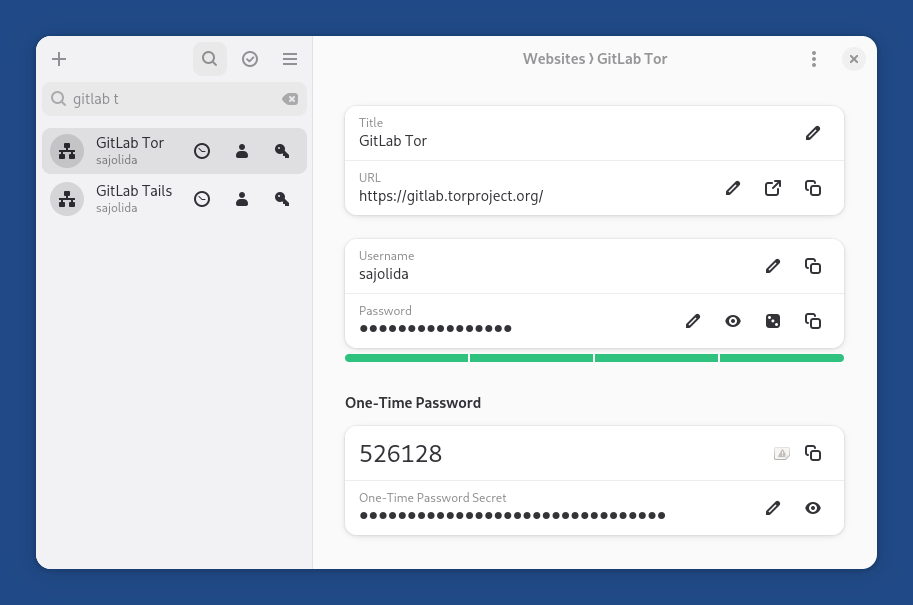
The main keyboard shortcuts of Secrets are similar to the ones of KeePassXC , with Shift in addition to Ctrl :
- Shift+Ctrl+C : copy password
- Shift+Ctrl+V : copy address
- Shift+Ctrl+B : copy username
- Shift+Ctrl+T : copy one-time password
To see the full list of keyboard shortcuts of Secrets , press Ctrl+?.
Changes and updates
Update Electrum from 4.5.8 to 4.7.0.
Update Tor Browser to 15.0.8.
Update Thunderbird to 140.8.0.
Update most firmware packages. This improves support for newer hardware: graphics, Wi-Fi, and so on.
Fixed problems
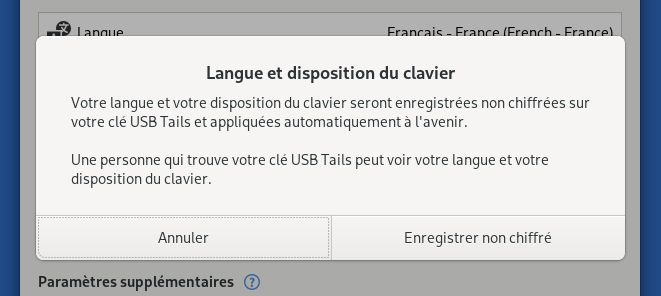
- Translate the confirmation dialog that appears before saving the language and keyboard layout on the USB stick. (#21448)
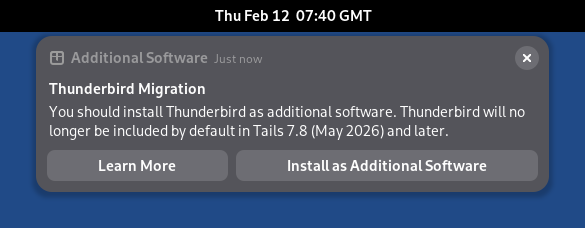
- Fix the Learn More button in the Thunderbird migration notification. (#21455)
- Fix automated upgrades in Turkish. (#21466)
For more details, read our changelog.
Get Tails 7.6
To upgrade your Tails USB stick and keep your Persistent Storage
Automatic upgrades are available from Tails 7.0 or later to 7.6.
If you cannot do an automatic upgrade or if Tails fails to start after an automatic upgrade, please try to do a manual upgrade.
To install Tails 7.6 on a new USB stick
Follow our installation instructions:
The Persistent Storage on the USB stick will be lost if you install instead of upgrading.
To download only
If you don't need installation or upgrade instructions, you can download Tails 7.6 directly:
Support and feedback
For support and feedback, visit the Support section on the Tails website.
如有侵权请联系:admin#unsafe.sh