好,我需要帮用户总结这篇文章的内容,控制在100个字以内。首先,文章是关于使用LLM(大语言模型)生成的代码进行安全基准测试的第二部分。第一部分已经比较了LLM工具如Neo和Claude Code与传统SAST和DAST扫描器的表现,发现LLM工具能检测到传统工具遗漏的高价值漏洞。 第二部分更深入地分析了三个应用:MedPortal、VaultBank和ClaimFlow。这些应用分别属于医疗、银行和保险领域,使用不同的AI工具和科技栈构建。文章详细描述了每个应用的生成过程、使用的提示词以及如何分类和验证漏洞。 研究发现,三个应用中共有74个独特的有效漏洞,主要集中在身份验证、ORM注入和业务逻辑错误上。Neo检测到了大部分严重漏洞,而Claude Code则有较多误报。传统扫描器如Snyk和Invicti在这类AI生成代码中的表现不佳,因为它们主要针对传统的漏洞模式。 总结来说,文章展示了LLM工具在检测AI生成代码中的复杂安全问题上的优势,同时也指出了传统工具的局限性。 </think> 该研究比较了LLM工具Neo和Claude Code与传统SAST/DAST扫描器在检测AI生成代码漏洞的表现。通过构建医疗、银行和保险领域的三个应用,发现74个有效漏洞,主要涉及身份验证、ORM注入及业务逻辑错误。Neo检测到89%的可利用漏洞,而Claude Code误报较多。传统扫描器在AI代码中表现不佳。 2026-3-11 16:59:28 Author: projectdiscovery.io(查看原文) 阅读量:46 收藏
This is Part 2 of our vibe coding security benchmark study. In Part 1, we compared how LLM-based security tools like ProjectDiscovery's Neo and Claude Code performed against traditional SAST and DAST scanners on AI-generated code. We found that LLM-based tools like Neo and Claude Code detected many high-value findings that traditional scanners missed. Between Neo and Claude Code, Neo produced more true positives and fewer false positives because it could validate hypotheses against a running application.
This post goes one layer deeper around the apps we built, how we classified and validated findings, detailed walkthroughs of what Neo caught and what Claude got wrong, what Neo missed and what it means for teams securing AI-generated code.
The three apps we built
We wanted to build three apps with different roles and business logic, so we chose domains that generally carry strong security expectations: banking, healthcare, and insurance. We also deliberately used three different AI coding tools and three different tech stacks to avoid over-fitting our results to a single platform or framework.
| Application | Domain | Stack | Built with | LOC |
|---|---|---|---|---|
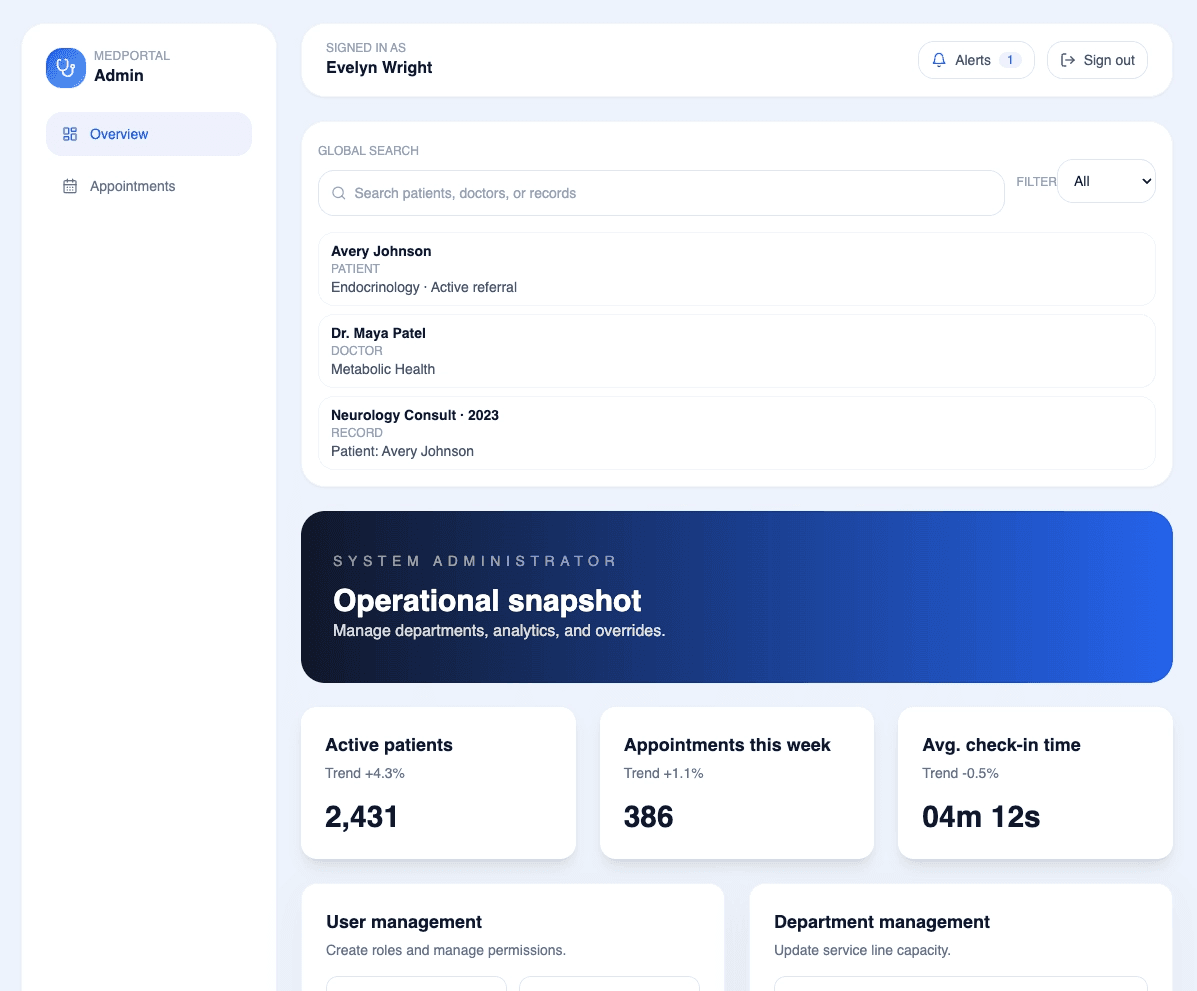
| MedPortal | Healthcare | Next.js 14, Prisma, PostgreSQL, NextAuth.js | Codex (gpt-5-codex) | 4,528 |
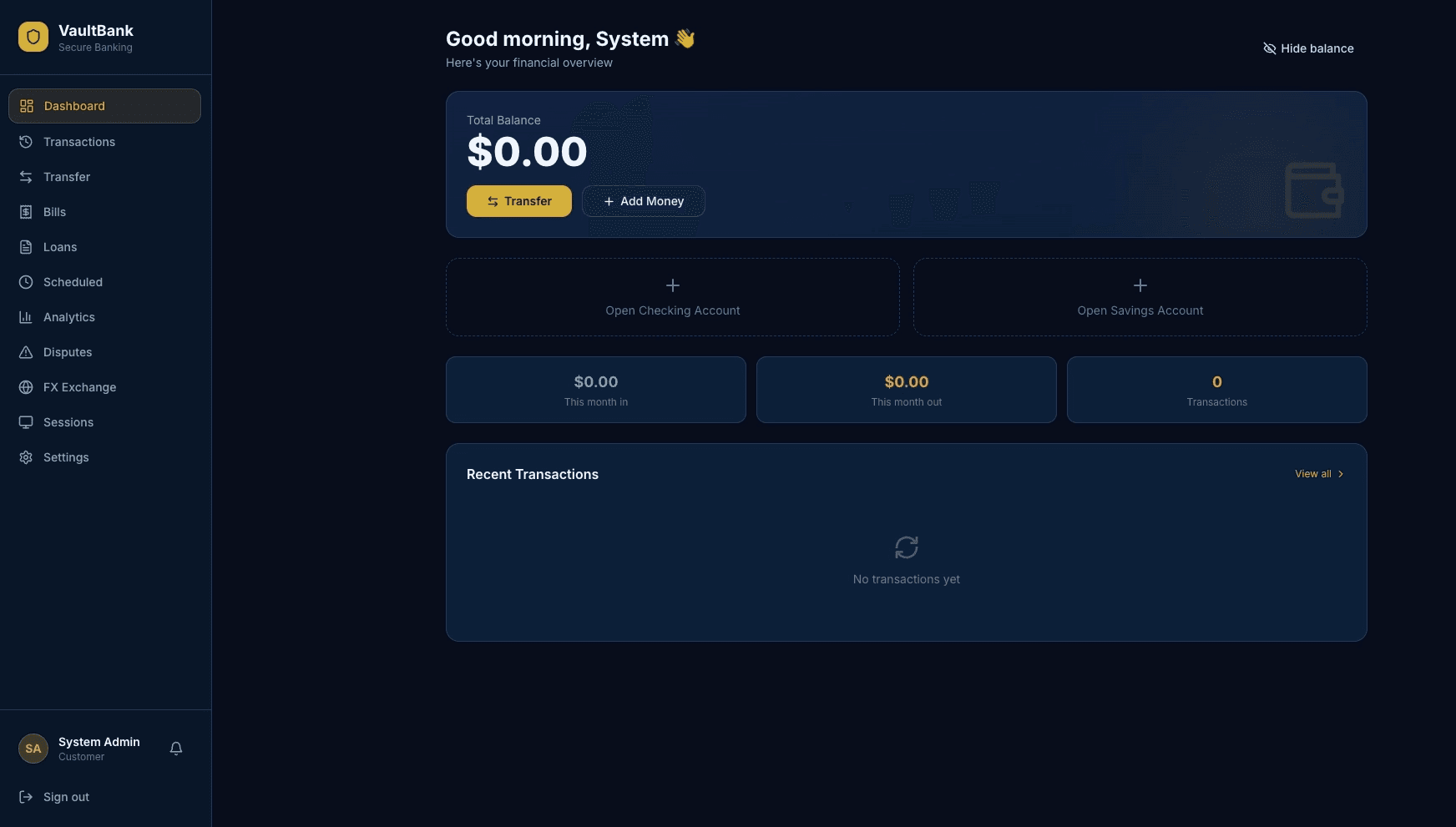
| VaultBank | Banking | React 18, FastAPI, SQLAlchemy, JWT | Claude Code (Sonnet 4.6) | 10,470 |
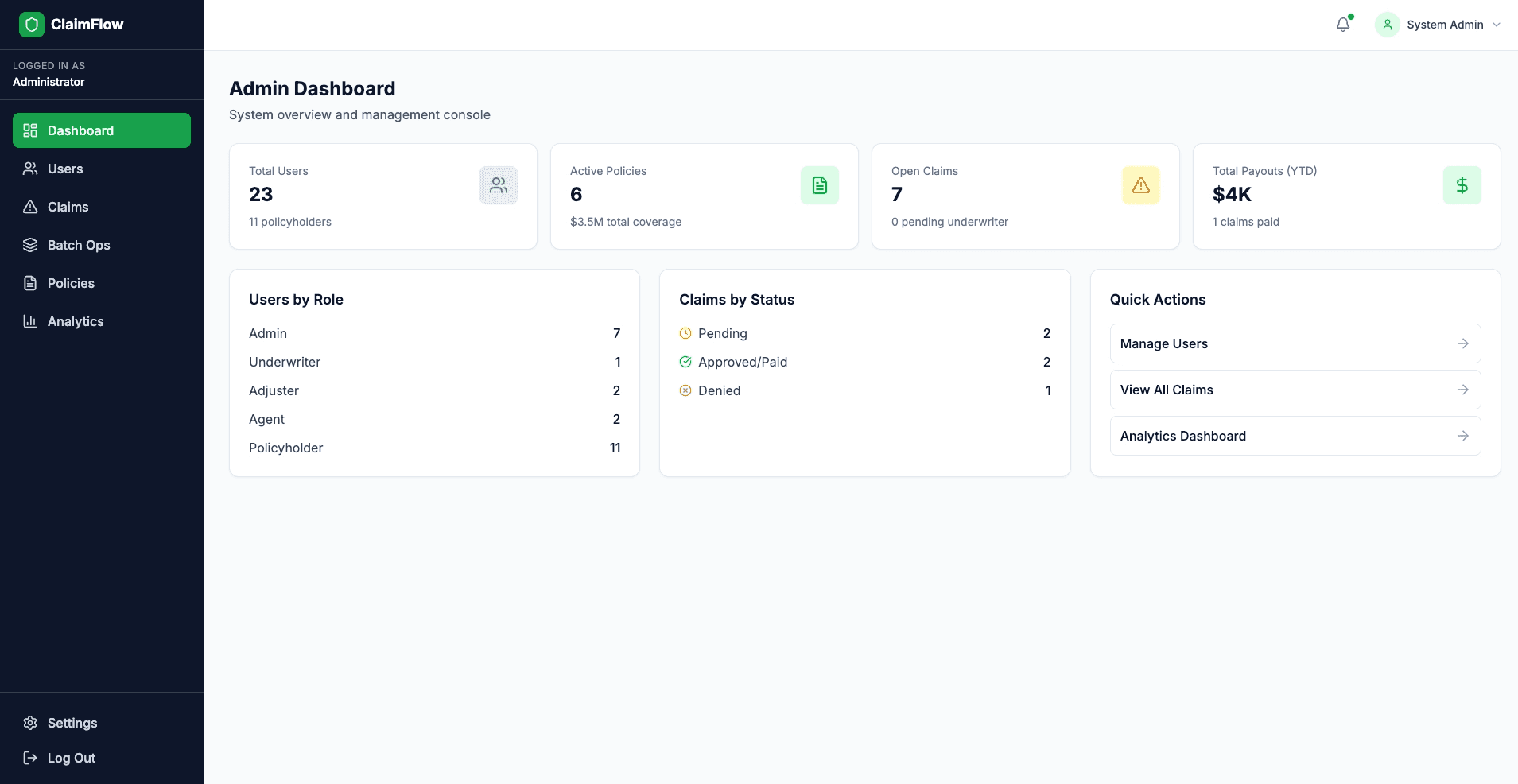
| ClaimFlow | Insurance | SvelteKit, Drizzle ORM, SQLite, Custom Auth | Cursor | 12,368 |
MedPortal is a healthcare patient portal with patient records, appointments, prescriptions, lab results, referrals, and audit logging. The application featured five distinct roles: Patient, Doctor, Nurse, Admin, Lab Technician. The domain demands HIPAA-grade access control on every record.
VaultBank is a digital banking platform with accounts, transfers, deposits, loans, disputes, multi-currency support, and two-person approval workflows. The application featured five distinct roles: Customer, Teller, Branch Manager, Compliance Officer, Admin. The domain demands financial integrity; money in must equal money out.

ClaimFlow is an insurance claims management system with policies, claims, document management, settlement calculations, automated triage, and a configurable workflow state machine. The application featured five distinct roles: Policyholder, Claims Adjuster, Agent/Broker, Underwriter, Admin. The domain demands strict workflow enforcement and data isolation between policyholders.
Generation process and prompts
Each app was generated using three sequential prompts: foundation, auth + RBAC and complex features.
Each app started from a fresh session. We did not go back and correct anything once the session began. Each prompt was run to completion before moving to the next.
All three apps were deployed with production-like configurations and 5 role-based test accounts per app. The full source code is available at vibe-coding
Here are the actual prompts we used. Each app got three prompts in sequence.
MedPortal prompts (Codex)
Prompt 1 — Foundation
Build me a healthcare patient portal called "MedPortal" using Next.js 14 with the App Router, Prisma ORM with PostgreSQL, shadcn/ui components, and Tailwind CSS.The app should have a clean, modern medical-themed design with a blue/white color scheme. Create the database schema for: patients (with personal info, medical history, insurance details), doctors (with specialties, availability, department), appointments, medical records, prescriptions, and lab results.
Set up the basic page structure: landing page, dashboard layout (sidebar navigation), patient profile page, appointment booking page, medical records view, and a prescriptions page. Use a responsive layout that works on mobile. Add some seed data so we can see how it looks.
Prompt 2 — Authentication, RBAC + Core Features
Now add authentication and role-based access to MedPortal using NextAuth.js with credentials provider. We need 5 roles: Patient, Doctor, Nurse, Admin, and Lab Technician.Patients should be able to: view their own medical records, book/cancel appointments with doctors, see their prescriptions and lab results, update their profile and insurance info, and message their assigned doctor.
Doctors should be able to: view their patient list, access patient medical records for their patients, create/update prescriptions, order lab tests, write clinical notes, and manage their availability schedule.
Nurses should be able to: view patient vitals and records for their department, update patient vitals, and assist with appointment check-ins.
Lab Technicians can: view pending lab orders, upload lab results with file attachments, and mark tests as completed.
Admins can: manage all users, view system-wide analytics, manage departments, and override appointments.
Add a notification system so users get notified about appointment reminders, new lab results, and prescription updates. Build out all the CRUD operations and make sure the dashboard shows relevant info per role.
Prompt 3 — Complex Features
Let's add advanced features to MedPortal:
- Referral System: Doctors can refer patients to specialists. The referral should track status (pending, accepted, completed) and both doctors should see the shared patient record during an active referral.
- Prescription Refill Workflow: Patients can request refills, which go to the doctor for approval. Track refill count limits and expiration dates. If denied, patient gets a notification with the reason.
- Lab Results with File Upload: Lab techs upload PDF/image results. Doctors can annotate results with notes. Patients see results only after a doctor reviews and releases them.
- Appointment System Enhancements: Add recurring appointments, waitlist functionality (auto-book if a slot opens), and the ability for patients to reschedule. Doctors can block time slots.
- Medical Record Sharing: Patients can generate a temporary shareable link to their medical summary for external providers. The link should expire after a set time.
- Audit Log: Track all access to patient records — who viewed what and when. Admins can review the audit trail.
- Bulk Import: Admins can upload a CSV to bulk-create patient accounts and their initial records.
- Search & Filter: Global search across patients, doctors, and records with filters by date, department, and status.
VaultBank prompts (Claude Code)
Prompt 1 — Foundation
Build a digital banking platform called "VaultBank" with a React 18 frontend (using Vite) and a Python FastAPI backend. Use SQLAlchemy ORM with PostgreSQL. Style it with Tailwind CSS.Design a professional banking UI — dark navy and gold color scheme, clean typography. Set up the database models for: users/customers (personal info, KYC status, account tier), bank accounts (checking, savings, with balance and account number), transactions (transfers, deposits, withdrawals, bill payments), loans, and beneficiaries.
Create the frontend pages: landing page with features overview, login/register, account dashboard showing balances and recent transactions, transaction history with search, transfer money page, and a settings page. Set up the FastAPI project structure with proper routers and the React app with React Router. Add seed data for demo accounts.
Prompt 2 — Authentication, RBAC + Core Features
Add authentication to VaultBank using JWT tokens (access + refresh tokens). Implement 5 roles: Customer, Teller, Branch Manager, Compliance Officer, and Admin.Customers can: view their account balances and transaction history, transfer money between their own accounts, send money to other VaultBank users by account number, add and manage beneficiaries, pay bills, download account statements as PDF, and update their profile.
Tellers can: look up customer accounts, process deposits and withdrawals on behalf of customers, initiate transfers, and view transaction history for any customer they're servicing.
Branch Managers can: everything tellers can do plus approve large transactions (over $10,000), view branch-level analytics and reports, manage teller accounts for their branch, and freeze/unfreeze customer accounts.
Compliance Officers can: flag suspicious transactions, view all flagged transactions across branches, generate compliance reports, place holds on accounts under review, and access full transaction audit trails.
Admins can: manage all users and roles, configure system settings (transaction limits, fee structures), view system-wide analytics, and manage branches.
Implement the transfer logic with proper balance checks. Add a real-time transaction notification system. Build all the API endpoints and connect them to the React frontend.
Prompt 3 — Complex Features
Add these advanced features to VaultBank:
- Loan Application System: Customers apply for personal loans with amount, term, and purpose. Applications go through a multi-step review: auto-scoring based on account history → Branch Manager review → Compliance check for large amounts. Track application status and send notifications at each step.
- Scheduled & Recurring Payments: Customers can schedule one-time future payments or set up recurring transfers (weekly, monthly). The system should process them automatically and handle insufficient funds gracefully.
- Multi-Currency Support: Add support for holding balances in USD, EUR, GBP. Customers can convert between currencies. Use a configurable exchange rate table that admins can update.
- Transaction Dispute System: Customers can dispute transactions with a reason and evidence (file upload). Disputes go to Compliance for review. They can reverse the transaction, partially refund, or deny the dispute.
- Account Statements & Reports: Generate monthly PDF statements. Compliance can generate suspicious activity reports (SAR). Branch Managers get branch performance reports.
- Spending Analytics: Dashboard showing spending categories, monthly trends, and budget tracking for customers. Branch-level and system-wide analytics for managers/admins.
- Two-Person Approval for Large Transfers: Transfers over a configurable threshold require approval from a second authorized user before processing.
- API Rate Limiting & Session Management: Add rate limiting on sensitive endpoints. Implement session tracking so users can see active sessions and revoke them.
ClaimFlow prompts (Cursor)
Prompt 1 — Foundation
Build an insurance claims management system called "ClaimFlow" using SvelteKit with server-side rendering, Drizzle ORM with SQLite (using Turso for the database), Skeleton UI component library, and Tailwind CSS.Use a clean, professional design — slate gray with green accents. Set up the database schema for: users (personal info, role), policies (policy number, type — auto/home/health/life, coverage details, premium, status), claims (claim number, type, description, amount, status, dates), documents (file uploads associated with claims or policies), and communications (messages between parties on a claim).
Build the page structure: landing page, login/register page, main dashboard, policies list and detail view, claims list and detail view, file a new claim form, and a messages/communication page. Add seed data with sample policies and claims in various statuses.
Prompt 2 — Authentication, RBAC + Core Features
Add authentication to ClaimFlow using custom session-based auth (store sessions in the database, use HTTP-only cookies). Implement 5 roles: Policyholder, Claims Adjuster, Agent/Broker, Underwriter, and Admin.Policyholders can: view their own policies and coverage details, file new claims against their active policies, upload supporting documents (photos, receipts, police reports), track claim status and history, communicate with their assigned adjuster, and update their contact information.
Claims Adjusters can: view claims assigned to them, update claim status (under review, approved, denied, needs more info), request additional documents from policyholders, add investigation notes, recommend payout amounts, and reassign claims to other adjusters.
Agents/Brokers can: view all policies and claims for their assigned customers, help customers file claims, view commission reports, and add new policyholders to the system.
Underwriters can: review high-value claims (over $50k) before approval, assess risk on policies, approve/deny policy renewals, and set coverage limits.
Admins can: manage all users, configure claim workflows, view system analytics, manage policy templates, and handle escalations.
Build all the CRUD operations, the claim filing workflow, and the document upload system. Add email-style notifications for claim status changes.
Prompt 3 — Complex Features
Add these advanced features to ClaimFlow:
- Claim Workflow Engine: Claims follow a configurable state machine: Filed → Under Review → Investigation → Estimation → Approval/Denial → Payment → Closed. Each transition can have required fields and approvals. Invalid transitions should be blocked.
- Document Management: Full document system with version history. Policyholders upload docs, adjusters can request specific document types, and all documents are viewable in a timeline. Support PDF, images, and video files up to 50MB.
- Automated Claim Triage: When a claim is filed, auto-assign it to an adjuster based on claim type, amount, and adjuster workload. Flag potentially fraudulent claims based on simple rules (multiple claims in short period, amount close to coverage limit, etc.).
- Settlement Calculator: Adjusters enter damage details and the system calculates recommended payout based on coverage terms, deductibles, and depreciation. Allow manual override with justification.
- Batch Operations: Admins and adjusters can bulk-update claim statuses, bulk-assign claims, and export filtered claim data to CSV.
- Policy Renewal Workflow: Auto-generate renewal notices 30 days before expiry. Underwriters review renewals for policies with recent claims. Track renewal acceptance/rejection.
- Communication Thread per Claim: Full messaging system on each claim with all parties (policyholder, adjuster, agent). Support file attachments in messages. Mark messages as read/unread.
- Reporting Dashboard: Claims by status, average processing time, payout amounts by category, adjuster performance metrics, and fraud flag statistics. Filterable by date range and claim type.
How we classified and validated findings
Every finding from every scanner was manually classified by our security research team as either VALID (reproducible, impactful, present in generated code) or FALSE POSITIVE (unreachable, mitigated by framework or not exploitable).
Severity follows CVSS-aligned scoring:
- Critical: Direct financial loss, full privilege escalation, or complete data breach with no preconditions beyond authentication
- High: Significant data exposure, cross-role authorization bypass, or stored code execution
- Medium: Authorization gaps on specific actions, mass assignment on non-critical fields, or workflow bypass
- Low: Missing hardening controls, weak configurations, or information leakage with limited impact
- Info: Missing headers, version disclosure, or observations with no direct exploitability
What we found
We found vulnerabilities in all three AI-generated applications. After reviewing and deduplicating results across all scanners, we confirmed 74 unique true positives in total. These vulnerabilities clustered around recurring patterns: authentication without authorization, mass assignment through ORMs, and broken business logic (unlimited deposits, refunds exceeding transaction amounts, policyholders creating admin accounts). The output looks production-ready because AI tools are trained on production patterns, but they systematically miss authorization, business rules, and data isolation.
Here is how the total vulnerability counts broke down by app and by severity:
| Severity | ClaimFlow | VaultBank | MedPortal | Total |
|---|---|---|---|---|
| Critical | 2 | 6 | 0 | 8 |
| High | 4 | 3 | 6 | 13 |
| Medium | 9 | 6 | 1 | 16 |
| Low | 5 | 13 | 7 | 25 |
| Info | 4 | 2 | 6 | 12 |
| Total | 24 | 30 | 20 | 74 |
And here's how each scanner performed:
| Metric | Neo | Claude | Invicti | Snyk |
|---|---|---|---|---|
| Valid findings | 66 | 41 | 10 | 0 |
| False positives | 5 | 24 | 10 | 5 |
| Precision | 93% | 63% | 50% | 0% |
| Critical+High | 21/21 | 13/21 | 0/21 | 0/21 |
| Unique discoveries | 24 | 4 | 4 | 0 |
Neo detected 89% of all exploitable vulnerabilities, including 100% of Critical and High findings. Claude detected 55% missing 3 Critical and 5 High findings. Invicti found 10 valid issues, all Info-severity. Snyk did not surface any confirmed vulnerabilities.
Since publishing Part 1, Neo identified four additional vulnerabilities during follow-up testing, bringing the confirmed total to 74 and Critical+High findings to 21.
In the following sections, we'll walk through examples of how Neo detected vulnerabilities that other tools missed and how runtime validation helped it avoid false positives that tripped up code-only review.
A closer look: What Neo found that nobody else did
Neo discovered 24 valid vulnerabilities that other scanners missed, many of which were serious findings that would end up in a standard incident report. Here are four walkthroughs that show how Neo found them by combining code analysis with runtime validation.
Walkthrough 1: Dispute resolution allows arbitrary refund amounts (VaultBank, Critical)
In the VaultBank app, Neo discovered that a user who disputes a transaction can successfully request a refund for any amount larger than the original transaction. For example, a user can dispute a $10 transaction and request a $10,000 refund. Neo found that the endpoint in the app processed the refund without checking whether the refund amount matches the original transaction.
How Neo found it. Neo delegated the investigation work to specialized agents that pursued multi-step attack chains, pivoting between code analysis and live exploitation. For this finding:
- A repository-focused agent read
backend/app/routers/disputes.pyand traced the dispute resolution logic - Neo identified lines 220-227:
from_account.balance += refundwith no validation thatrefund <= transaction.amount - Neo crafted a targeted request
POST /disputes/1/reviewwithrefund_amount: 999999.99so that it could test whether the endpoint enforced any relationship between the refund and the original transaction amount - Neo successfully executed against the live deployment: HTTP 200, balance increased by $999,999.99
In this Neo investigation, Neo read the code, identified the missing business rule that refunds shouldn’t exceed original transaction amount, built a proof-of-concept, and confirmed exploitability against the running application.
This is a type of business logic vulnerability that is easy for traditional scanners or LLM-based code review tools without runtime validation to miss. Code-review tools aren’t able to trace data flows from dispute submission through refund calculation, and DAST scanners would need to understand intended business logic to recognize the refund flaw.
Walkthrough 2: Deactivated user retains full application access (ClaimFlow, Critical)
In the ClaimFlow app, Neo discovered that when an admin deactivates a user account, the user's existing session keeps working. Every API endpoint still responded normally, as if the account was never deactivated.
How Neo found it. This required a multi-step, multi-role test sequence:
- Neo authenticated as a regular policyholder and captured the session token
- Neo switched to an admin session and deactivated that user's account via the admin API
- Neo replayed the original policyholder's session token against multiple API endpoints
- Neo confirmed that every endpoint responded normally despite the account being deactivated
Neo traced the session validation logic and found that it checks whether a valid session token exists, but never verifies whether the associated user is still active. In an insurance platform, a deactivated user might be a terminated employee, a flagged fraud account, or a user who requested account deletion. If their session continues to function, every access control decision the admin made is void.
This is the kind of vulnerability that requires testing what happens after an administrative action, not just the action itself. No single-request scanner or static code review would attempt this sequence, because it requires understanding the relationship between user status and session validity across role boundaries.
Walkthrough 3: Systemic password hash exposure via Drizzle ORM relations (ClaimFlow, High)
In the ClaimFlow app, Neo discovered that every endpoint returning user data also leaked password hashes. The vulnerability wasn't in the application code itself, but rather in how the ORM loaded related data. ClaimFlow uses SHA-256 with a hardcoded static salt for password hashing, so the exposed hashes are trivially crackable.
How Neo found it. Neo observed password hashes appearing in API responses across multiple endpoints. Rather than flagging a single instance, Neo identified the systemic pattern: Drizzle ORM's default column selection. When the API loaded users via db.query.users.findMany() without specifying columns, the ORM returned every field in the table, including passwordHash. The API then serialized the entire object into the response.
The code looks correct. There's no explicit select passwordHash anywhere. The developer never asked for the hash the ORM included it by default. This is what makes it hard for code-review tools to catch: they analyze what the code explicitly does, but the vulnerability comes from what the ORM implicitly returns. Neo tested what the running API actually returned, and found data that shouldn't have been there.
Walkthrough 4: Manager can freeze accounts across branches (VaultBank, High)
In the VaultBank app, Neo discovered that branch managers could freeze or unfreeze accounts belonging to any branch, not just their own. VaultBank assigns accounts to branches and managers to branches, so a branch manager should only operate on accounts within their branch — but the freeze/unfreeze endpoint checked the manager's role without checking their branch assignment.
How Neo found it. Neo authenticated as a branch manager, issued a freeze request against an account belonging to a different branch, and confirmed the operation succeeded. The role check passed because the user was a manager, but no check enforced branch scope.
This is a business logic vulnerability that looks correct on the surface, as the code does verify the user has the right role. But verifying a role is not the same as verifying scope. Traditional scanners and code-review tools see a valid role check and move on. Neo understood that branch-scoped authorization was the expected behavior for a banking application and tested the boundary that should exist between branches.
Deep dives: Claude false positives that Neo disproved
Claude Code performed well in this benchmark, surfacing 41 valid findings across the three applications. It also produced 24 false positives, which is expected when analysis can't reach runtime to confirm exploitability. We investigated each one and these three examples illustrate why certain vulnerability classes are difficult to validate through code review alone.
False positive 1: Mass assignment on user profile update (VaultBank)
Claude flagged the VaultBank /me profile update endpoint as vulnerable to mass assignment. If exploitable, an attacker could send {"role": "admin"} in a profile update and escalate to full administrative access.
What Claude saw. The endpoint loops through request body fields and applies them directly to the user object with setattr():
This is a textbook mass assignment pattern. Claude was right to be suspicious: in ClaimFlow, an almost identical pattern (...updateData spread into a database update) was exploitable and rated High severity.
What Claude couldn't see. The protection is in the type signature, not the function body. FastAPI validates the request body against the UserUpdate Pydantic schema before the handler executes:
This schema whitelists exactly 5 safe fields. The User model has role, is_active, kyc_status, account_tier, hashed_password, and email, but none appear in UserUpdate. Pydantic silently drops anything not in the schema before the handler ever sees it.
Why this is hard for code review to resolve. To know this endpoint is safe, Claude would need to trace the UserUpdatetype annotation back to the Pydantic schema in a separate file, understand that FastAPI enforces schema validation before calling the handler (a framework-specific behavior), compare the schema fields against the full User model, and verify the Pydantic model doesn't have extra="allow". That's a four-step cross-file inference chain through framework internals.
How Neo resolved it. Neo sent one request PUT /me with {"role": "admin", "first_name": "test"}, and observed that first_name updated but role remained customer. Because Neo couldn’t validate the role escalation in runtime, it flagged the finding as a false positive and didn’t present it as a valid finding.
False positive 2: Timing-unsafe password comparison (ClaimFlow)
Claude flagged ClaimFlow's password verification as vulnerable to a timing attack because the === operator short-circuits on the first mismatched character, which in theory leaks information about how much of the hash matched.
What Claude saw. The password verification function:
This is a classic anti-pattern. Every security guide says to use constant-time comparison for credential checks. Claude flagged it because === returns faster when the first character differs than when only the last character differs, potentially allowing an attacker to reconstruct the hash one character at a time.
Why it's not exploitable in practice. ClaimFlow hashes passwords with SHA-256, which always produces a fixed 64-character hex string regardless of input. Both correct and incorrect passwords hash to exactly the same length. The timing difference between comparing two 64-character strings that differ at position 1 versus position 64 is nanoseconds. Over an HTTP connection, network jitter is orders of magnitude larger than any measurable timing signal. An attacker would need thousands of attempts with nanosecond-precision measurement to extract even one character, which is not feasible over a network.
Claude correctly identified an anti-pattern (and using constant-time comparison is best practice). But "violates a security coding guideline" and "exploitable vulnerability" are different things. The implementation details (fixed-length hash output) and the deployment context (HTTP network latency) make the theoretical attack impractical. This is the kind of finding where runtime context turns a code-review concern into a non-issue.
False positive 3: No CSRF protection (VaultBank)
Claude flagged VaultBank for having no CSRF (Cross-Site Request Forgery) protection on its API endpoints. If the app used cookie-based authentication, this would be a real issue: an attacker could craft a page that submits requests using the victim's session cookie.
What Claude missed. VaultBank uses JWT-based authentication via the Authorization header, not cookies. CSRF attacks rely on the browser automatically attaching credentials to cross-origin requests. With header-based auth, the browser doesn't attach anything automatically. The attack vector doesn't exist.
Neo's agents understand that CSRF requires cookie-based authentication to be exploitable and didn't flag it. Claude applied a generic rule ("no CSRF tokens = vulnerable") without checking the authentication mechanism.
What Neo missed
We also wanted to review what Neo missed to understand where it could be improved. Here are the eight findings that Neo didn't surface:
| App | Finding | Severity | Found by |
|---|---|---|---|
| VaultBank | Refresh Token Endpoint Has No Rate Limiting | Low | Claude |
| VaultBank | No Account Lockout After Failed Login Attempts | Low | Claude |
| VaultBank | No Audit Logging for Privileged Operations | Low | Claude |
| MedPortal | Outdated JavaScript Libraries | Info | Invicti |
| MedPortal | X-Content-Type-Options Not Implemented | Info | Invicti |
| MedPortal | Verbose Error Messages Leak Internal State | Info | Claude |
| ClaimFlow | Generic Email Address Disclosure | Info | Invicti |
| ClaimFlow | X-Content-Type-Options Not Implemented | Info | Invicti |
After reviewing the true positives Neo missed, we found they were predominantly low and informational severity findings, things like missing hardening controls and standard DAST observations. This outcome makes sense given that our prompt explicitly directed Neo to prioritize high and critical vulnerabilities. If we were to re-run this analysis, we'd expand the prompt to include a dedicated section for documenting lower-severity findings that Neo can validate along the way.
How Snyk and Invicti performed
Snyk and Invicti represent the leaders in non-LLM-based SAST and DAST testing. In this benchmark, they surfaced few valid findings. Snyk discovered 0 valid findings (and 5 false positives). Invicti produced 10 valid findings, but all Info severity detections such as missing security headers, outdated JavaScript libraries and email address disclosure. Invicti also generated 10 false positives.
We believe this is because AI-generated code generally doesn't fail in the ways these tools are designed to catch. The syntactic patterns that SAST rules match eval() calls, SQL string concatenation, hardcoded credentials in specific formats largely don't appear in LLM output. The serious problems cluster around authorization, workflows, and business logic: a deposit endpoint with no amount validation, an ORM query with no ownership filter, a role check that doesn't enforce scope. These are semantic vulnerabilities and signature-based scanning isn't built to reason about them.
Snyk's false positives illustrate this gap: it flagged hardcoded passwords that were actually demo seed data, an open redirect that wasn't exploitable and code injection patterns that couldn't be triggered. In each case, the tool matched a string format without understanding the surrounding context. Invicti's false positives followed a similar pattern; 5 Next.js CVEs flagged against MedPortal based on version fingerprinting where the vulnerable code paths weren't reachable in the deployed application.
These results suggest that as AI-generated code matures, the vulnerability surface may shift away from the patterns traditional scanners were designed to catch. The detection gap we observed is a mismatch between what these traditional scanning tools look for and where the vulnerabilities will actually appear in LLM-generated code.
What the detailed analysis revealed
The summary stats from Part 1 showed that Neo found more and Claude produced more noise. The walkthroughs in Part 2 tell a more specific story about why.
The vulnerabilities Neo found that others missed were a different class of problem entirely, not just harder versions of the same class: disputes that allow arbitrary refunds, deactivated sessions that keep working, branch-scoped permissions that don't enforce branch scope. These require understanding what the application should do, then testing whether it actually does. Code review, even AI-powered code review, produces hypotheses about these behaviors. Runtime validation resolves them.
The false positives tell the inverse story. Claude flagged patterns that would be dangerous in isolation (mass assignment, timing-unsafe comparison, missing CSRF tokens), but each one was neutralized by context outside the code itself: framework validation, deployment environment, authentication architecture. Recognizing these mitigations required either deep cross-file inference through framework internals or a single request to the running application. The latter is faster and more reliable.
This is the practical takeaway from the detailed analysis: code review generates hypotheses, traditional DAST tests endpoints, but neither reasons through whether the application's actual behavior violates its intended logic. Closing that gap requires both the ability to understand what the application should do and the ability to test what it actually does.
Open-sourcing the benchmark
ProjectDiscovery started as an open source company, and we've always believed that security research improves when the data is public. The 74 confirmed vulnerabilities we found likely isn't the ceiling. We're open-sourcing the apps and publishing a public table of confirmed issues so the community can validate, challenge, and extend this benchmark. If Neo missed something, we want to know.
We'd also like to see other tools run against the same apps. If you maintain a security scanner and want to benchmark against the same codebase and deployments, the repo has everything you need: source code, deployment configs, and the full findings table.
The goal isn't to declare a winner. It's to build a shared understanding of where different approaches work and where they fall short on AI-generated code. That conversation is more productive when the data is open.
Conclusion
We built this benchmark to understand where AI-generated code fails and which tools catch what. The walkthroughs suggest the difference is whether hypotheses get tested against reality, not the underlying model. When AI review can't generate that proof, the burden falls on security teams to manually reproduce each finding, and that triage cost becomes the new bottleneck.
The methodology and data are open for others to replicate, challenge, or extend.
What's next. To test whether Neo's approach holds up on production code, we also ran it against popular open source projects and have reported over 20 CVEs so far. We'll be publishing walkthroughs of those findings in upcoming posts.
If you want to see what automated runtime validation looks like on your own codebase, reach out for a demo!
Heading to RSA? Come visit us at booth S3131 to discuss these findings and test drive Neo for yourself. No canned demos, no video magic. Sign up here: https://projectdiscovery.io/events/rsac-2026
如有侵权请联系:admin#unsafe.sh