嗯,用户让我总结这篇文章的内容,控制在100个字以内,而且不需要特定的开头。首先,我需要通读文章,抓住主要信息。 文章讲的是微软为Windows 11的 insider用户更新了记事本和画图工具,加入了AI功能。记事本新增了写、改写和总结功能,支持Markdown格式,并且有一个欢迎界面。画图工具则增加了AI生成的涂色书功能和填充滑块。这些功能需要微软账户登录,并且部分仅在Copilot+设备上可用。 接下来,我需要把这些要点浓缩成一段话,不超过100字。要注意不要遗漏关键信息,比如AI功能、新版本号、登录要求等。 最后,确保语言简洁明了,直接描述内容,不使用“这篇文章”这样的开头。 </think> 微软为Windows 11 Insider用户更新了记事本和画图工具,新增AI功能如文本生成、改写、摘要及Markdown支持,并引入欢迎界面;画图工具新增AI涂色书功能及填充滑块。部分功能需微软账户登录且仅限Copilot+设备使用。 2026-1-22 14:30:22 Author: www.bleepingcomputer.com(查看原文) 阅读量:0 收藏
Microsoft is rolling out new artificial intelligence features with the latest updates to the Notepad and Paint apps for Windows 11 Insiders.
These changes are rolling out to Windows Insiders in the Canary and Dev Channels, who have upgraded to the latest versions.
Notepad version 11.2512.10.0 now streams AI-generated results for Write, Rewrite, and Summarize features, displaying previews faster rather than waiting for complete responses. However, users must sign in with their Microsoft accounts to access these AI tools.

"Whether generated locally or in the cloud, results for Write, Rewrite, and Summarize will start to appear quicker without the need to wait for the full response, providing a preview sooner that you can interact with," said Dave Grochocki, Principal Group Product Manager for Windows Inbox Apps.
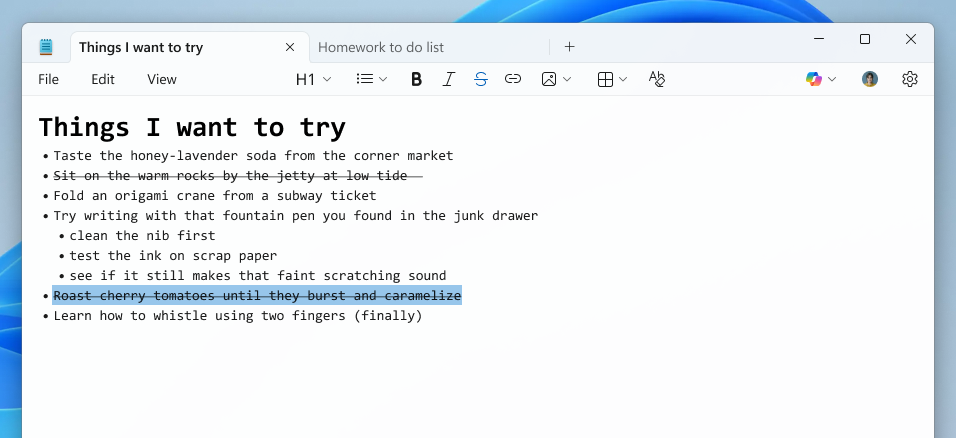
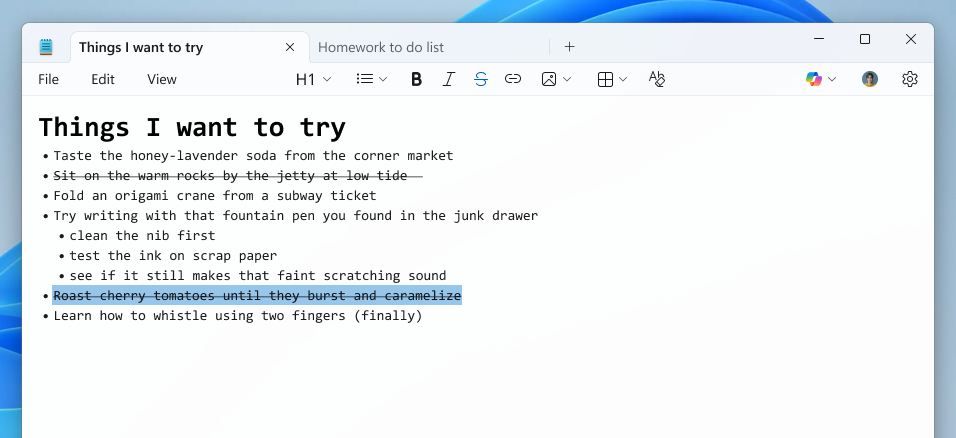
The text editor also expands its lightweight formatting support with additional Markdown syntax features, including nested lists and strikethrough text.
Notepad users can use these new formatting options via keyboard shortcuts, the formatting toolbar, or Markdown syntax in their documents.
Notepad now also comes with a welcome screen designed to help users discover the appțs newest features, a dialog that will appear on first launch and can be accessed later through a megaphone icon in the toolbar.
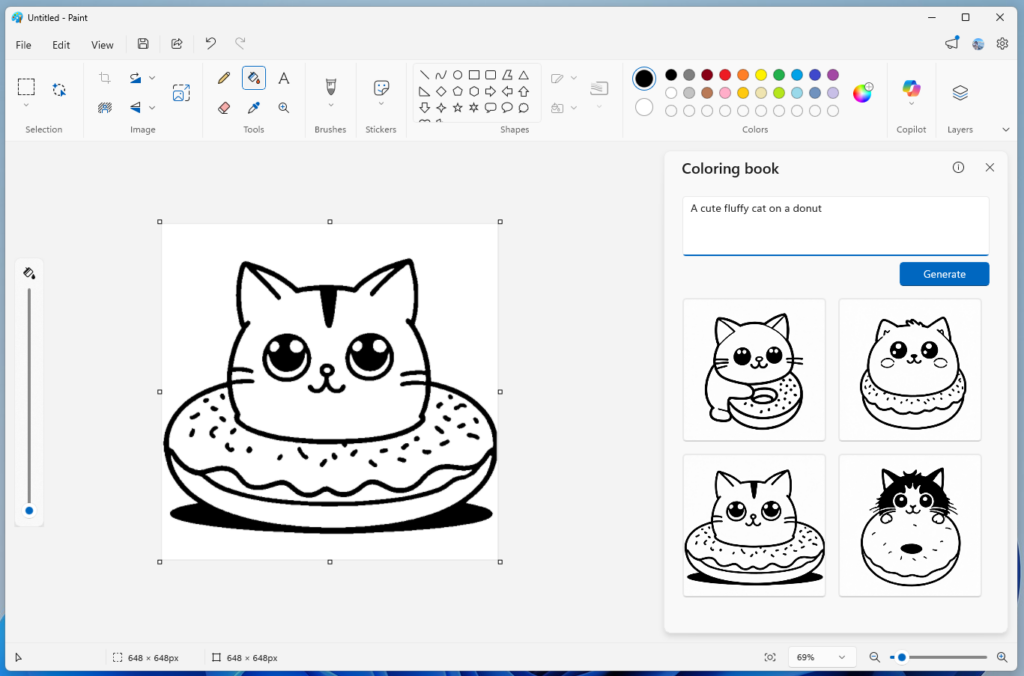
Paint version 11.2512.191.0 has also added a Coloring Book feature that uses AI to generate coloring pages from custom text prompts, offering multiple options users can add to the canvas, copy, or save.
However, the Coloring Book option is available only on Copilot+ PCs and requires Microsoft account authentication.
Paint now also comes with a fill tolerance slider, allowing users to control how the Fill tool adds color to the canvas. The adjustment slider appears on the left side of the canvas when the Fill tool is selected, allowing users to experiment with different tolerance levels for various effects.
Microsoft encouraged users to submit feedback through the Windows Feedback Hub, under the Apps category, to help weed out bugs.
In September, Microsoft announced that AI-powered text summarization, text rewriting, and text generation features would be available free to customers with Copilot+ PCs running Windows 11.
Users who don't want the new AI features can disable them in settings or uninstall the Windows Notepad app and use the built-in notepad.exe program.
The same month, the Paint app added support for Photoshop-like project files and an opacity slider for the Pencil and Brush tools for users who upgraded to version 11.2508.361.0.

Secrets Security Cheat Sheet: From Sprawl to Control
Whether you're cleaning up old keys or setting guardrails for AI-generated code, this guide helps your team build securely from the start.
Get the cheat sheet and take the guesswork out of secrets management.
如有侵权请联系:admin#unsafe.sh