
文章探讨了容器镜像中Rust依赖检测的挑战,并介绍了如何通过嵌入依赖信息解决SBOM生成和漏洞扫描问题。 2025-12-11 13:0:0 Author: securityboulevard.com(查看原文) 阅读量:13 收藏
Container image scanning has come a long way over the years, but it still comes with its own set of, often unique, challenges. One of these being the difficulty in analyzing images for vulnerabilities when they contain a Rust payload.
If you’re a big Rust user, you may have found that some software composition analysis (SCA) tools will struggle to report on known vulnerabilities found in your software dependencies. This is typical because these dependencies are not exposed in a consistent manner for cataloging and analysis.
In this blog post we’ll show you how to embed dependency information directly in your images, allowing you to get more accurate SBOM (software bill of materials) and vulnerability results. We’ll cover:
- Why Rust crates are hard to detect inside container images
- How Anchore Enterprise’s image and source catalogers work and can discover dependencies from both source and binary artifacts
- Why the
rust-cargo-lockcataloger isn’t enabled for image scans by default - And how you can use
cargo-auditableto embed crate metadata and dependency information directly into your compiled binary — so scanners can pick up every dependency without bloating your image
Why Your Rust Containers Look Empty to Security Scanners and How to Fix It
Your Container Doesn’t Look Anything Like Your Source Tree
Most container scanners can’t see inside compiled Rust binaries because by the time the image is built, it will typically only contain the final compiled Rust binary. This means that all of Cargo’s dependency metadata (cargo.toml and cargo.lock) have already been stripped away. Because of this, your image just looks like one big executable to the scanner with no dependencies. The lock file is the authoritative record of exactly which crates and versions were used to resolve the dependency graph. Without the lock file, the scanner cannot figure out the actual crate versions used at build time.
Opaque, Static Rust Binaries
Rust produces optimized, statically linked binaries. These artifacts don’t naturally contain machine-readable metadata about dependency versions. Without explicit embedding, scanners must rely on things like file names, pattern-matching or trying to infer crate versions from panic messages. This is obviously a less than desirable approach.
Stripped Binaries and Minimal Images for Production
To keep production images lean, teams will often remove any build tools from which would otherwise cause too much extra bloat in the images thus making the image more susceptible to security issues. But from a visibility standpoint, doing this will also remove almost all of the useful metadata that a scanner can use to attempt to reverse-map a binary back to its dependency graph; especially on minimal base images.
Diversity in Deployment
Different teams structure Rust deployment images differently. Some bake the entire Rust toolchain into a single monolithic image; others copy in only the compiled binary. Due to how Syft does cataloging, the filesystem layout may affect crate detection unless the environment still somewhat resembles a Rust workspace.
Even if you do recover a cargo.lock file from somewhere, it may not reflect the binary actually running in production due to potential differences in things like timestamps, environment variables, build machines, etc. This can all potentially lead to non-matching dependency graphs. This highlights why it is important to ensure the dependency graph is included at build time.
How Anchore Enterprise Catalogs Software Components
Anchore Enterprise utilises a modular, cataloger-based approach (powered by its integration of Syft) when it comes to identifying software components for the SBOM.
Each individual cataloger specializes in extracting package metadata from a specific ecosystem or filesystem structure. Understanding how Anchore Enterprise orchestrates these catalogers is crucial for correctly analyzing challenging artifacts, such as images with a Rust payload for security vulnerabilities.
Different Defaults for Image Scans vs. Source Scans
When scanning a container image, Syft assumes the image is an accurate representation of what is actuallyinstalled, not source code. As a result of this, many source-oriented catalogers such as the rust-cargo-lock-cataloger are disabled by default to avoid false positives. Syft provides the ability for the user to tell it to run additional catalogers that are not set by default for the target type. You can use syft --select-catalogers +rust-cargo-lock-cataloger <img> to run the non-image cataloger against the image by overriding the default behavior.
Image catalogers are optimized for installed package metadata: OS packages, Python wheels, Java archives, and so on. Unless explicitly instructed, Syft will not search for source layouts or lockfiles inside an image; production containers typically do not include them.
But when Syft scans a source code repository, it aggressively looks for manifest files like cargo.lock (Rust), package.json (NPM), gemfile.lock (Ruby). These are the files that reflect the developer’s intended dependency graph. When scanning a source repository Syft applies catalogers that assume a development environment. This includes the Rust lockfile parser, which is able to accurately capture crate version information. That is why scanning a Git repository produces richer Rust dependency data than scanning the image produced by that repository.
If you are only scanning container images and are interested in why you should be checking your source code repositories, be sure to check out our blog post: The Unseen Threat: Why You Need To Scan Your Source Code Repositories
Why Are Lockfile-Based Rust Catalogers Not Enabled for Image Scans?
Given the points mentioned above, hopefully it is starting to become a bit easier to understand why Syft does not run the cargo.lock cataloger during image scans by default. Even if a cargo.lock file exists inside an image, there is no guarantee that it still accurately reflects the binary that is inside the image. It could be outdated or leftover from an unrelated build step. Hence why the cataloger is disabled by default, as parsing a cargo.lock without being able to confirm the validity of it against the binary could lead to incorrect dependency graphs or false positives during the vulnerability scan. As previously mentioned, you can enable lockfile-based cataloging in Syft via the CLI but this will require careful consideration of what is actually contained in the image.
cargo-autidable: A Practical Breakthrough for Creating Complete Rust SBOMs
cargo-auditable addresses all of the challenges mentioned above by embedding dependency metadata directly into Rust binaries at build time. It extracts the full dependency graph and embeds it into a special linker section. The data is a compact, compressed JSON blob containing the crate names and versions. No paths, secrets or source is included, keeping the size overhead small, often to just a few kilobytes, even for large dependency graphs.
Because now using this tool the metadata is embedded into the binary itself, Syft (v1.15+) is able to automatically extract crate metadata and include it in the SBOM.
There is also now an adoption of tools similar to cargo-auditable across the different ecosystems that were previously struggling with the difficulties of metadata being stripped from container images.
Embedding the metadata/dependency graph ensures that scanners don’t need the cargo.lock file or source files, they can just simply inspect the binary itself. This is incredibly important moving forward with the security workflow of container images.
You can adopt auditable builds in two differing models:
1. CLI Wrapper Approach
Install cargo-auditable globally and run: cargo auditable build --release. This is ideal for CI pipelines and container builds.
2. Crate-Level Integration (build.rs)
Add auditable and auditable-build to cargo.toml, then invoke auditable::inject_dependency_list!() from build.rs or the application entrypoint. This doesn’t require installing any additional cargo plugins at runtime.
A Practical Multi-Stage Dockerfile for Auditable Rust Builds
To use rust-secure-code/cargo-auditable in a Rust build (example Dockerfile):
Enterprise production build pipelines need reproducible and minimal container images. The above Dockerfile integrates cargo-auditable cleanly into a multi-stage build, ensuring that:
- dependency metadata is embedded,
- the final runtime image is minimal, and
- SBOM tools can extract an accurate crate inventory list.
Seamless SBOM Generation and Analysis with Anchore Enterprise
Using the Dockerfile above as a template, you can build your image (e.g vulnerable-rust-app:latest). Whether the image resides locally or in a container registry, it can be submitted to Anchore Enterprise for SBOM generation and analysis. Because we have used cargo-auditable in the build process, the resulting binary contains embedded audit metadata. Anchore Enterprise, using Syft under the hood, automatically extracts this data to produce an accurate SBOM; including all of the Rust crates used.
Next, we add the image to Anchore Enterprise using anchorectl. During this step, Anchore Enterprise invokes Syft under the hood to generate the SBOM automatically and submit it to the Enterprise services for analysis. Here is what you would see in your terminal:
Using anchorectl we can now inspect the contents of the image and filter specifically for rust-crates. Anchore Enterprise correctly and successfully identifies each of the crates that I added into this particular image via the Dockerfile, due to cargo-auditable embedding the metadata into the image.
Here is what you would see in the Anchore Enterprise dashboard:

Finally, we review the vulnerability analysis results. In this example, the image contains one high-severity vulnerability and two low-severity vulnerabilities affecting the tokio crate.
This can also be viewed in the UI.

Wrap-up
As we’ve seen, securing Rust crates in container images presents unique challenges, but not insurmountable ones. By integrating cargo-auditable into your build process, you ensure that your production binaries carry their own source of truth. This enables accurate SBOM generation and vulnerability detection without compromising on image size or performance.
Don’t let your Rust containers remain a blind spot in your security posture. With Anchore Enterprise, you can automatically leverage this embedded metadata to gain complete visibility into your software supply chain, ensuring that what you build is exactly what you secure.
Ready to see what you’ve been missing? Request a demo of Anchore Enterprise today.
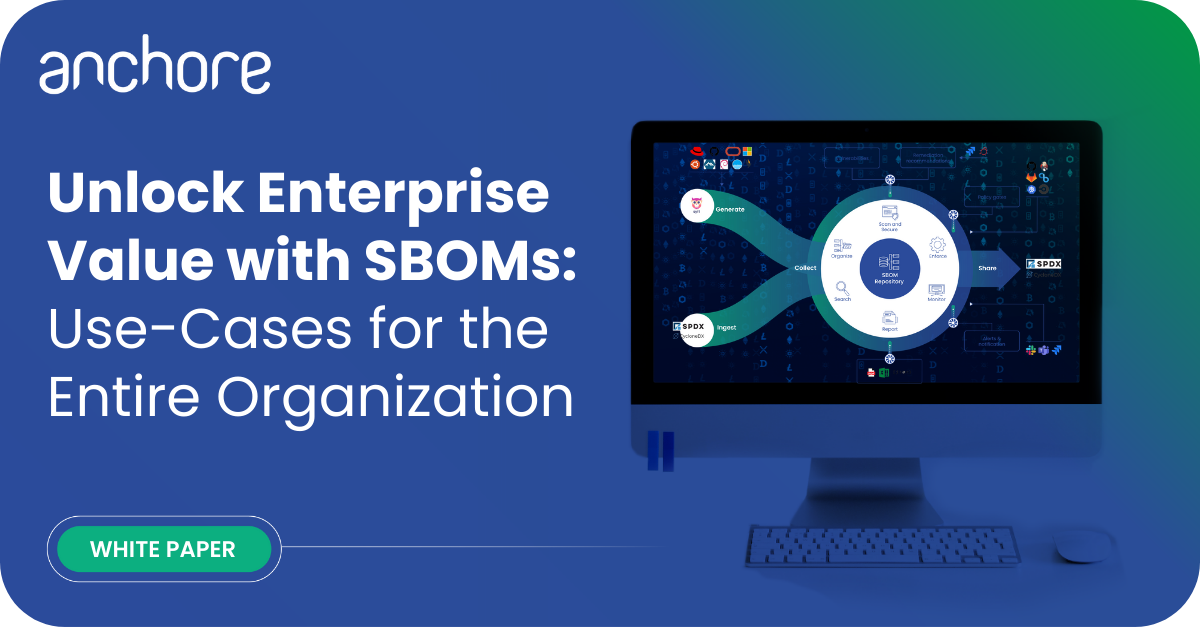
Explore SBOM use-cases for almost any department of the enterprise and learn how to unlock enterprise value to make the most of your software supply chain.
The post Beyond Cargo Audit: Securing Your Rust Crates in Container Images appeared first on Anchore.
*** This is a Security Bloggers Network syndicated blog from Anchore authored by Tyran Henry. Read the original post at: https://anchore.com/blog/beyond-cargo-audit-securing-your-rust-crates-in-container-images/
如有侵权请联系:admin#unsafe.sh