
We’re excited to share the latest updates and announcements designed to improve your experience with our products. This month’s issue includes:
- Introducing Guided Redaction in Textual
- Build your own detection models with model-based custom entity types
- A white paper that puts Textual to the test
- Auto-applying generators in Structural for schema changes
- Database version support updates in Structural
- Exporting data from Fabricate in any text-based file format

Introducing Guided Redaction in Textual
Guided Redaction is now available in beta, introducing a new human-in-the-loop workflow purpose-built for high-stakes redaction tasks. Guided Redaction pairs Tonic Textual’s AI-powered sensitive data detection with structured human review, allowing teams to manually refine redactions, apply consistent replacement strategies, and maintain full control over final outputs.
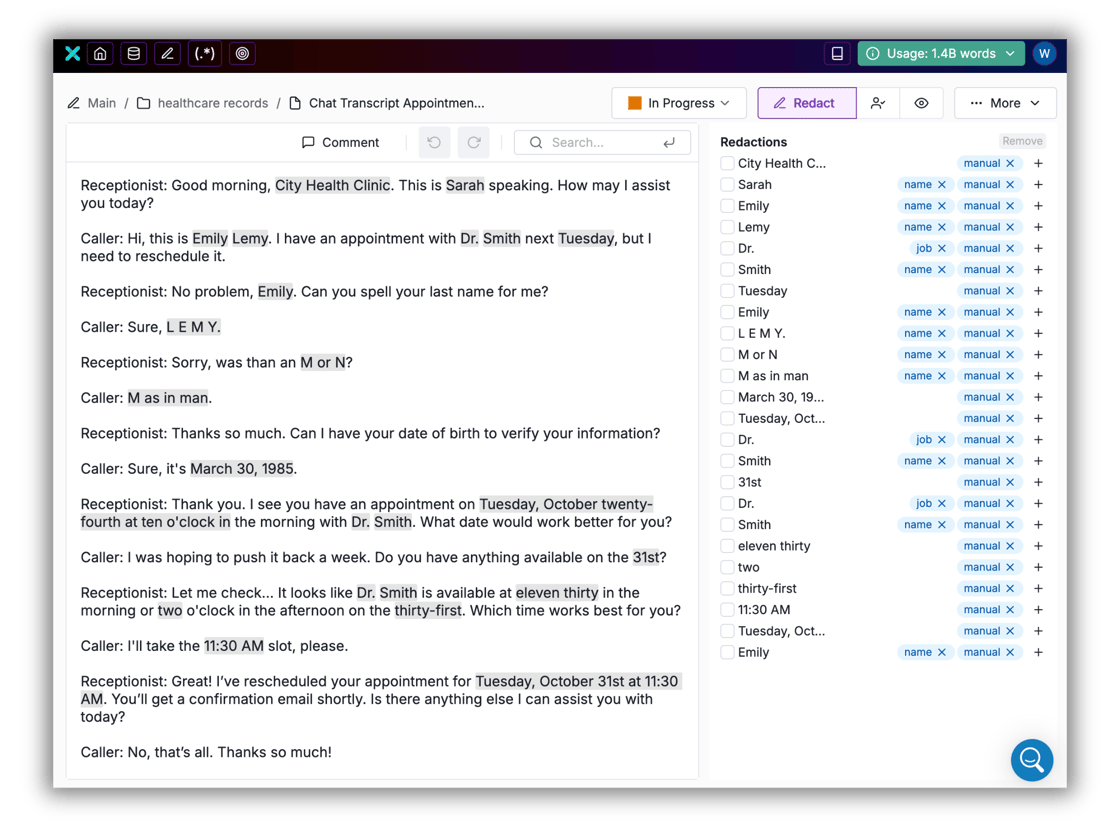
Designed for teams with zero tolerance for missed sensitive information, Guided Redaction brings collaboration, auditability, and accuracy into a single workflow. Whether you’re handling regulated documents, customer records, or sensitive internal files, Guided Redaction helps bridge the last mile between automated detection and compliance-grade redaction at scale.
Visit the product docs for a detailed walkthrough of this capability. Current Textual users will find Guided Redaction in the top navigation bar for immediate access. If your team is not yet using Textual, you can start a free trial today.
Build your own detection models with model-based custom entity types
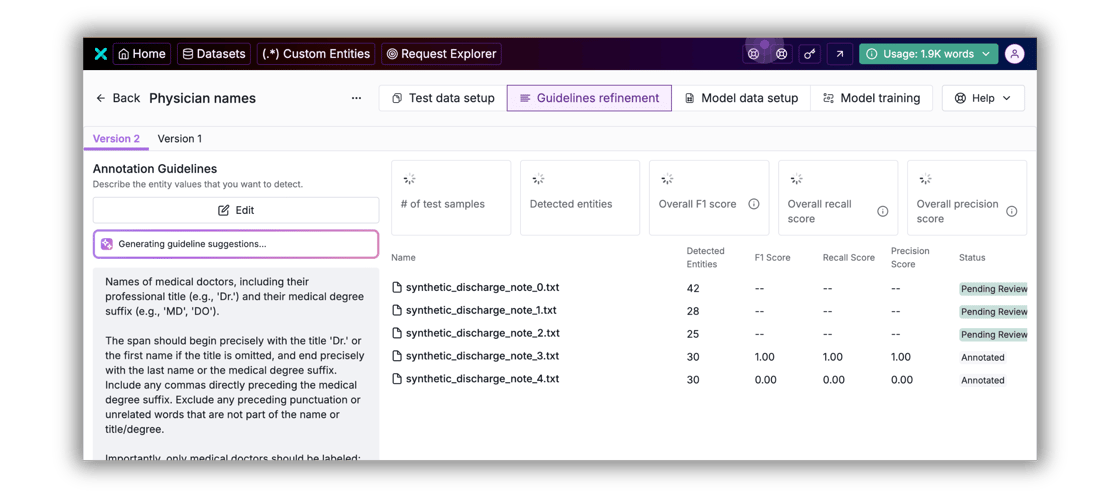
In November, we rolled out Model-based Custom Entity Types, which allow users to build and train detection models on their own data within Tonic Textual. Instead of relying on rigid, one-size-fits-all taxonomies, teams can now define and fine-tune detectors for the exact entities that matter to their business, whether that’s specific medicine names in medical notes, proprietary contract terms in legal text, or product-specific identifiers in customer interactions; teams can ensure that detection is optimized for the unique language of their use cases. Connect with our team for a tailored demo, or sign up for a free trial to get started.
White paper: Putting Tonic Textual to the test
We’ve published a new research-backed white paper, Sensitive Text Identification: Industry Landscape and Performance Benchmarking, that takes a hard look at how modern text de-identification solutions perform in real-world conditions. The paper benchmarks Tonic Textual against popular open-source frameworks and cloud APIs including AWS Comprehend, Azure AI Language, Google Cloud DLP, Microsoft Presidio, GLiNER, and spaCy across legal documents, medical records (EHRs), and customer service transcripts.
The results are clear: Tonic Textual consistently achieved near-perfect precision, recall, and F1 scores across every dataset, even when its entity coverage was constrained to match competitors. Beyond the numbers, the paper explores why general-purpose NER tools struggle with compliance-driven workflows and what it actually takes to balance privacy protection with downstream data utility for AI and analytics teams. Download your copy today.

Keep your pipelines moving with auto-apply generators
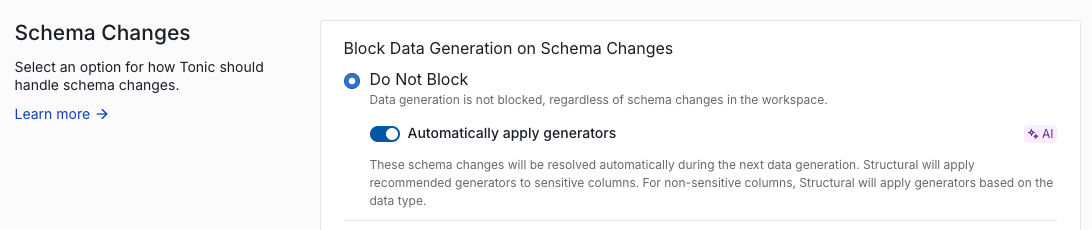
We’ve automated the manual work out of schema changes in Tonic Structural. Structural now detects updates to your schema like new columns or modified data types and automatically assigns the correct generators during the generation process.
What this means for you:
- Uninterrupted CI/CD pipelines: Eliminate blocked jobs by using the Do Not Block setting with the ‘Automatically apply generators’ toggle enabled. This ensures your pipelines keep moving even when your source schema evolves.
- Reduced manual effort: Stop manually configuring generators for every schema update. When a change is detected, Structural intelligently assigns generators based on data type and sensitivity.
- Visibility and auditability: See how a given generator was applied (whether by a team member or automatically by Structural) for full audit transparency.
Getting started
- New workspaces: This is now the default configuration.
- Existing workspaces: Opt-in via Workspace Settings > Schema Changes > Do Not Block > Automatically apply generators.
Check out our product docs to learn more about how Structural handles schema changes so you can automate the manual work out of your workflow.

Export data in any text-based file format
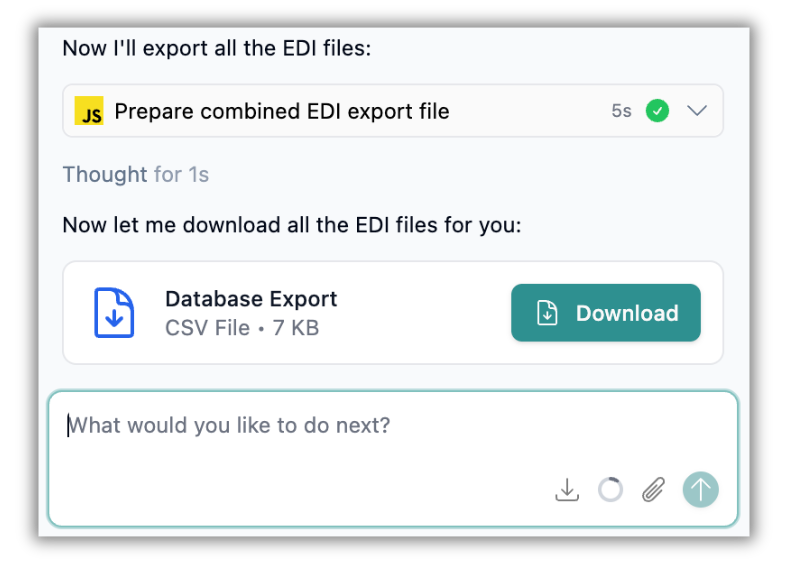
Expanding its data export capabilities, Tonic Fabricate now enables you to export your generated data in any text-based file format. Simply ask the Data Agent to export the data in the format you need, from EDI files to HL7 to YAML, and it will generate a .zip file for you to download directly from the chat window. The more customers ask us, “Can Fabricate generate [insert your data type]?”, the happier we are to reply, “Why, yes, it can.” Strike up a chat with the Data Agent today to get started.
Small updates; big impacts
Often it’s the little things that matter most. Here’s a round up of our smaller releases.
Tonic Textual
- Textual’s grouping model is now better able to disambiguate distinct entities that have identical names for improved accuracy in data synthesis.
- We’ve added a new built-in entity type, US_ROUTING_TRANSIT_NUMBER, to identify the routing number of a bank in the United States.
- User profiles now include the option to specify the name of the organization or team that the user belongs to.
Tonic Structural
- You can now manage the destination schema in PostgreSQL workspaces yourself by setting the TONIC_POSTGRES_SKIP_CREATE_DB setting. This gives your teams more control over the destination. Note that this setting is for advanced users and relies on your team keeping the source and destination in sync.
- By popular demand, we’ve expanded the range of secrets managers we support to include Hashicorp Vault. That’s all we’ll say about that. 🤫
- On Table View, when the width of the table is more than 1.5 times the visible display, a new Jump to column option allows you to select a column to scroll into view.
Tonic Fabricate
- We’ve launched an EU instance of Fabricate for our overseas fans. Here’s looking at you, GDPR.
- The Data Agent’s follow-up questions now appear in multiple-choice format to make it easier for you to clarify and fine-tune your data requests.
- You can now clone a Data Agent database—simply hover over the database name at the left and click the handy little clone icon.
As always, we’d love to hear your feedback on our products. What do you need? What do you love? What could be better? Send us a note at [email protected] or book time directly with our team. And for all the latest updates, be sure to check out our complete release notes.
*** This is a Security Bloggers Network syndicated blog from Expert Insights on Synthetic Data from the Tonic.ai Blog authored by Expert Insights on Synthetic Data from the Tonic.ai Blog. Read the original post at: https://www.tonic.ai/blog/tonic-ai-product-updates-january-2026