好的,我现在需要帮用户总结一篇文章的内容,控制在100个字以内。用户给的文章是关于微软发布的KB5070311预览累积更新的,针对Windows 11系统。 首先,我要通读文章,抓住主要信息。文章提到这个更新是可选的预览版,包含49项改进,包括修复文件资源管理器冻结、搜索问题以及任务栏无响应的问题。此外,还提到了一些新功能,比如改进搜索结果菜单、支持更多摄像头效果等。最后提到微软在12月不会发布预览更新,计划在1月恢复。 接下来,我需要将这些信息浓缩到100字以内。要确保涵盖更新的主要内容和关键改进点,同时保持语言简洁明了。 可能会先列出关键点:KB5070311更新、修复的问题、新增功能、发布计划调整。然后将这些点连贯地组织起来。 最后检查字数是否符合要求,并确保没有遗漏重要信息。 </think> 微软发布了Windows 11的KB5070311预览累积更新,修复了文件资源管理器冻结、搜索问题及任务栏无响应等49项改进。该可选更新不含安全补丁,并新增搜索结果菜单滚动条和更多摄像头支持等功能。微软计划暂停12月的预览更新发布。 2025-12-2 11:30:22 Author: www.bleepingcomputer.com(查看原文) 阅读量:11 收藏

Microsoft has released the KB5070311 preview cumulative update for Windows 11 systems, which includes 49 changes, including fixes for File Explorer freezes and search issues.
KB5070311 is an optional preview update that delivers updates at the end of each month, enabling IT admins to test Windows bug fixes, improvements, and new features that will roll out during next month's Patch Tuesday release.
However, unlike Patch Tuesday cumulative updates, the monthly non-security preview updates contain only quality improvements and do not include security fixes.
With the KB5070311 November optional update, Microsoft addressed a known issue that occurred after installing the latest updates, causing the explorer.exe process and the taskbar to stop responding after certain notifications.
It also fixes a bug that caused File Explorer search issues with some SMB (Server Message Block) shares, as well as an issue affecting the Local Security Authority Subsystem Service (LSASS) that made it unstable due to an access violation.
You can install KB5070311 by opening Settings, clicking on Windows Update, and then on 'Check for Updates.' Because this is an optional update, you will be prompted to install it by clicking the 'Download and install' link. You can also manually install this preview update after downloading it from the Microsoft Update Catalog.
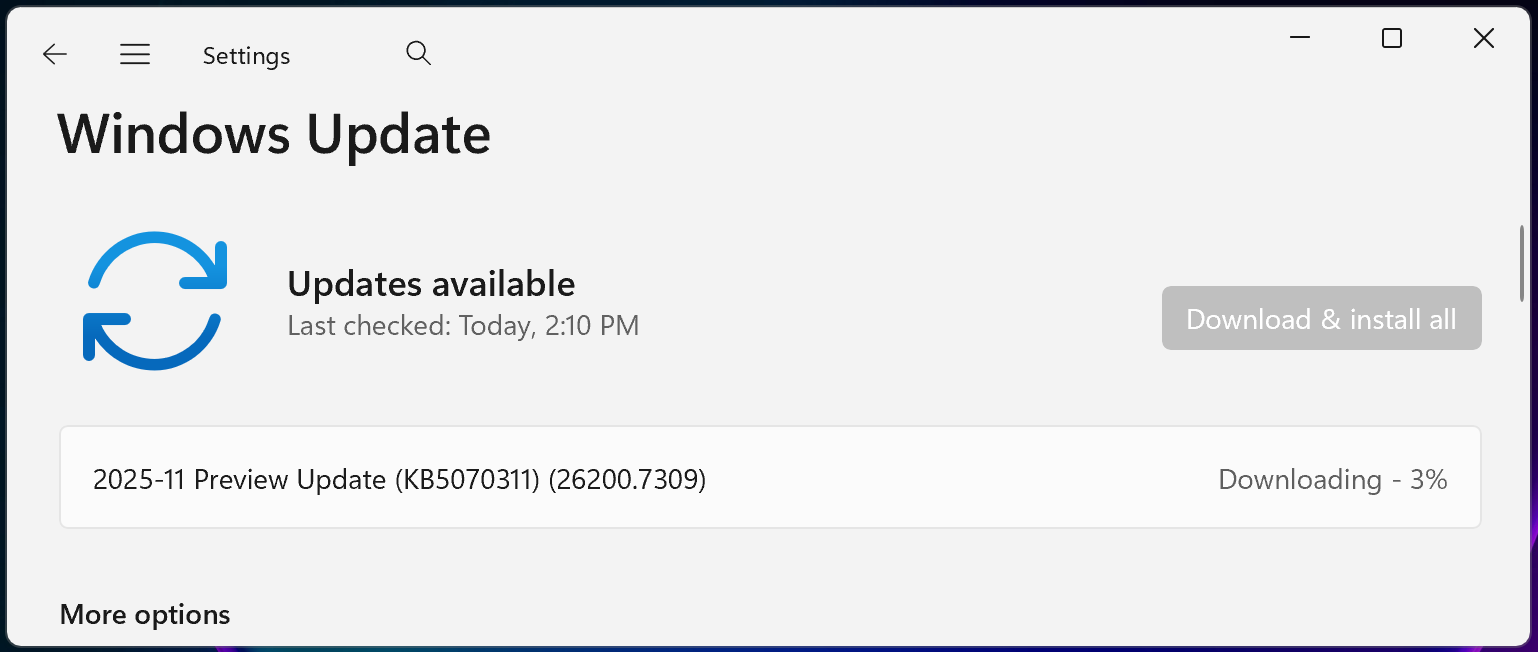
Windows 11 KB5070311 highlights
Once installed, this optional non-security preview update will update Windows 11 25H2 and 24H2 devices to builds 26200.7309 and 26100.7309, respectively.
The November 2025 preview update comes with further fixes and improvements, some of the more important ones highlighted below:
- The search results menu displays more available results, making it easier to find and modify your settings quickly. A scroll bar lets you view all search results. (Copilot+ PCs)
- You can use Windows Studio Effects, which provides AI-powered camera enhancements, on an additional camera such as a USB webcam or your laptop's built-in rear camera. (Copilot+ PCs)
- When Windows Spotlight is set as your desktop background, the context menu now includes two options: Learn more about this background and Next desktop background.
- File Explorer now offers a more consistent dark mode experience.
In a separate message center update, Microsoft added that it won't release a preview update in December, with the regular roll-out schedule resuming in January.
"Because of minimal operations during the Western holidays and the upcoming new year, there will be no December 2025 non-security preview update," it said.
"There will be a monthly security update for December 2025. Normal monthly servicing for both security and non-security preview updates will resume in January 2026."
Microsoft added that it's still working to address a known issue acknowledged last week, which causes the password sign-in option to disappear from the lock screen options.

Break down IAM silos like Bitpanda, KnowBe4, and PathAI
Broken IAM isn't just an IT problem - the impact ripples across your whole business.
This practical guide covers why traditional IAM practices fail to keep up with modern demands, examples of what "good" IAM looks like, and a simple checklist for building a scalable strategy.
如有侵权请联系:admin#unsafe.sh